
描述
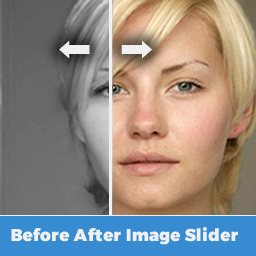
This plugin makes it easy to create a before and after image comparison slider, using AMP technology. It’s a quick method of implementing the related amp-image-slider component on your site.
For best results use the official AMP plugin, with the viewing options applicable with this official plugin, rendering on AMP or non AMP URLs.
Features:
- Easy to setup, select your images, width and height
- Super Lightweight
- Responsive (via the AMP intrinsic layout)
- Shortcode activated
- Fully AMP compatible
- Powered by AMP technology, optimized for performance
View a demo here.
屏幕截图

Settings Screen 
Example slider
安装
Using The WordPress Dashboard
- Install as a typical WordPress plugin (from the WordPress repository or via a file upload)
- Activate the plugin through the ‘Plugins’ menu in WordPress
- Once activated you’ll find the configuration options within the settings tab under “Settings > Before After Image Slider (AMP) “
常见问题
-
Does this plugin come with settings?
-
There are width and height settings configurable from the plugin settings. Get in touch if you’d like more features, or check out the related AMP component if you’d like to configure yourself.
-
Who’s this plugin suitable for?
-
For anybody looking to have images which can be easily measured against other images. In particualar the following may be useful:
- Beaticians
- Builders or tradesmen
- Dentists
- Car Wash Operators
- Painters
- Fitness Coaches / Gyms
-
Can I create multiple before and after images?
-
At present no, you can only use the same 2 images. As it’s shortcode activated you can use the before and after slider on multiple pages or posts, but it will be the same 2 images.
-
It’s not working, whats wrong?
-
Did you check the configuration options to ensure you have it working on the correct version of your site, AMP or non AMP? If so check that your shortcode was implemented correctly. The correct shortcode to use is [jozz-ampimageslider]
You may also want to check and ensure you’ve selected images both in the before and after fields.
评价
此插件暂无评价。
贡献者及开发者

更新日志
1.0
- Initial release