

描述
A portfolio block that lets you use images grid with multiple styling options.
The block displays a grid of images with options to link them to the work you present.
You can control the layout, the global colors, item background image, item overlay box-shadow css rule, item title level, animate portfolio loading, animate items image, image sliding strip on hover, image sliding strip Width and more.
You can export\import the portfolio attributes to a json file. This gives you an option to make changes without worrying if you don’t like the outcome, since you can always load back the attributes backup. It also gives you the option to import the attributes to other occurrences of the block in the same or another site.
It may be added to any page or post using the WordPress 5+ Gutenberg editor.
Features
- Customizable: The block has many options to control the look of the portfolio.
- It includes a parent block, the portfolio main block, and an item child block.
- Each portfolio item content is controlled separately
- The style is controlled globally (per portfolio block, not throughout the website)
- you can export/import the settings of the portfolio
How to use
- Install ATR Portfolio plugin
- Add ATR Portfolio from the block category “Widgets” in the editor.
- Use the + sign inside to add items to the portfolio. Use the settings sidebar to set the item image etc.
- Control the block settings from the settings sidebar for global settings.
- Enjoy!
See in the video
屏幕截图
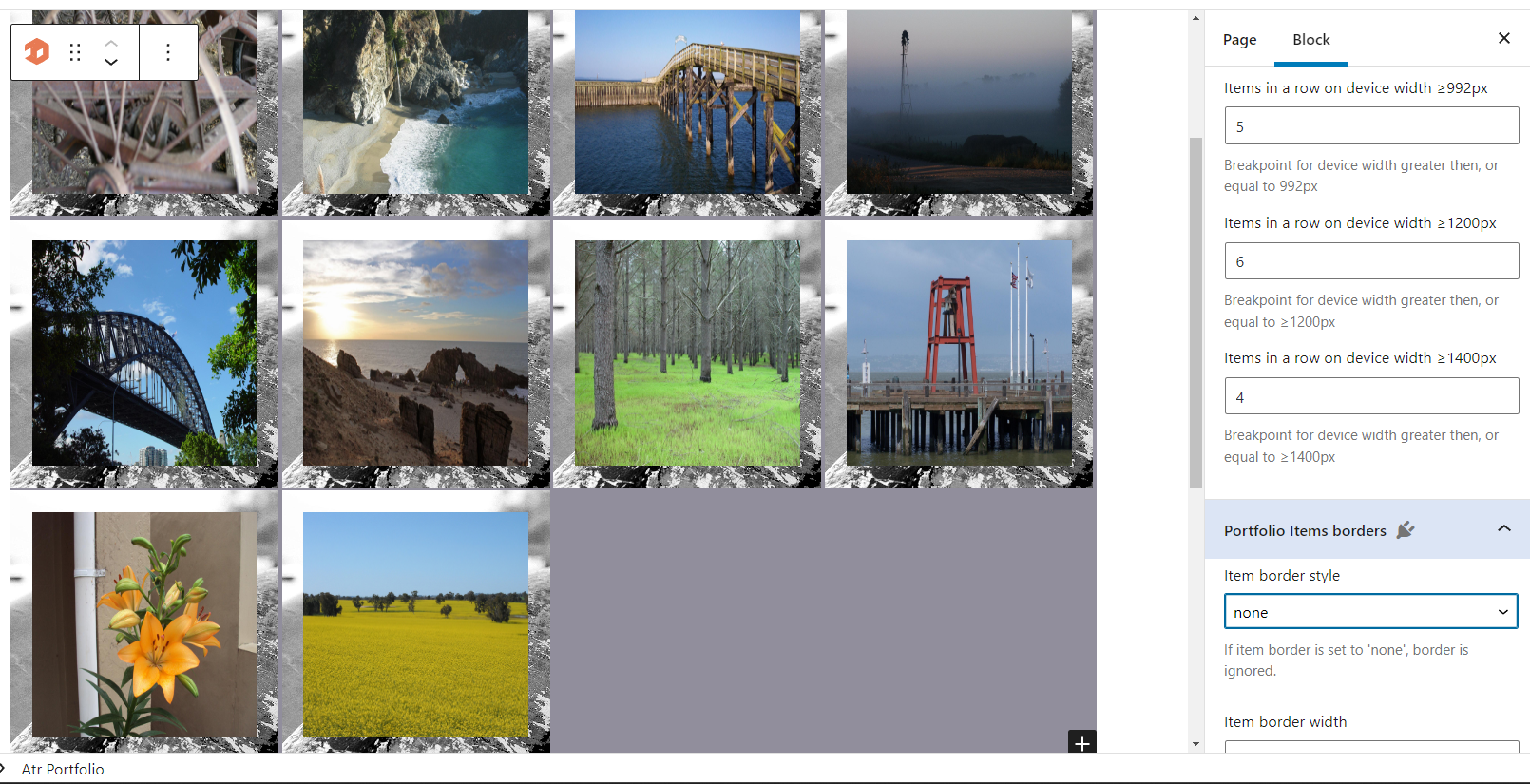


区块
该插件提供了 2 个区块.
- Atr Portfolio item Portfolio item block. Child element for the portfolio.
- Atr Portfolio Portfolio block. Showcase your projects and portfolio work.
安装
Installing “Atr Portfolio” can be done either by searching for “Atr Portfolio” via the “Plugins > Add New” screen in your WordPress dashboard, or in the components search box in the editor.
From Gutenberg Editor:
- Go to the WordPress Block/Gutenberg Editor
- Search For ATR Portfolio
- Click on the ATR Portfolio to add the block
Or by using the following steps:
- Upload the plugin files to the
/wp-content/plugins/atr-portfoliodirectory, or install the plugin through the WordPress plugins screen directly. - Activate the plugin through the ‘Plugins’ screen in WordPress
常见问题
-
Where can I use this plugin?
-
This is a regular block, you can use it in any post or page.
-
How do I use this plugin?
-
Add the block to the post or the page. Use the + sign inside the block to add items. Control the settings with the side bar controls.
评价
此插件暂无评价。
贡献者及开发者

更新日志
1.0.0
- Release