

描述
Pay Addons is the most complete Stripe payment plugin built exclusively for Elementor. Sell products, accept donations, run subscriptions, and collect payments — all without writing a single line of code.
Whether you use Elementor Free or Elementor Pro, Pay Addons has you fully covered.
🔀 Works With OR Without Elementor Pro
No Elementor Pro? Use Our Built-In Form Builder
Our included form builder gives you everything you need — no Elementor Pro required:
- 10+ Form Fields: Text, email, textarea, number, radio, select, checkbox, and more
- On-Site Credit Card Processing: Embed a credit card field directly in your form
- On-Site Multi-Method Payments: Accept 40+ payment methods via Stripe’s Payment Element
- Stripe Checkout Redirect: Redirect to Stripe’s secure hosted checkout after form submission
- Full Custom Styling: Complete control over fields, labels, buttons, and layout
- Decimal & Dynamic Pricing: Custom amount inputs and PHP-based pricing logic
Already Have Elementor Pro? Supercharge Its Forms
Add Stripe payment fields directly into your existing Elementor Pro forms — all native Pro features (reCAPTCHA, multi-step, conditional logic, email actions) continue to work:
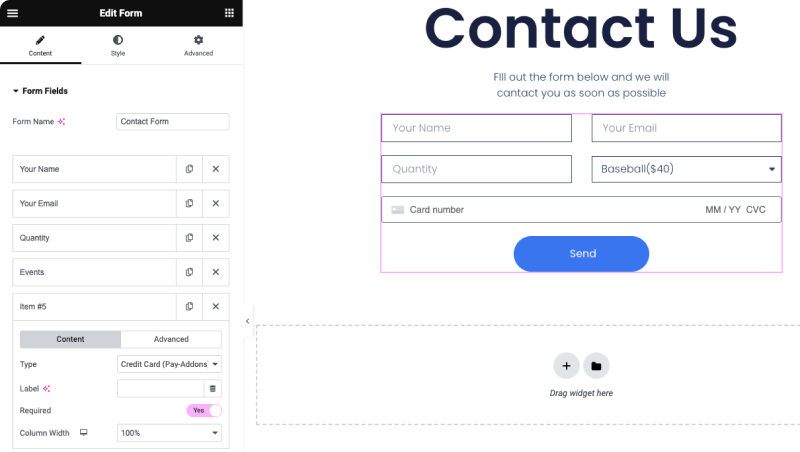
- On-Site Credit Card Processing: Add a credit card field to any Elementor Pro form
- On-Site Multi-Method Payments: Add Stripe’s Payment Element (40+ methods) to any Pro form
- Stripe Checkout Redirect: Trigger a Stripe Checkout redirect on Pro form submission
- Recurring Subscriptions: Collect subscription payments directly through Pro forms
🧩 Widgets
Free:
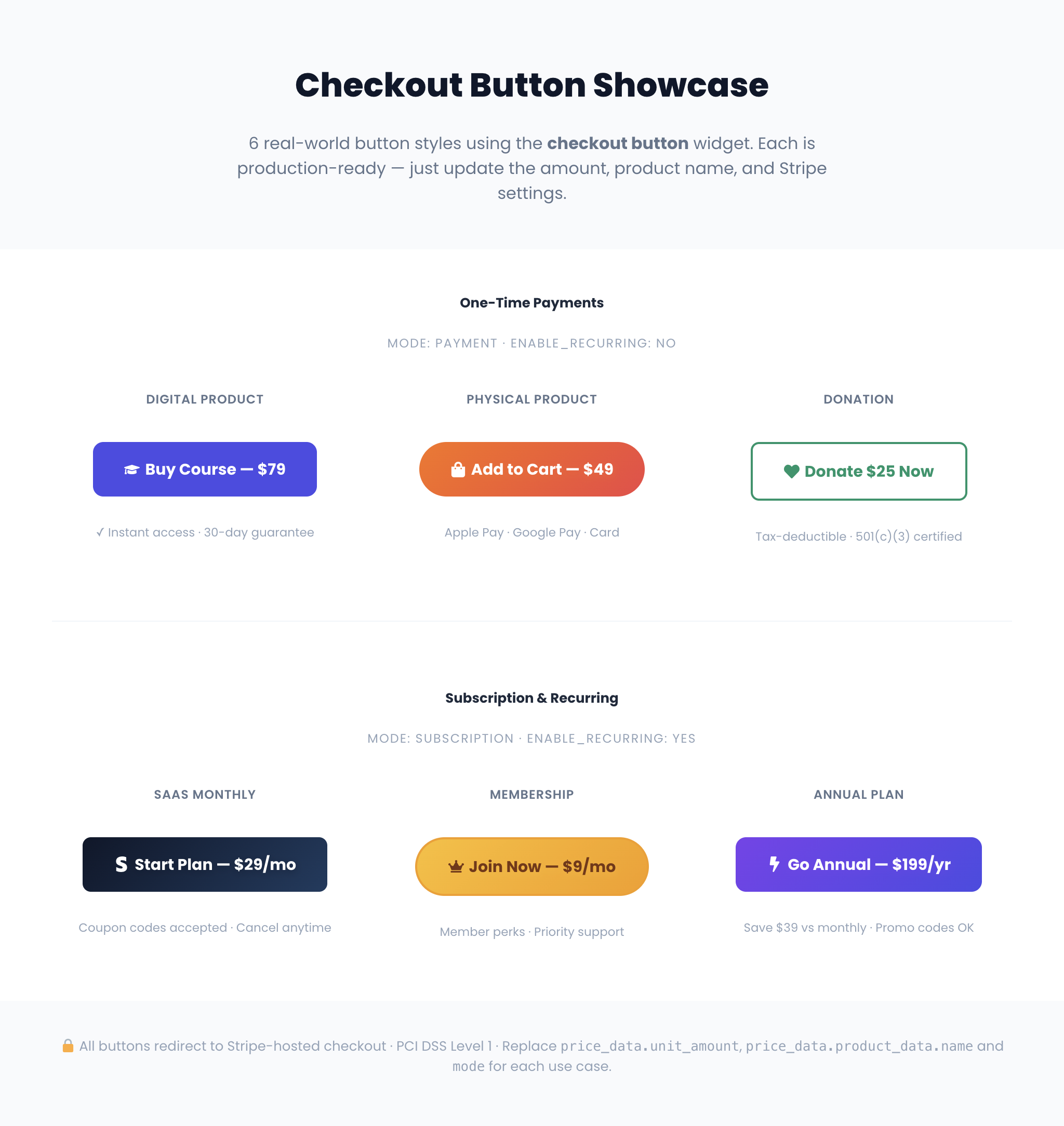
* Checkout Button — One-click redirect to Stripe-hosted checkout. Supports one-time, recurring, coupons, and tax. (demo)
* Price Table — Pricing tables with direct checkout action, including subscriptions. (demo)
* Confirmation Summary — Display receipt details on your thank-you page after Stripe Checkout.
Pro:
* Checkout Redirect Form — Custom form with redirect to Stripe’s hosted checkout. Multi-method, coupons, automatic tax. (demo)
* Checkout Credit Card Form — On-site credit card form with one-time, recurring, and automatic tax like VAT support. (demo)
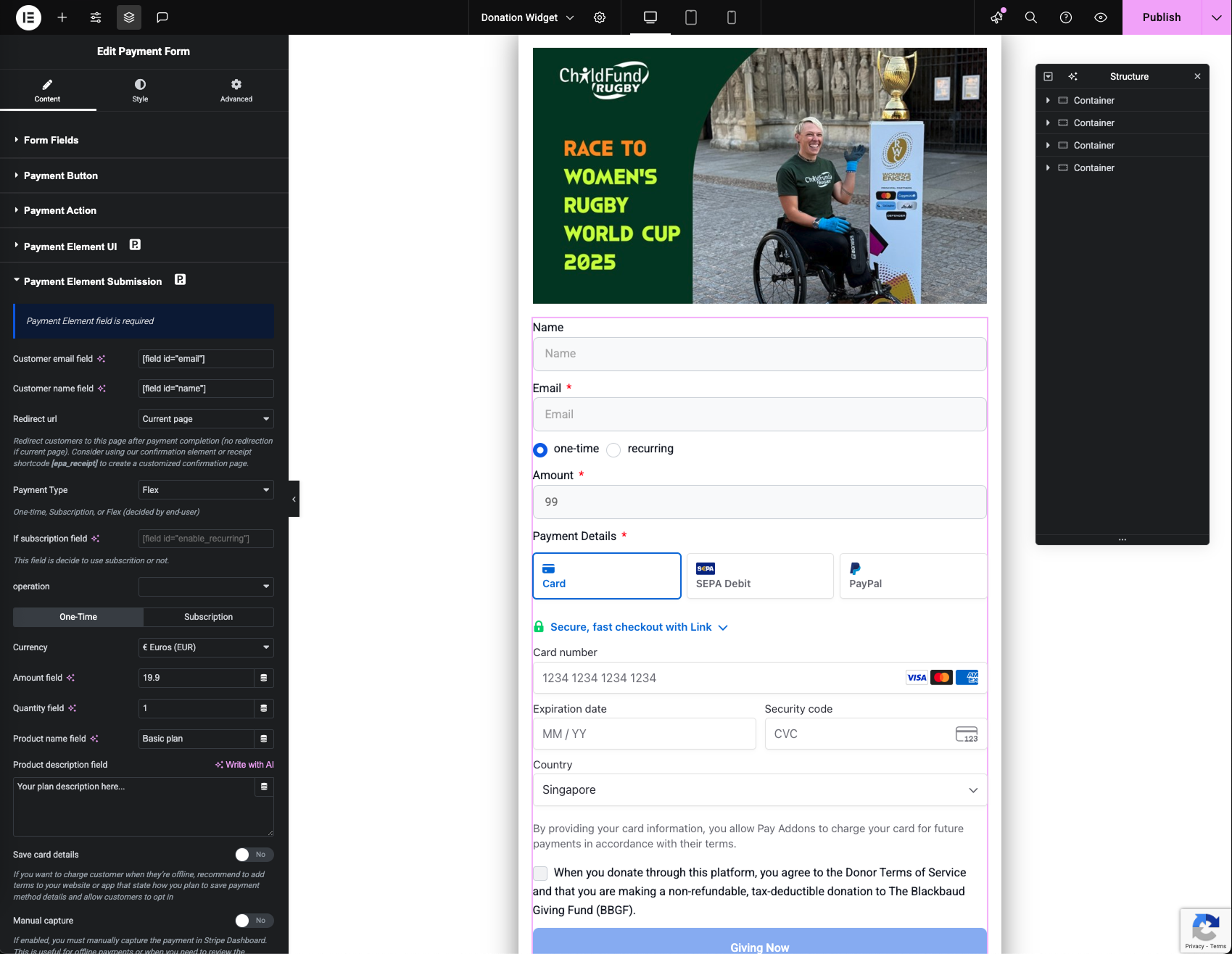
* Checkout Payment Element Form — On-site form with 40+ payment methods via Stripe’s Payment Element, including automatic tax like VAT support. (demo)
* Custom Confirmation Page — Redirect to your own branded receipt page using the [epa-receipt] shortcode with full merge fields.
📋 Demo Templates
Import any of our 30+ pre-built templates directly from the Elementor editor. Each template is ready to connect to your Stripe account and go live in minutes.
- Checkout Button Showcase — 6 real-world Stripe checkout button layouts. (Free)
- Pricing Table — SaaS 3-Tier — Pricing table with per-plan Stripe checkout buttons. (Free)
- Product Purchase — 40+ Payment Methods — Checkout form accepting cards, wallets, and 40+ local methods. (Pro)
- Donation Form — Preset & Custom Amount — Flexible donation form with preset and custom amount inputs. (Pro)
- Charity Donation — Monthly or One-Time — Donors choose a one-time gift or recurring monthly donation. (Pro)
- Event Registration — Multi-Step — Multi-step form for event attendees with ticket selection and payment. (Pro)
- Membership Sign-Up — Membership form with recurring Stripe billing. (Pro)
- SaaS Flexible Plan Signup — SaaS plan signup with flexible billing intervals. (Pro)
- Freelance Project Deposit — Collect an upfront deposit from clients before starting work. (Pro)
- Salon Appointment Booking & Deposit — Booking form with deposit collection to reduce no-shows. (Pro)
Browse all templates payaddons.com/elementor-demo/
💳 Payment Methods
Visa, Mastercard, Apple Pay, Google Pay, Alipay, WeChat Pay, Afterpay, Klarna, ACH, iDEAL, SEPA, Bancontact, EPS, P24, Giropay, Affirm, Grabpay, OXXO, Multibanco, FPX, and 40+ more.
PayPal available for European Stripe accounts. (Learn more)
✨ More Features
- 30+ Templates — Pre-built payment page templates: donations, subscriptions, events, products, and more
- Automatic Tax Calculation — Stripe Tax integration for Checkout Redirect, Payment Element, and Credit Card forms. Automatically calculates sales tax, VAT, and GST based on customer location (address field required for on-site forms)
- Advanced Subscriptions — Daily / weekly / monthly / yearly billing, setup fees, occurrence limits
- Multi-Currency — 135+ currencies worldwide
- Smart Notifications — Automated payment confirmation emails
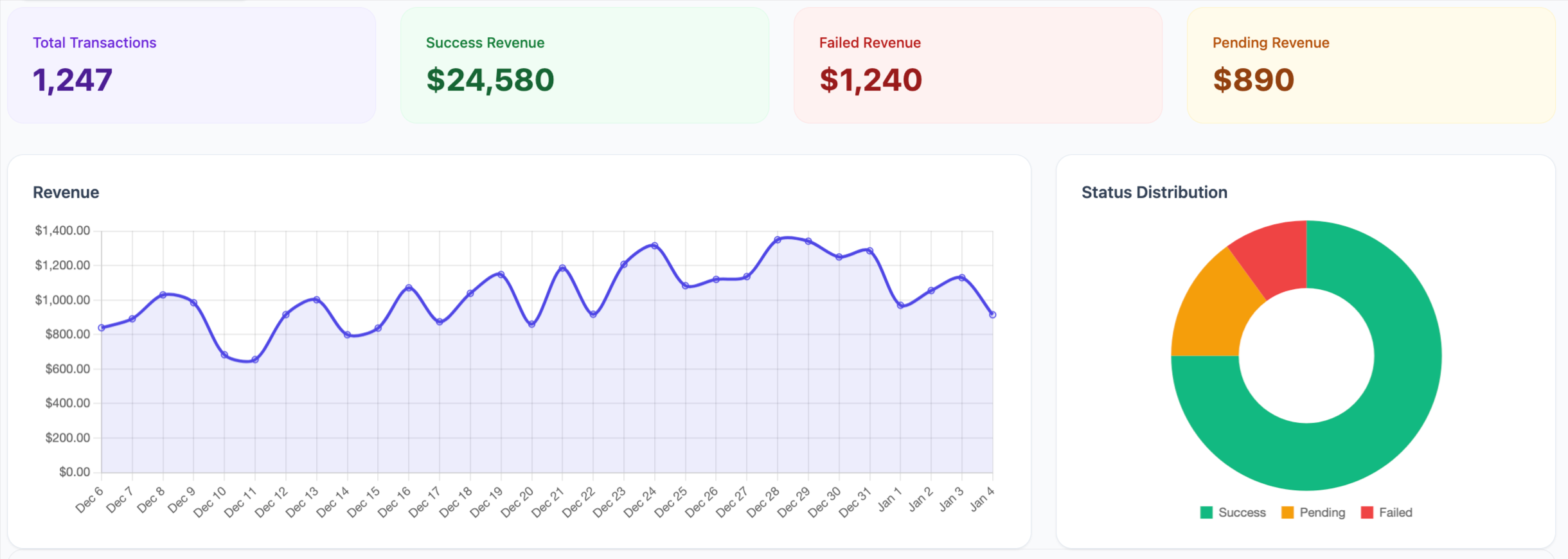
- Transaction Dashboard — Full submission log and report overview
- Developer APIs — Hooks, filters, and custom extensions
- Dynamic Pricing — PHP code tags for custom price logic
- Dynamic Fields — Pre-fill fields from URL parameters
- Security — PCI DSS compliant, SCA-ready, GDPR compliant. Payment data is handled directly by Stripe.
🏆 Official Stripe Verified Partner
Pay Addons is an official Stripe Verified Partner with early access to new features — ensuring the most up-to-date and reliable Stripe integration for Elementor users.
External services
The plugin connects to Stripe’s API (https://api.stripe.com/v1/) to process payments and manage transactions. – JavaScript library: https://js.stripe.com/v3/. Service provider: Stripe, Inc.
屏幕截图


常见问题
Do I need Elementor Pro to build forms?
No, it’s not required. Our plugin includes a powerful free form builder that supports custom styling and payments. For users who already have Elementor Pro, we also integrate seamlessly with its advanced form features for more complex forms.
Does this plugin only support stripe gateway? What about PayPal?
Yes, but Only for the Stripe Account In Europe.
Does this support recurring payments, like for subscriptions?
Yes, you can feel free to provide any subscription.
Does this support to integrate with Elementor Form?
Yes, but limitted to premium version only.
Does this require an SSL certificate?
Yes! In Live Mode, an SSL certificate must be installed on your site to use Stripe.
Does this support both production mode and sandbox mode for testing?
Yes, it does – You can switch them in plugin setting page.
评价


