
描述
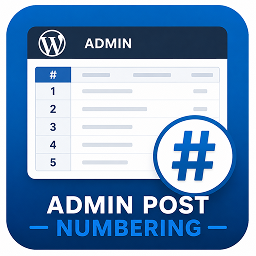
Usama Admin Post Numbering enhances the WordPress admin by adding a clean, compact numbering (#) column to every post type list table (Posts, Pages, Products, etc.).
Each row receives an automatically generated sequence number that respects pagination — helping administrators quickly reference items without changing post data.
It is:
– Lightweight (no settings screen)
– Automatically applies to all public post types
– Pagination-aware (numbers continue correctly on subsequent pages)
– Compact and visually balanced in the admin table
Useful for:
– Quickly referencing or identifying post order in the admin view
– Managing large lists of posts, pages, or WooCommerce products
– Administrative and editorial workflows
Usage
No configuration is required.
After activation, each admin list table (for posts, pages, and other registered post types) will automatically display a numbering column at the far left.
屏幕截图

Screenshot 1: Example of numbered posts list in WordPress Admin.
安装
- Upload or install directly through the WordPress Plugins screen.
- Activate the plugin through the Plugins menu in WordPress.
- Go to Posts, Pages, or Products — a new
#column will appear in the list table.
常见问题
-
Does this plugin modify post data?
-
No. It only displays visual numbering in the admin list table; no database changes are made.
-
Does it support custom post types?
-
Yes. Any post type registered with
'show_ui' => truewill automatically include the numbering column. -
Is the numbering affected by pagination?
-
Yes. The numbering continues correctly across pages, reflecting the actual position in the full list.
-
Can I change the column width or label?
-
You can adjust both via minor CSS or filter customization. The plugin sets a compact default width for clarity.
-
Does it affect the front-end of my site?
-
No. It only affects the WordPress admin area.
-
Is it compatible with WooCommerce?
-
Yes. WooCommerce products and other custom post types will display the numbering column.
评价
此插件暂无评价。
贡献者及开发者

更新日志
1.0.0
- Initial release with basic numbering column support for all post types.