
描述
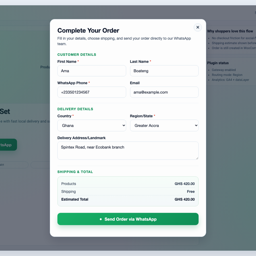
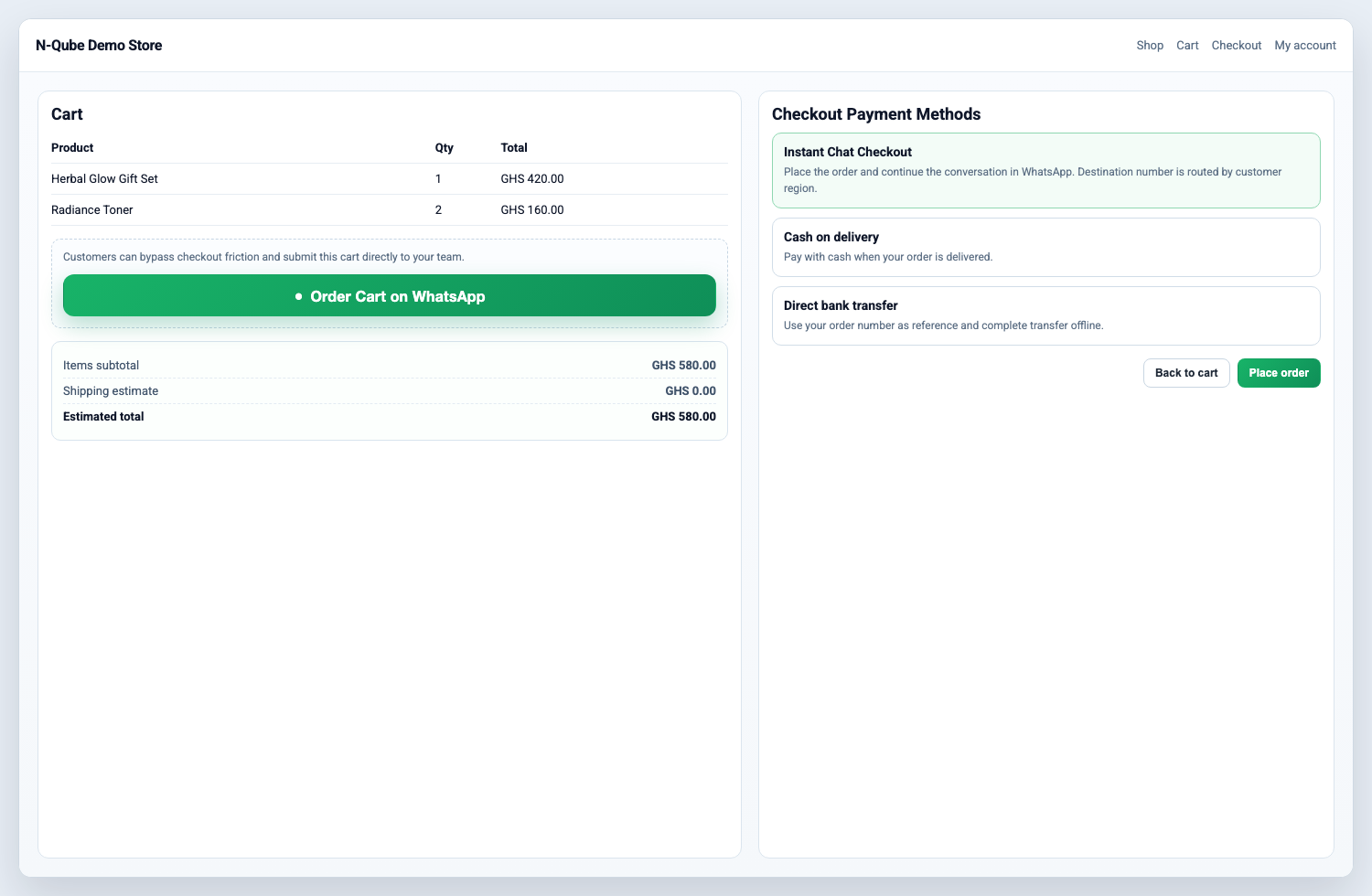
Instant Chat Checkout adds WhatsApp checkout for WooCommerce stores while still creating normal WooCommerce orders. Customers can start an order from a product page or checkout, send the order details to your WhatsApp number, and leave you with a trackable WooCommerce order in the admin.
Use it when your store sells through WhatsApp, phone follow-up, local delivery, pickup, or cash-on-delivery workflows and you want more structure than a basic chat button.
Key features:
- WhatsApp checkout payment gateway for WooCommerce.
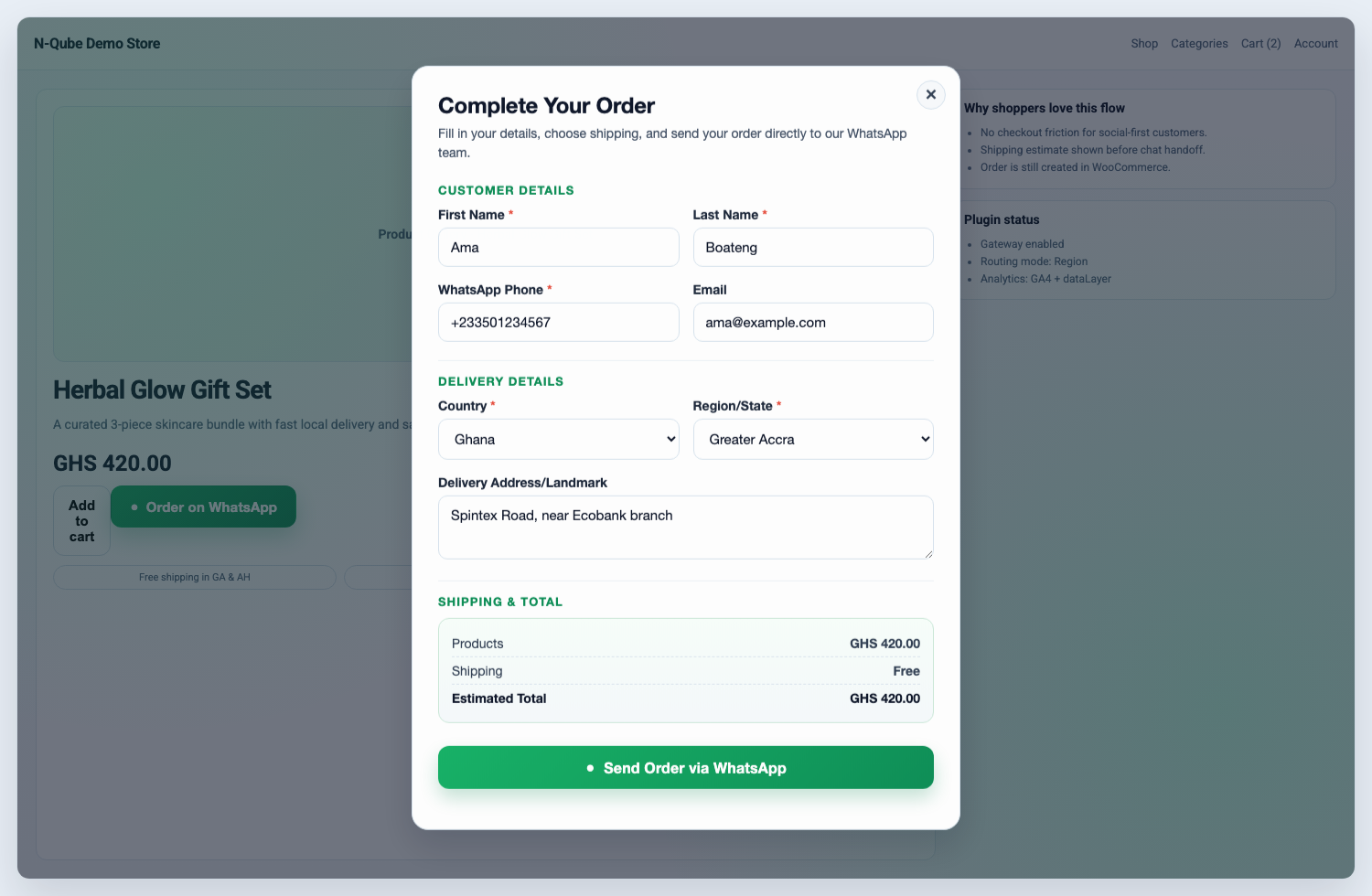
- Product-page “Order on WhatsApp” button and quick order modal.
- Customer name, phone, email, country, region, address, quantity, and shipping fields.
- Shipping-aware order estimates that follow WooCommerce shipping setup.
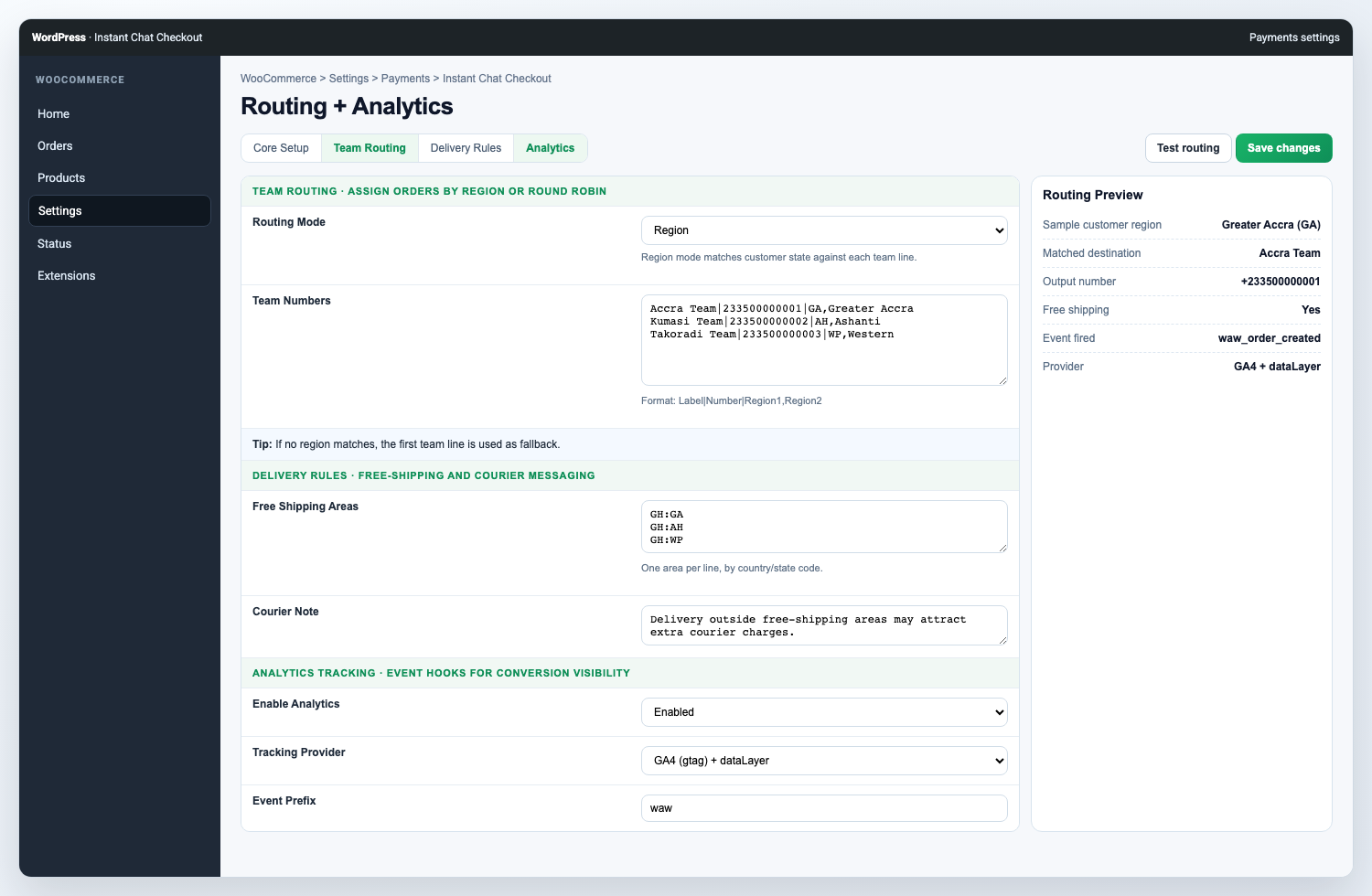
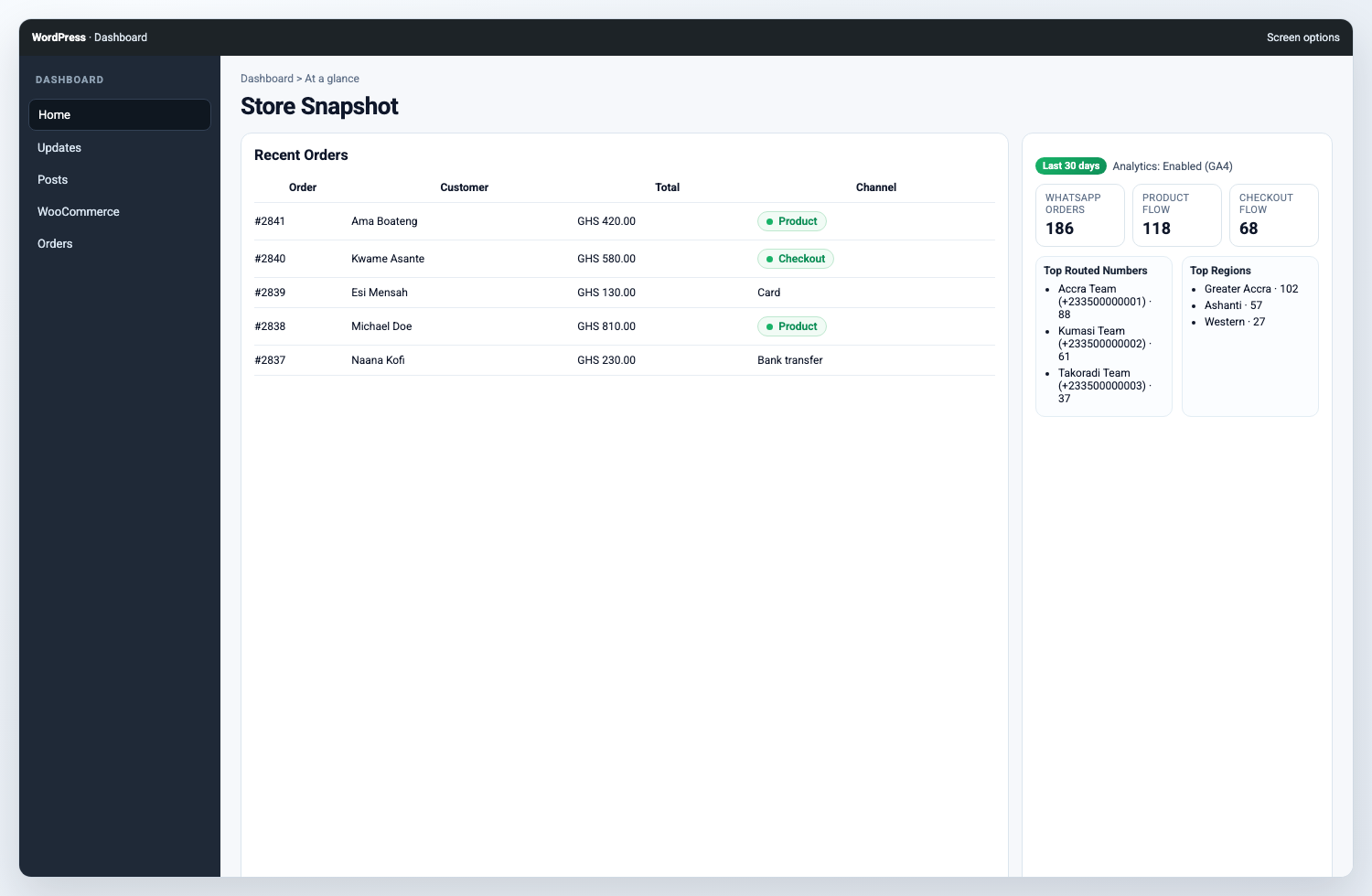
- Team routing modes: single, round robin, and region/state routing.
- Free-shipping area controls driven by WooCommerce country/state settings.
- Google Analytics compatible tracking (
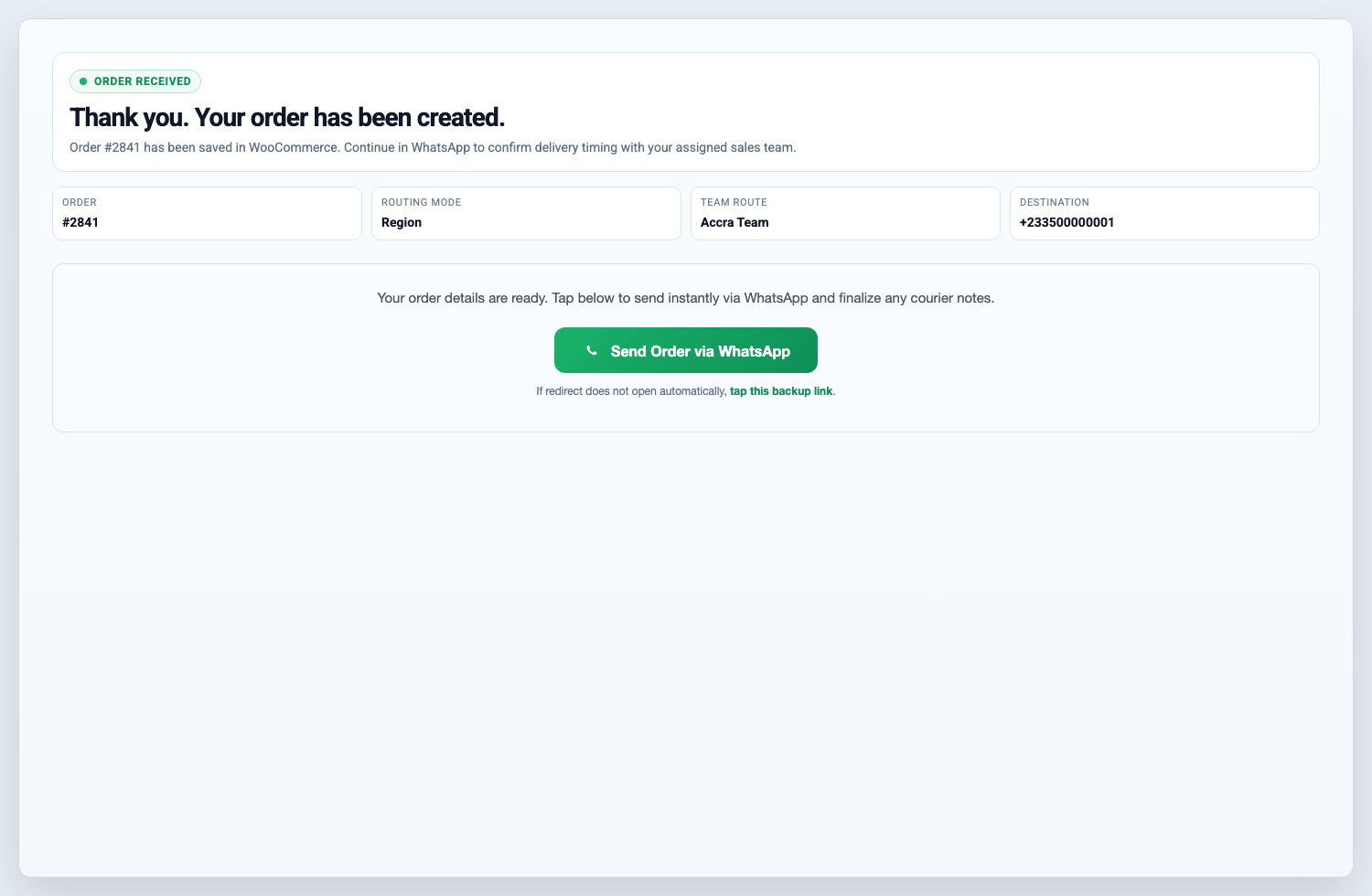
gtagand/ordataLayer). - Thank-you page WhatsApp handoff link.
- Admin dashboard snapshot for WhatsApp order activity.
Good fit for:
- Fashion, beauty, food, grocery, pharmacy, and local retail stores.
- Stores that confirm availability, delivery fees, or payment manually before dispatch.
- Stores that use WhatsApp as the main sales conversation channel.
- Cash-on-delivery, bank transfer, mobile money, local pickup, and assisted checkout flows.
- Teams that need to route orders to different WhatsApp numbers by region or rotation.
Why use this instead of a normal WhatsApp chat button?
- A normal chat button starts a conversation but does not structure the order.
- Instant Chat Checkout collects customer and delivery details before the WhatsApp handoff.
- The plugin creates a WooCommerce order, so store admins can still track order status, totals, and customer details.
- The WhatsApp message includes the order summary, customer details, and destination number.
This plugin is distributed under GPLv2 or later.
Quick Setup
- Install and activate WooCommerce.
- Install and activate Instant Chat Checkout.
- Open
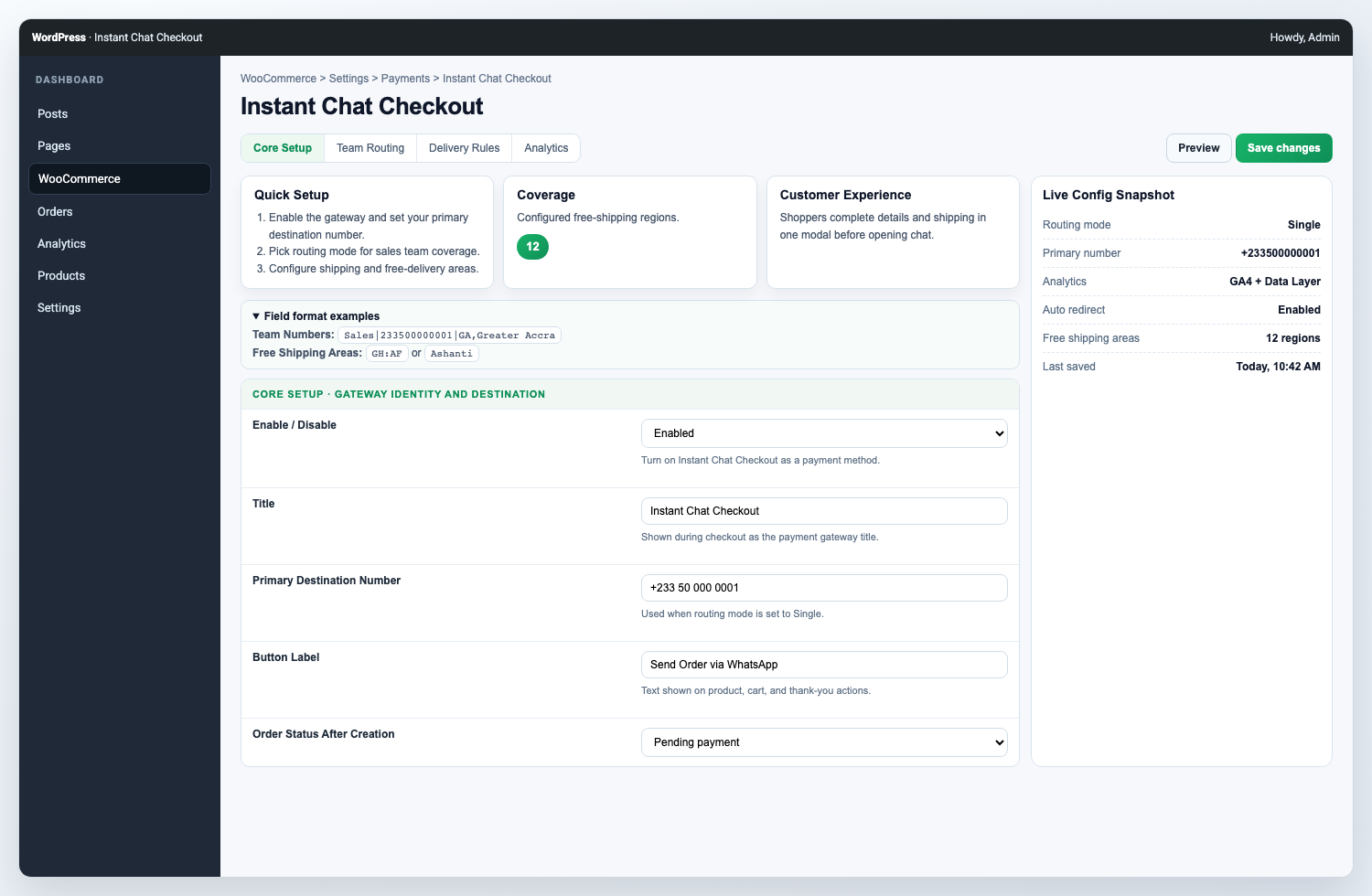
WooCommerce > Settings > Payments > WhatsApp Order. - Enable the WhatsApp Order gateway.
- Enter your WhatsApp number in international format, for example
233501234567. - Save settings and test a simple product order.
- Optional: configure team routing, free-shipping areas, button text, analytics, and thank-you page behavior.
屏幕截图
安装
- Upload the plugin files to
/wp-content/plugins/instant-chat-checkout, or install via the WordPress plugin installer. - Activate the plugin.
- Go to
WooCommerce > Settings > Payments > WhatsApp Order. - Enable the gateway and configure your WhatsApp number and routing.
- Save changes and run a test order from product page and checkout.
常见问题
-
Does this plugin create WooCommerce orders?
-
Yes. Product-page WhatsApp orders and checkout gateway orders create normal WooCommerce orders so you can manage them from the WooCommerce admin.
-
Does it work without an online payment gateway?
-
Yes. The plugin is useful for cash on delivery, mobile money, bank transfer, local pickup, and manual confirmation workflows where the sales conversation continues on WhatsApp.
-
Yes. The plugin can show an “Order on WhatsApp” button on WooCommerce product pages. The button opens a quick order modal before sending the customer to WhatsApp.
-
Can customers still use the normal WooCommerce checkout?
-
Yes. Instant Chat Checkout adds a WhatsApp Order payment gateway, so it can work alongside your existing WooCommerce payment methods.
-
Can I route orders to multiple team numbers?
-
Yes. Use
Team RoutingwithRound robinorRegionmode, then add one teammate per line inTeam Numbers. -
Can I use one WhatsApp number for all orders?
-
Yes. Use single-number routing and enter your main WhatsApp destination number.
-
Can I track WhatsApp events in analytics?
-
Yes. Enable
Analytics Trackingin settings to send events to GA4-compatiblegtagand/ordataLayer. -
Is this an official WhatsApp or Meta plugin?
-
No. Instant Chat Checkout is not affiliated with, endorsed by, or sponsored by WhatsApp or Meta. It creates WooCommerce order details and opens the customer’s WhatsApp handoff link.
-
How do I track WordPress.org downloads?
-
After approval, use your plugin page (including Advanced View) on WordPress.org for public stats and download history.
评价
此插件暂无评价。
贡献者及开发者

更新日志
1.2.2
- Updated ownership URLs to the active n-Qube domain.
- Aligned WordPress.org contributor name with the submitting account.
- Replaced short PHP/storage prefixes with the longer
icchatprefix. - Moved flagged inline scripts and styles into enqueued assets.
1.2.1
- Fixed Plugin Check i18n/domain warnings (text domain consistency and translators comments).
- Hardened request input handling for flagged
$_POSTfields. - Reduced order list query cost by replacing
meta_querywithmeta_key/meta_valuewhere applicable. - Added
languages/directory for validDomain Path. - Shortened short description to avoid readme parser trimming warning.
1.2.0
- Added shipping-aware product modal flow.
- Added team routing modes and improved admin UX.
- Added configurable free-shipping areas tied to WooCommerce location setup.
- Added analytics tracking options.
- Added mobile UX improvements and accessibility updates.