

描述
Create clean, complete, and up-to-date sitemaps for your WordPress website — automatically.
Companion Sitemap Generator helps search engines and visitors explore your site with ease by generating both XML and HTML sitemaps, no coding required.
Whether you run a blog, portfolio, or e-commerce store, this plugin ensures that every important page stays visible and discoverable.
Features
- Automatic XML Sitemap: Always up-to-date and optimized for search engines including Google & Bing.
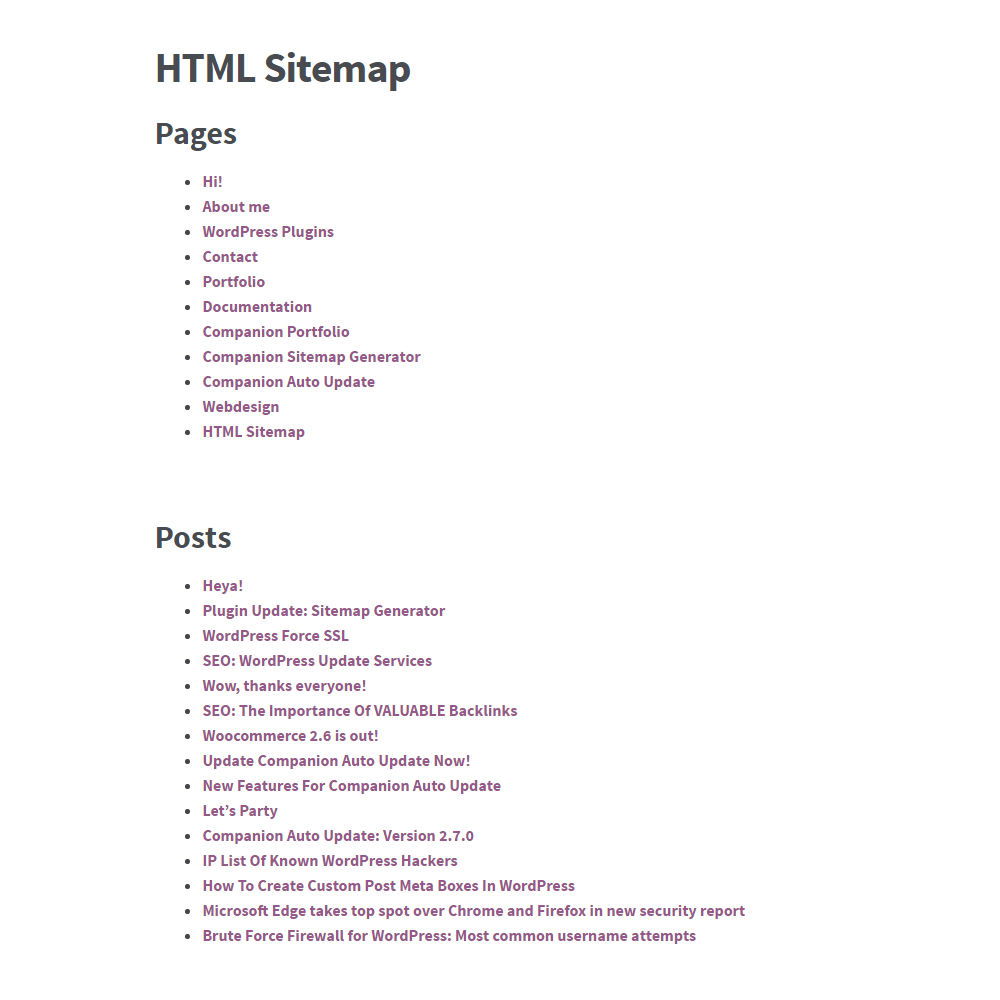
- User-Friendly HTML Sitemap: Create a public sitemap page to help visitors explore your site.
- Content Control: Include or exclude specific posts, pages, categories, taxonomies, or custom post types.
- Multilingual Support: Full compatibility with Polylang and other translation plugins.
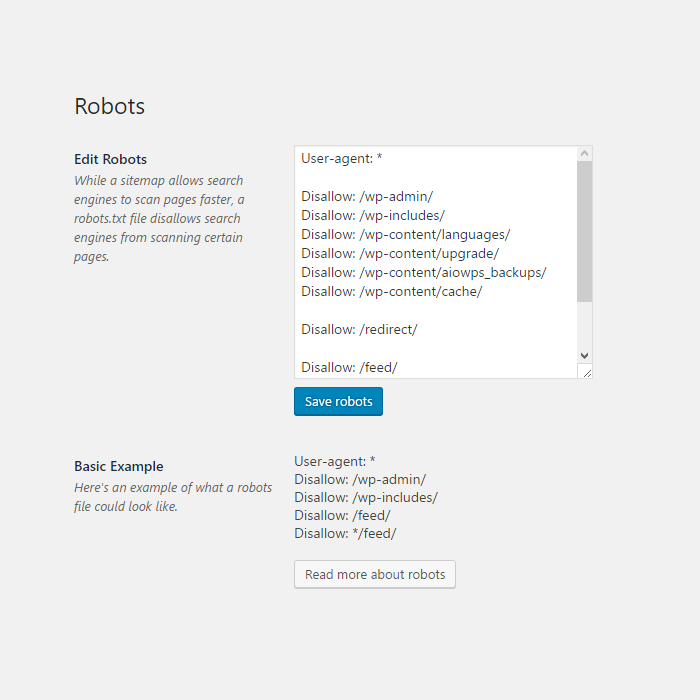
- Built-in Robots.txt Manager: Edit crawling rules right inside WordPress — no FTP required.
- Lightweight & Fast: Minimal performance impact and no unnecessary scripts or bloat.
Why Use Companion Sitemap Generator?
- Works immediately, zero configuration needed.
- No tracking or external services.
- Perfect for site owners, agencies, and developers.
- Active maintenance and full compatibility with the latest WordPress releases.
屏幕截图


区块
该插件提供了 1 个区块.
- HTML Sitemap
安装
Manual install
- Upload the plugin files to /wp-content/plugins/companion-sitemap-generator, or install the plugin directly through the WordPress Plugins screen.
- Activate the plugin through Plugins Installed Plugins.
- Go to Tools Sitemap to customize your sitemap.
- (Optional) Create a page for your HTML sitemap and insert the provided block.
常见问题
-
What is a sitemap?
-
A sitemap is a file where you provide information about the pages and posts your site, and the relationships between them. Search engines read this file to more intelligently crawl your site. A sitemap tells the search engine which pages you think are important in your site, and also provides valuable information about these pages: for example, when the page was last updated, how often the page is changed, and any alternate language versions of a page.
-
Where can I find my XML sitemap?
-
You can typically access it at: https://yourdomain.com/sitemap.xml
-
How do I create an HTML sitemap page?
-
Create a new WordPress page and insert the gutenberg block from the editor.
-
Can I exclude certain content types?
-
Yes. You can exclude posts, pages, taxonomies, and custom post types via the settings.
-
Does the plugin support multilingual sites?
-
Yes — the plugin fully supports Polylang and can add language-specific tags to the sitemaps.
-
Does this plugin collect any data?
-
No. Companion Sitemap Generator does not track, send, or store any personal data.
评价


贡献者及开发者
「Companion Sitemap Generator – Simple, Smart, and SEO-Ready」是开源软件。 以下人员对此插件做出了贡献。
贡献者

更新日志
4.6.2
-
📅 Release date: April 23, 2026
-
✨ Improved: Better contrast on certain elements
- 🐞 Fixed: The hidden object counters on the content filters
4.6.1
-
📅 Release date: April 16, 2026
-
✨ Improved: Better responsiveness for the HTML sitemap
- 🐞 Fixed: A couple of errors that broke the HTML sitemap
4.6.0
-
📅 Release date: March 20, 2026
-
✨ Improved: Redesigned dashboard pages to match new WordPress styling
- ✨ Improved: Reworked the content filter making it easier and clearer to use
- ✨ Improved: Changed wording on a few settings to make it clearer what it does
-
✨ Improved: Added more and clearer error messages that actually explain the problem
-
♿️ Accessibility: Began adding accessibility markup like screen reader texts (will be expanded upon in future updates)
-
🔒 Security: Added proper escaping to all translatable text
- 🔒 Security: Added additional user-right checks to all pages
-
🔒 Security: Updated some of the older functions to be more secure, making this plugin now require PHP 7.0 or higher
-
💡 New: Added a help tab for more information about all features (more and better info will be added in a future update)
-
💡 New: Added more intervals to the auto update and set default to daily (instead of hourly)
-
🐞 Removed: Support URLs that returned a 404 error
- 🐞 Removed: Show XML in HTML setting
- 🐞 Removed: Dashboard widget
4.5.9.3 (June 12, 2024)
- Fixed Additional pages being blank
4.5.9.2 (March 20, 2024)
- Fixed another small issue with Additional pages
4.5.9.1 (March 8, 2024)
- Database version update to fix Yandex on update
4.5.9 (February 29, 2024)
- New: Added option to auto-ping to Yandex
4.5.8 (February 29, 2024)
- Fixed: Issue where it would show and empty “Additional pages” heading
4.5.7 (December 20, 2023)
- Fixed: Taxonomy items not showing up in HTML sitemap
- Fixed: Adding the XML sitemap to the HTML sitemap would break the page
4.5.6 (December 19, 2023)
- Improvement: Better performance on larger sites
4.5.5 (September 20, 2023)
- Fix: Fixed issue where multilingual would break the sitemap
4.5.4 (September 19, 2023)
- New: Added “Never” option for the auto update, because why not?
- Improvement: Better performance on larger sites
4.5.3 (June 12, 2023)
- Fix: XSS issues
4.5.2 (October 28, 2022)
- Fix: Critical error on Post content filter
4.5.1 (October 27, 2022)
- Fix: “The link followed has expired” error on Post content filter
4.5.0 (October 13, 2022)
- New: Add images to the sitemap Read more
- Fix: Squashed some bugs