
描述
If you’re like me, you often have multiple versions of the same WordPress site open in different browser windows, e.g., production in one window and development in another window.
And if you’re like me, you have also unwittingly edited content in the production environment thinking you were doing so in the development environment or vice versa.
If so, then this plugin is for you!
It adds an indication of the current environment to the Admin Bar that is easier to see than examining the URL in your browser’s address bar.
Out-of-the-box behavior
Out-of-the-box, 2 different environments are recognized:
- Production
- The node added to the Admin Bar has a red background (i.e., Stop/be careful with any changes you make).
- If neither a staging, QA, nor development environment is detected, then
Prodis displayed in the Admin Bar.
- Development
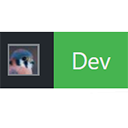
- The node added to the Admin Bar has a green background (i.e., Go ahead, it is safe to make changes).
- If WP is running on localhost (either a loopback IP address or LAN IP address), then
Localdisplays in the Admin Bar. - If WP_DEBUG is defined & true, then
Devdisplays in the Admin Bar.
Customizing the out-of-the-box behavior
Two additional environments are supported, but cannot be automatically detected:
- Staging
- The node added to the Admin Bar has a yellow-ish background (i.e., Slow down, changes might make it into the production site).
- For information on how to enable this environment, see the documentation.
- QA
- The node added to the Admin Bar has a blue background (i.e., “It’s cool”, changes you make won’t affect the production site).
- For information on how to enable this environment, see the documentation.
屏幕截图

Production 
Staging 
QA 
Development 
Custom — Preview
评价

2020 年 10 月 13 日
Thanks a lot for publishing and maintaining it.
I’d only wish it would jump right at me by coloring the whole bar instead of a corner of the screen.

2020 年 9 月 12 日
I’m like the author. I sometimes change admin color, but can never remember what color I set for Prod vs Dev.

2019 年 3 月 11 日
1 回复
Super handy if you are click-happy with your mouse like me. Red “Prod” badge in admin bar is effective way to prevent you from accidentally messing up the production
贡献者及开发者

更新日志
1.2.1 (2024-07-15)
- Bug fix: forgot to declare
$wp_versionas a global inSHC_Show_Env:init(). D’oh!
1.2 (2024-07-15)
- Updated the priority at which
admin_bar_menuis hooked into. See Trac 60685, comment 18 for why this change was made.
1.1
- General code reorg
- Added support for QA environment
- minor CSS fixes
- changed the Text Domain (for localization) to ‘show-environment-in-admin-bar’, so that the translate.wordpress.org service can be used.
1.0.1
- Correct formatting in readme.txt
- Removed GitHub Plugin URL reader
1.0
- Initial release on .org