Title: Tabular – Create Stunning HTML Tables
Author: David Gwyer
Published: 2017 年 11 月 1 日
Last modified: 2017 年 11 月 1 日
---
搜索插件

**该插件尚未通过WordPress的最新3个主要版本进行测试**。 当与较新版本的WordPress一起
使用时,可能不再受到维护或支持,并且可能会存在兼容性问题。
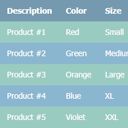
# Tabular – Create Stunning HTML Tables
作者:[David Gwyer](https://profiles.wordpress.org/dgwyer/)
[下载](https://downloads.wordpress.org/plugin/tabular-lite.0.1.0.zip)
* [详情](https://cn.wordpress.org/plugins/tabular-lite/#description)
* [评价](https://cn.wordpress.org/plugins/tabular-lite/#reviews)
* [安装](https://cn.wordpress.org/plugins/tabular-lite/#installation)
* [开发进展](https://cn.wordpress.org/plugins/tabular-lite/#developers)
[支持](https://wordpress.org/support/plugin/tabular-lite/)
## 描述
Tabular is a brand new way to create HTML tables for your WordPress website. Each
table is created automatically so no manual coding is required. Simply enter table
data, or paste in directly from a spreadsheet, choose your table template, and that’s
it. You’re good to go!
A full demo will be coming soon but click [here](http://demo.wpgothemes.com/flexr/tabular-demo/)
to see a live demo of a table generated by Tabular, plus the outputted HTML code.
The generated table code is highly semantic in accordance with recommended web standards
and best practices. Tabular does all this for you automatically, leaving you to
focus on what data you want your table to display, and how it looks.
Create unlimited tables with Tabular. There is no restriction on the number of tables
you can create, or the amount of data added to each table.
Super fast table editor! Edit the data for each table just as you would in any spreadsheet
software such as Excel. You can even paste in data directly too for convenience,
making editing even faster still. Also, the spreadsheet editor supports an undo
function to reduce errors and recover deleted data.
If you have a moment, consider leaving feedback in the [comments](https://wordpress.org/support/plugin/tabular-lite/reviews/)
section. This is really important and helps us continuously improve upon the plugin.
Help us to make it even better!
Please also rate Tabular if you find it useful.
Thanks to all our free plugin users for your continued support! 🙂
David – [wpgoplugins.com](https://wpgoplugins.com)
## 屏幕截图
[⌊Create unlimited tables with Tabular.⌉⌊Create unlimited tables with Tabular.⌉[
Create unlimited tables with Tabular.
[⌊Adding a new table.⌉⌊Adding a new table.⌉[
Adding a new table.
[⌊Default view of a newly created table.⌉⌊Default view of a newly created table.⌉[
Default view of a newly created table.
[⌊Table templates are updated in the preview instantly.⌉⌊Table templates are updated
in the preview instantly.⌉[
Table templates are updated in the preview instantly.
[⌊Multiple table templates available.⌉⌊Multiple table templates available.⌉[
Multiple table templates available.
[⌊Interactive spreadsheet type table editor makes editing tables very easy and fast!⌉⌊
Interactive spreadsheet type table editor makes editing tables very easy and fast
!⌉[
Interactive spreadsheet type table editor makes editing tables very easy and fast!
## 安装
1. Via the WordPress admin go to Plugins => Add New.
2. Enter ‘Tabular’ (without quotes) in the text box and click the ‘Search Plugins’
button.
3. In the list of relevant Plugins click the ‘Install’ link for Tabular on the right
hand side of the page.
4. Click the ‘Install Now’ button on the popup page.
5. Click ‘Activate Plugin’ to finish installation.
6. Under the main Tabular menu click ‘Add New Table’.
7. Select your desired table type and click ‘Create Table’.
8. Edit the table data and choose a style template.
9. Use the [tabular id=”123″] shortcode in a page, post, or text widget to display
a table. Replace ‘123’ with the specific ID of the table you want to display.
## 常见问题
Installation Instructions
1. Via the WordPress admin go to Plugins => Add New.
2. Enter ‘Tabular’ (without quotes) in the text box and click the ‘Search Plugins’
button.
3. In the list of relevant Plugins click the ‘Install’ link for Tabular on the right
hand side of the page.
4. Click the ‘Install Now’ button on the popup page.
5. Click ‘Activate Plugin’ to finish installation.
6. Under the main Tabular menu click ‘Add New Table’.
7. Select your desired table type and click ‘Create Table’.
8. Edit the table data and choose a style template.
9. Use the [tabular id=”123″] shortcode in a page, post, or text widget to display
a table. Replace ‘123’ with the specific ID of the table you want to display.
## 评价
此插件暂无评价。
## 贡献者及开发者
「Tabular – Create Stunning HTML Tables」是开源软件。 以下人员对此插件做出了贡献。
贡献者
* [ David Gwyer ](https://profiles.wordpress.org/dgwyer/)
* [ wpgoplugins ](https://profiles.wordpress.org/wpgoplugins/)
[帮助将「Tabular – Create Stunning HTML Tables」翻译成简体中文。](https://translate.wordpress.org/projects/wp-plugins/tabular-lite)
### 对开发感兴趣吗?
您可以[浏览代码](https://plugins.trac.wordpress.org/browser/tabular-lite/),查看
[SVN仓库](https://plugins.svn.wordpress.org/tabular-lite/),或通过[RSS](https://plugins.trac.wordpress.org/log/tabular-lite/?limit=100&mode=stop_on_copy&format=rss)
订阅[开发日志](https://plugins.trac.wordpress.org/log/tabular-lite/)。
## 更新日志
**0.1.0, NOVEMBER 1 – 2017**
* Initial plugin release!
## 额外信息
* 版本 **0.1.0**
* 最后更新:**9 年前**
* 活跃安装数量 **10+**
* WordPress 版本 ** 4.0 或更高版本 **
* 已测试的最高版本为 **4.9.29**
* 语言
* [English (US)](https://wordpress.org/plugins/tabular-lite/)
* 标签
* [html](https://cn.wordpress.org/plugins/tags/html/)[semantic](https://cn.wordpress.org/plugins/tags/semantic/)
[styles](https://cn.wordpress.org/plugins/tags/styles/)[table](https://cn.wordpress.org/plugins/tags/table/)
[templates](https://cn.wordpress.org/plugins/tags/templates/)
* [高级视图](https://cn.wordpress.org/plugins/tabular-lite/advanced/)
## 评级
尚未提交反馈。
[Your review](https://wordpress.org/support/plugin/tabular-lite/reviews/#new-post)
[查看全部评论](https://wordpress.org/support/plugin/tabular-lite/reviews/)
## 贡献者
* [ David Gwyer ](https://profiles.wordpress.org/dgwyer/)
* [ wpgoplugins ](https://profiles.wordpress.org/wpgoplugins/)
## 支持
有话要说吗?是否需要帮助?
[查看支持论坛](https://wordpress.org/support/plugin/tabular-lite/)