Title: WP Code Pre
Author: zeshanb
Published: 2017 年 9 月 19 日
Last modified: 2021 年 8 月 8 日
---
搜索插件
**该插件尚未通过WordPress的最新3个主要版本进行测试**。 当与较新版本的WordPress一起
使用时,可能不再受到维护或支持,并且可能会存在兼容性问题。
# WP Code Pre
作者:[zeshanb](https://profiles.wordpress.org/zeshanb/)
[下载](https://downloads.wordpress.org/plugin/wp-code-pre.1.0.1.zip)
* [详情](https://cn.wordpress.org/plugins/wp-code-pre/#description)
* [评价](https://cn.wordpress.org/plugins/wp-code-pre/#reviews)
* [安装](https://cn.wordpress.org/plugins/wp-code-pre/#installation)
* [开发进展](https://cn.wordpress.org/plugins/wp-code-pre/#developers)
[支持](https://wordpress.org/support/plugin/wp-code-pre/)
## 描述
This simple plugin was created because of security concerns related to using PHP
preg_replace directly. With transition to PHP7, it’s advised to use preg_replace_callback
instead.
This plugin uses built-in supported feature of PHP-“highlight_string”. This plugin
filters post content inside custom html block for
and helps display html and other source code.
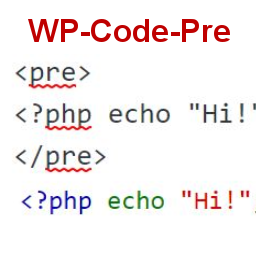
To display source code in your posts, surround source code with pre tags. Plugin
will filter for pre tags and add inline styles that may be modified using your wordpress
theme’s css stylesheet.
For WordPress versions 5.0 and above, HTML pre tags can be used within html block
or, classic block. Use the three dot menu to convert to html when there is a invalid
content error while post editing.
## 屏幕截图
* [[
* Code preview on blog post or page
* [[
* Typing code in text tab of WordPress Admin area when writing Post.
* [[
* Convert block to html while editing to make modifications to existing source
code display
## 安装
1. Download the plugin
2. Upload the wp-code-pre.zip folder to your site’s wp-content/plugins directory
3. Activate the plugin in the WordPress Admin Panel
4. Surround source code with `
` tags, when writing in blog posts using
Gutenberg with classic block and “Edit as HTML” or, html block
## 常见问题
Why there aren’t any options to modify in admin?
This plugin simply filters for
pre tags.
## 评价
此插件暂无评价。
## 贡献者及开发者
「WP Code Pre」是开源软件。 以下人员对此插件做出了贡献。
贡献者
* [ zeshanb ](https://profiles.wordpress.org/zeshanb/)
[帮助将「WP Code Pre」翻译成简体中文。](https://translate.wordpress.org/projects/wp-plugins/wp-code-pre)
### 对开发感兴趣吗?
您可以[浏览代码](https://plugins.trac.wordpress.org/browser/wp-code-pre/),查看[SVN仓库](https://plugins.svn.wordpress.org/wp-code-pre/),
或通过[RSS](https://plugins.trac.wordpress.org/log/wp-code-pre/?limit=100&mode=stop_on_copy&format=rss)
订阅[开发日志](https://plugins.trac.wordpress.org/log/wp-code-pre/)。
## 更新日志
#### 1.0
* First version of the plugin.
#### 1.0.1
* Updated readme to reflect updates to version 5.0
## 额外信息
* 版本 **1.0**
* 最后更新:**5 年前**
* 活跃安装数量 **10+**
* WordPress 版本 ** 4.0 或更高版本 **
* 已测试的最高版本为 **5.8.13**
* PHP 版本 ** 7.0 或更高版本 **
* 语言
* [English (US)](https://wordpress.org/plugins/wp-code-pre/)
* 标签
* [Code Highlight](https://cn.wordpress.org/plugins/tags/code-highlight/)[filter content](https://cn.wordpress.org/plugins/tags/filter-content/)
* [高级视图](https://cn.wordpress.org/plugins/wp-code-pre/advanced/)
## 评级
尚未提交反馈。
[Your review](https://wordpress.org/support/plugin/wp-code-pre/reviews/#new-post)
[查看全部评论](https://wordpress.org/support/plugin/wp-code-pre/reviews/)
## 贡献者
* [ zeshanb ](https://profiles.wordpress.org/zeshanb/)
## 支持
有话要说吗?是否需要帮助?
[查看支持论坛](https://wordpress.org/support/plugin/wp-code-pre/)