
描述
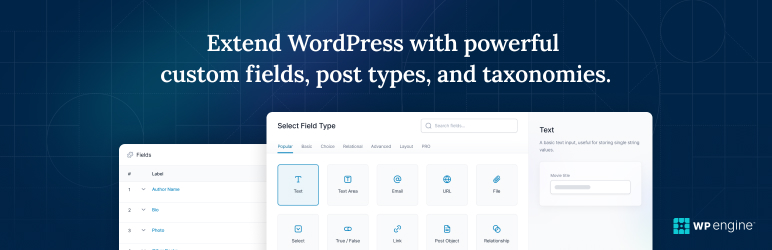
高级自定义字段(ACF®)通过为您提供所有使用数据的工具来将WordPress站点转变为一个成熟的内容管理系统。
使用 ACF 插件完全控制您的 WordPress 编辑屏幕、自定义字段数据等。
按需添加字段。
ACF 字段生成器使您只需单击几个按钮即可快速轻松地将字段添加到 WP 编辑屏幕!无论是简单的事情(例如向书评文章添加「作者」字段),还是更复杂的事情(例如电子商务网站或市场的结构化数据需求),ACF 都可以轻松地将字段添加到内容模型中。
将它们添加到任何地方。
可以在整个 WordPress 中添加字段,包括文章、页面、用户、分类术语、媒体、评论甚至自定义选项页面!为 WordPress 内容创建体验带来结构再简单不过了。
到处展示它们。
使用我们无忧、开发人员友好的功能在任何主题模板文件中加载并显示您的自定义字段值!无论您需要显示单个值还是基于更复杂的查询生成内容,ACF 的开箱即用功能都使模板成为各种经验水平的开发人员的梦想。
任何内容,快速。
将 WordPress 转变为真正的内容管理系统不仅仅是自定义字段。创建新的自定义文章类型和分类法是构建自定义 WordPress 网站的重要组成部分。现在可以在 ACF UI 中注册文章类型和分类法,从而加快内容建模工作流程,而无需触摸代码或使用其他插件。
简单美丽且有意为之。
对于内容创建者和负责数据输入的人员来说,现场用户体验非常直观,同时又完美地融入了本机 WordPress 体验。定期审查和应用无障碍标准,确保 ACF 能够为尽可能接近的任何人提供帮助。
文档和开发人员指南。
十多年充满活力的社区贡献以及对清晰文档的持续承诺意味着您将能够找到构建您想要的内容所需的指导。
功能
- 使用方式简单直觉
- 功能强大
- 30 多种字段类型
- 完整的在线说明文档
- 数百万用户
相关链接
付费 PRO 版
高级自定义字段插件还提供专业版本,其中包括更多字段、更多功能和更大灵活性。 ACF PRO 插件特点:
- 循环字段允许您创建一组可以一次又一次重复的子字段。
- ACF Blocks,一个强大的 PHP-用于为 WordPress 块编辑器(又名古腾堡)开发自定义块类型的框架。
- 使用 定义、创建和管理内容灵活的内容字段,提供多种布局和子字段选项。
- 使用选项页面功能添加自定义管理页面来编辑 ACF 字段。
- 使用图库字段。
- 通过使用 克隆字段按需重用现有字段和字段组,解锁更高效的管理字段设置的工作流程。
屏幕截图
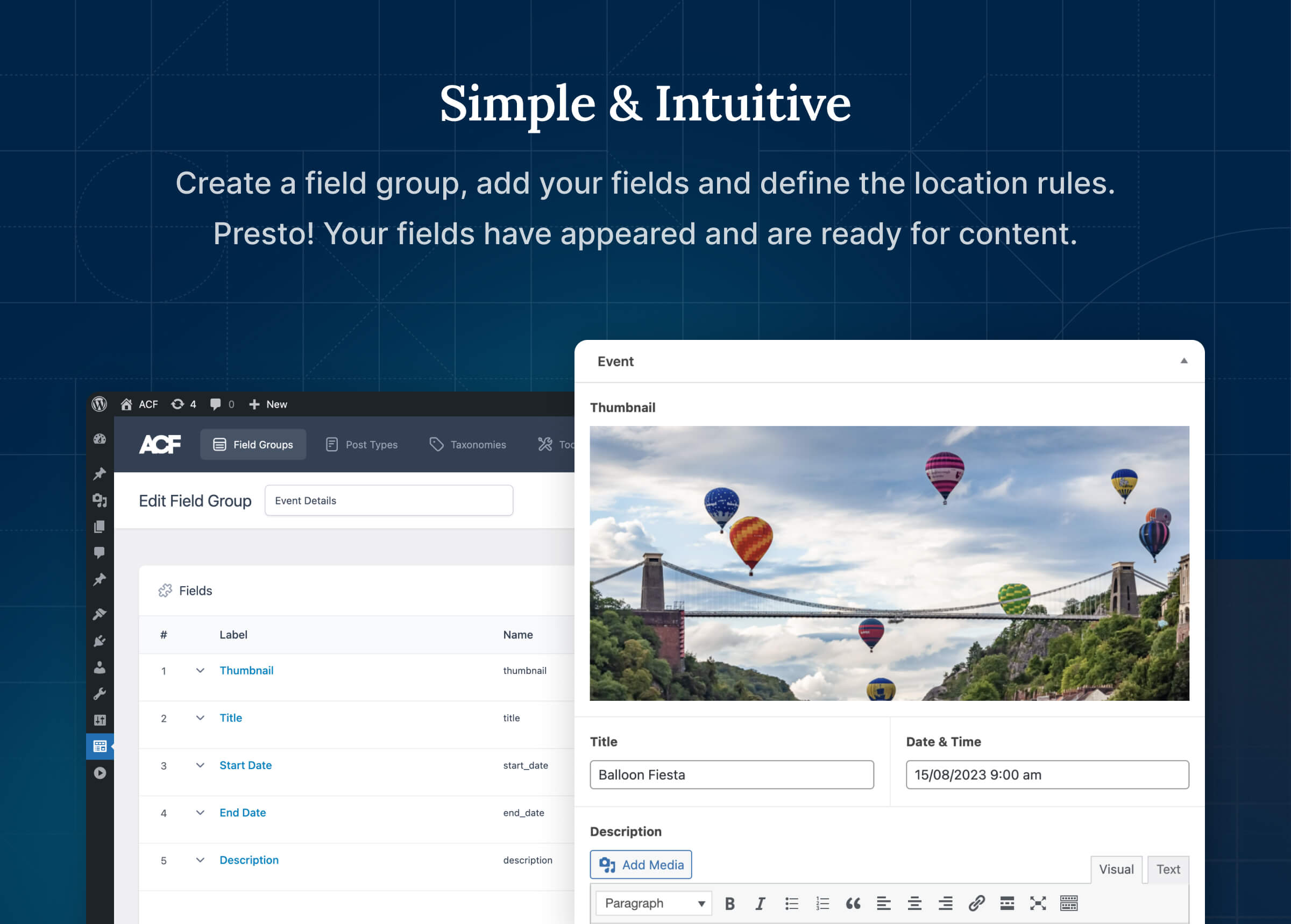
简单直观
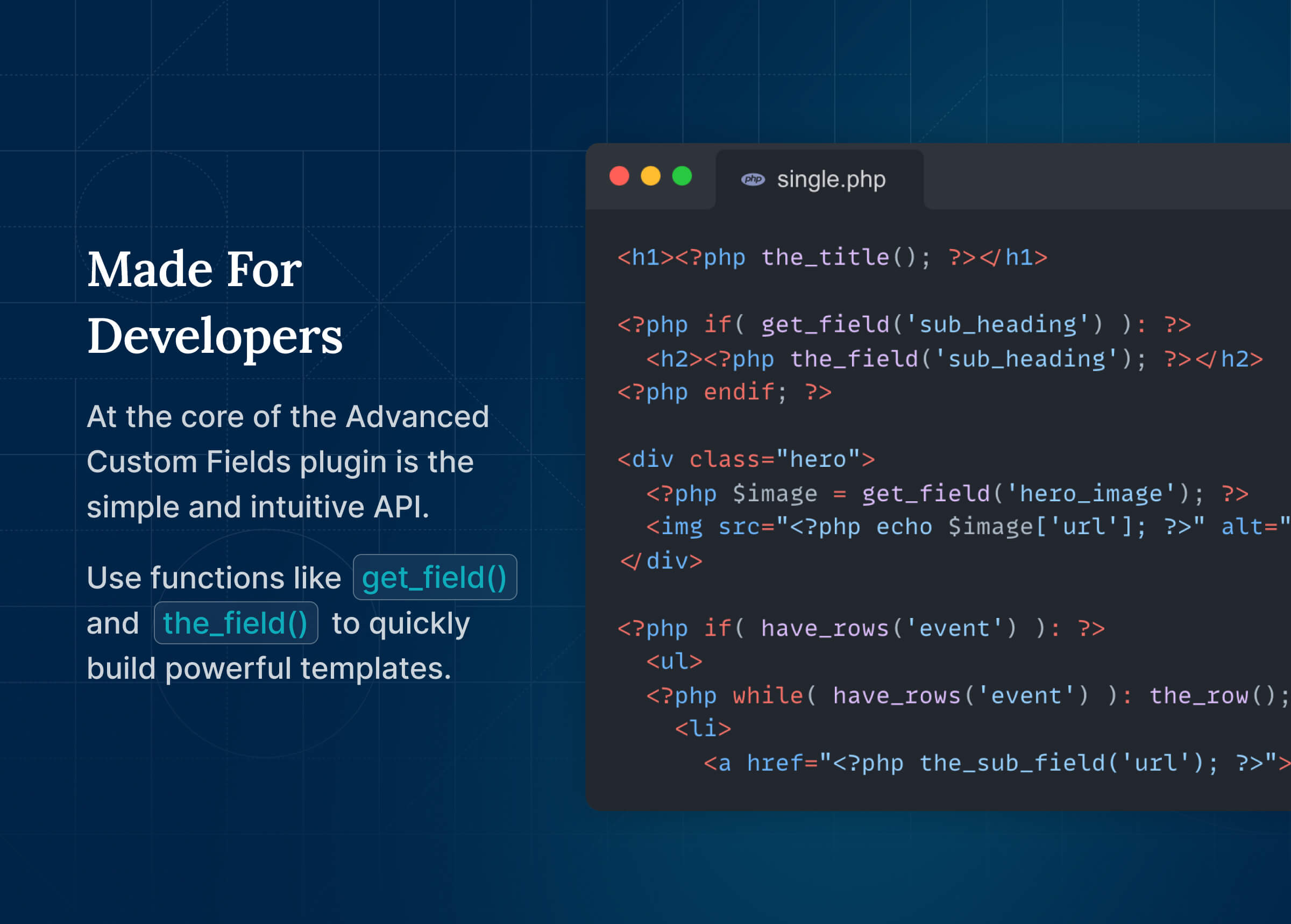
专为开发者打造
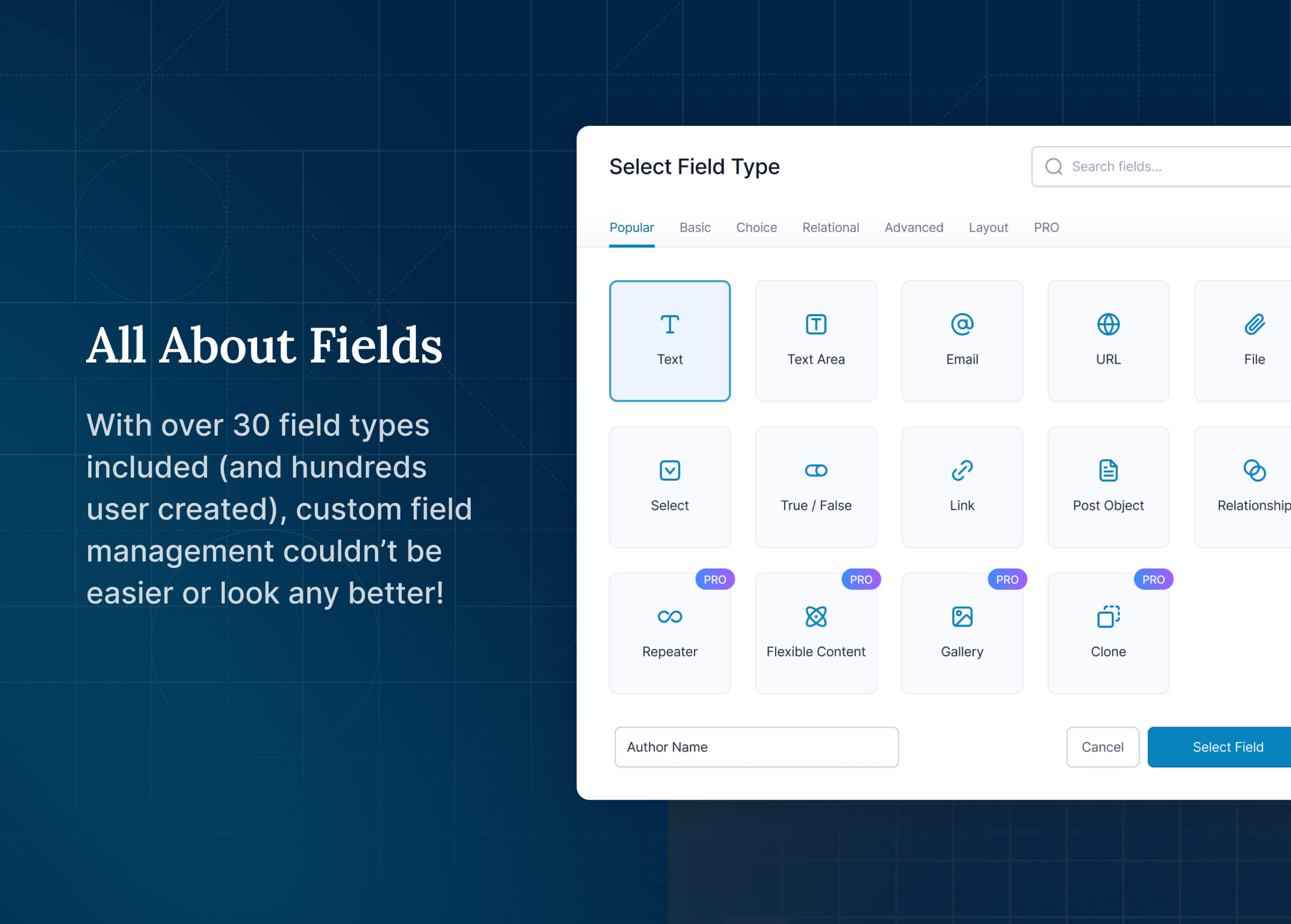
关于字段的所有信息
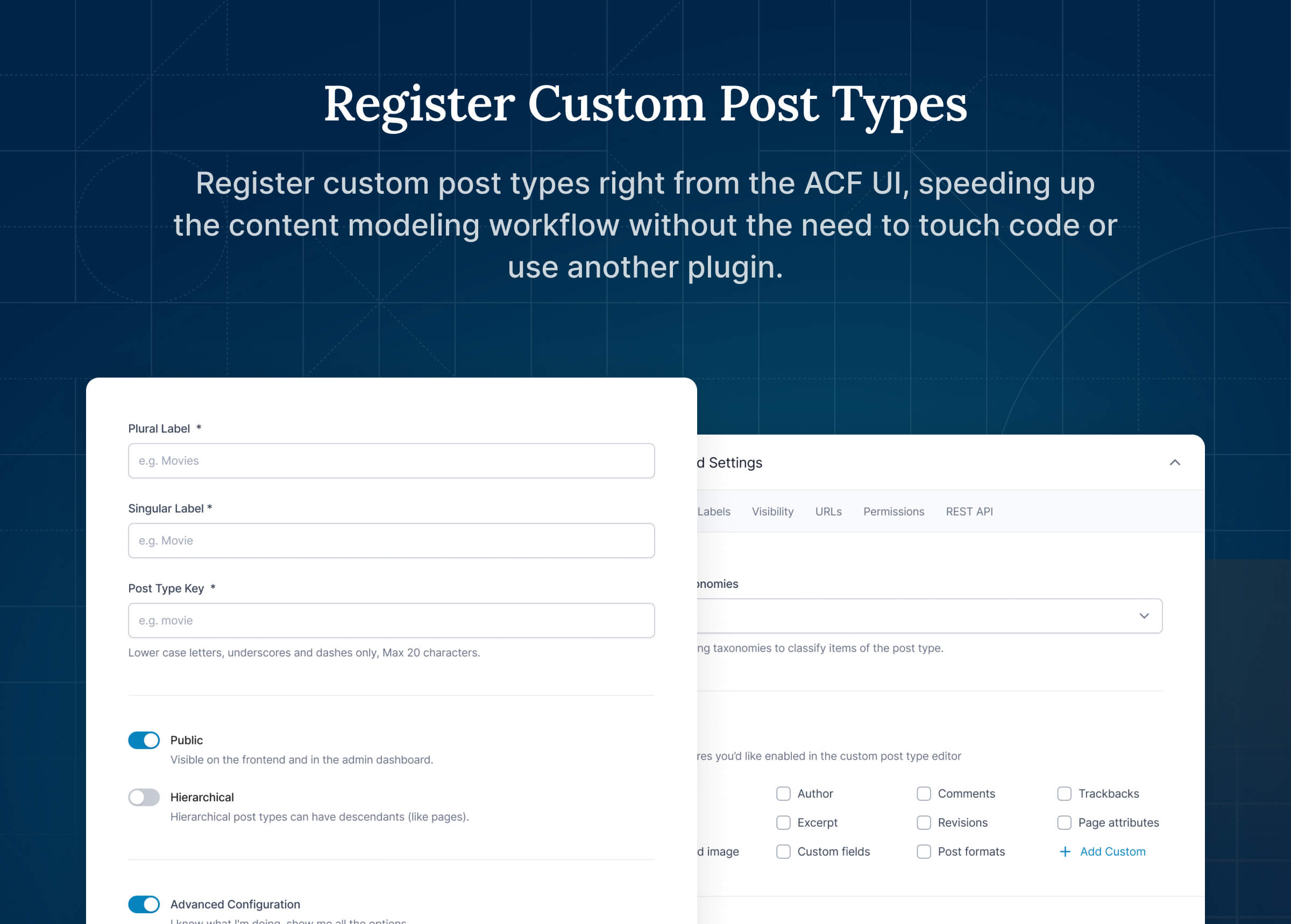
注册自定义文章类型
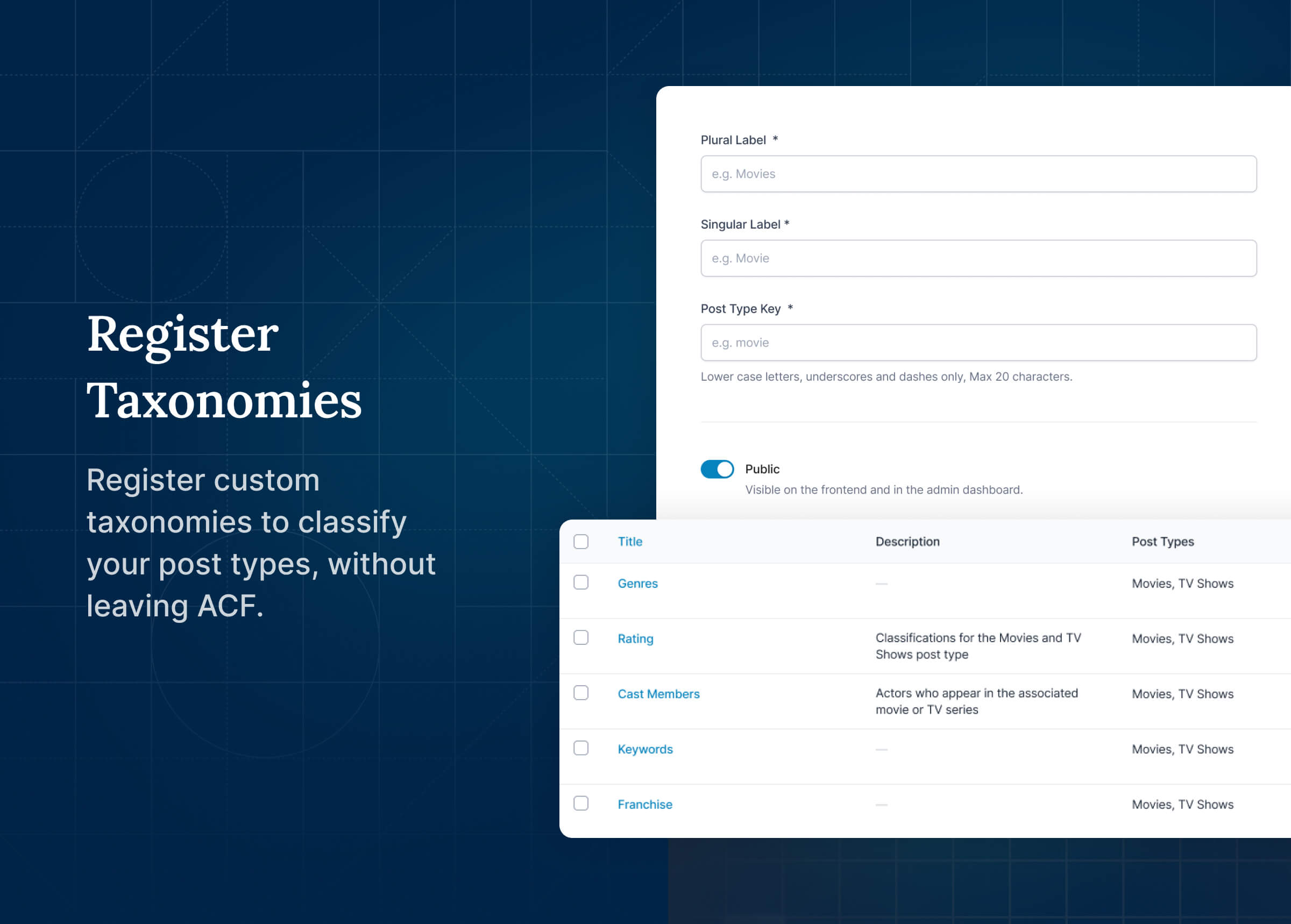
注册分类法
安装
从 WordPress 网站管理后台进行安装
- 访问 [插件] > [安装插件] 页面。
- 搜索「Advanced Custom Fields」或者 “ACF”。
- 在 [插件] 页面中安装并启用 Advanced Custom Fields。
- 点击新菜单项“ACF”并创建您的第一个自定义字段组,或注册自定义文章类型或分类法。
- 阅读开始使用
常见问题
评价


贡献者及开发者
「高级自定义字段(ACF)」是开源软件。 以下人员对此插件做出了贡献。
贡献者


更新日志
6.8.3
Release Date 2nd June 2026
- Security – The oEmbed field’s AJAX preview no longer performs URL discovery for users without the
edit_postscapability.
6.8.2
Release Date 26th May 2026
- Security – ACF frontend forms (
acf_form()) now respect thepost_titleandpost_contentform configuration options when processing submissions, ensuring those values are only saved when the form is configured to accept them. Thanks to Sarawut Poolkhet (MisterHelloz) for the responsible disclosure. - Security – ACF frontend forms (
acf_form()) now only save values for fields assigned to the form via thefieldsorfield_groupsparameters, or via the form’s location rules
6.8.1
Release Date 13th May 2026
- Security – ACF now correctly checks user permissions before running database upgrades on a specific site in a multisite network
- New – A
wp.datastore (acf/fields) is now available in ACF PRO for reading and writing ACF field values from JavaScript, which can be enabled via a newacf/settings/enable_datastorefilter (requires WordPress 6.7 or later). - New – ACF PRO block bindings now support live preview and editing in the block editor, when both the datastore and the
enable_block_bindingssetting are enabled. - New – ACF PRO can now save metabox field values via Gutenberg’s native REST flow with full revision and autosave support when using the datastore.
- New – ACF PRO Blocks can now define their field group inline via an
acf.fieldsarray inblock.json, or via afieldsargument inacf_register_block_type(), with field keys auto-generated and scoped to the block - Fix – Repeater and Flexible Content row helpers no longer trigger a PHP 8.x
TypeErrorwhenrow_index_offsetor the active loop index is non-numeric - Fix – V3 Blocks with
hideFieldsInSidebarenabled no longer show fields in the sidebar after the inline toolbar popover is closed - Fix – Scrollbars no longer appear under the tabs in field groups containing many tabs
- Fix – The
acf/delete-{taxonomy}ability no longer returns a 501 error when called without an explicitforceargument, as terms cannot be trashed - Fix – The
prepare_field_for_ability_importfilter is now correctly removed after each Abilities field group import, preventing subsequent imports in the same request from having values corrupted
6.8.0.1
Release Date 31st March 2026
PRO Only Release
- Fix – V3 blocks with WYSIWYG fields no longer enqueue TinyMCE editor assets on the frontend
- Fix – V3 blocks with identical attributes and different InnerBlocks content no longer return cached output from the first block on the frontend
6.8.0
Release Date 30th March 2026
- View Release Post
- New – ACF now integrates with the WordPress Abilities API, allowing external consumers (AI tools) to manage field groups, post types, and taxonomies when explicitly enabled via the
enable_acf_aifeature flag - New – ACF can now generate JSON-LD structured data fields when explicitly enabled via the
enable_schemafeature flag - New – ACF now includes WP-CLI support with new
wp acf jsoncommands for importing, exporting, syncing, and checking the status of ACF JSON files - New – ACF custom post Types now support the WordPress 6.9+ “Notes” editor feature via a new “Notes” checkbox in the Supports settings
- Enhancement – The Blocks V3 “Open in Expanded Editor” button text can now be customized via a new
acf.expandedEditorButtonTextblock.json property - Enhancement – A new
acf/blocks/default_expanded_editor_button_textPHP filter allows customizing the default “Open in Expanded Editor” button text for all V3 blocks - Enhancement – The Blocks V3 edit and “Open in Expanded Editor” buttons can now be hidden via a new
acf.expandedEditorButtonsblock.json property - Enhancement – A new
blocks/expanded_editor_overlay_classJS filter allows customizing the CSS class on the Expanded Editor modal overlay - Enhancement – ACF Blocks V3 now preloads the block form HTML alongside the preview, eliminating an extra AJAX call on mount
- Enhancement – ACF inline script tags now use
wp_print_inline_script_tag()for Content Security Policy (CSP) compliance and nonce support - Enhancement – The Expanded Editor buttons are now hidden for V3 blocks that have no fields assigned
- Fix – Flexible Content fields now properly clean up nested postmeta when a parent layout containing nested Flexible Content fields is deleted
- Fix – The Expanded Editor “Done” button now stays disabled until the AJAX save completes, preventing data loss
- Fix – Pressing Escape while the Expanded Editor is saving will no longer close the modal, preventing data loss
- Fix – InnerBlocks content containing backslashes or dollar signs now renders correctly
- Fix – Auto Inline Editing now only applies to ACF Blocks V3, resolving incorrect hover/focus borders appearing on V2 blocks
- Fix – Validation errors in the V3 Expanded Editor no longer cause a dead-end state
- Fix – Icon Picker selections in Repeater fields no longer disappear
- Fix – Range field number input now syncs to the slider and correctly updates V3 block previews
- Fix – Message field Name and Instructions settings are no longer shown in the field group editor
- Fix – Image field no longer crashes in WordPress 7.0 release candidates
- Fix – Auto Inline Editing blocks now receive block context variables in render templates
- Fix – V3 blocks registered via PHP now correctly show the “Open in Expanded Editor” button
- Fix – Flexible Content disabled layouts now work correctly in Blocks V3
- Fix – Auto Inline Editing now works with blocks using
renderCallback - i18n – Added Danish translation
6.7.2
Release Date 26th March 2026
- Security – Users’
unfiltered_htmlcapability is now correctly applied to REST API calls - Security – Block Preview rendering now correctly checks the user has permission to edit that post
- Security – Repeater fields using pagination now correctly checks the user has permissions to edit that post
- Security – Flexible content fields layout title AJAX requests now correctly verify security nonces
- Security – Clone field AJAX admin endpoints now correctly check ACF admin permissions for field group listings
6.7.1
Release Date 3rd March 2026
- Security – User field AJAX queries now enforce field-configured role restrictions and validate search permissions
- Security – Post Object, Relationship, and Page Link field AJAX queries now enforce field-configured restrictions for post status, post type, and taxonomy
6.7.0.2
Release Date 11th December 2025
PRO Only Release
- Fix – Posts with V3 blocks can now be saved without clicking the block
6.7.0.1
Release Date 10th December 2025
PRO Only Release
- Fix – Fields in V3 Blocks used as an InnerBlock are now clickable
- Fix – V3 Blocks with a script tag in the render template no longer crash in the editor
- Fix – V3 Blocks with Inline Editing enabled no longer crash the browser tab in some scenarios
- Fix – V3 Blocks with Inline Editing enabled used as an InnerBlock no longer update the field values of the parent block
- Fix – Quickly closing the expanded editor for V3 blocks will no longer prevent field values from being updated
6.7.0
Release Date 3rd December 2025
- View Release Post
- New – ACF Blocks V3 now supports Inline Editing – edit your block content directly in place, right inside the editor. Just opt in to enable it.
- Enhancement – Accordion field accessibility improvements
- Enhancement – Google Maps field accessibility improvements
- Enhancement – Styling improvements to the V3 Blocks expanded editor
- Fix – V3 ACF Blocks validation now clears properly when more than one block is in the editor.
- Fix – Relationship, Post Object, and Page Link fields now sort posts correctly on WordPress 6.8+
- Fix – List tables now respect the convert_field_name_to_lowercase javascript filter
- Fix – WYSIWYG field on attachment pages no longer sends ajax on every keystroke
6.6.2
Release Date 29th October 2025
- Enhancement – Added a new
convert_field_name_to_lowercaseJS filter to allow uppercase letters in ACF field names - Enhancement – The form for V3 Blocks can now be optionally hidden from the sidebar via a new
hideFieldsInSidebarsetting in block.json - Enhancement – V3 Blocks now display an “Open Expanded Editor” button in the sidebar for easier access to the full edit form
- Fix – The buttons to reorder ACF metaboxes are no longer hidden for metaboxes in the block editor sidebar
- Fix – V3 Blocks now display a fallback message when the block preview can’t be rendered due to invalid HTML being used in field values
- Fix – V3 Blocks no longer show a loading spinner when preloaded
- Fix – V3 Blocks now save default field values even if the block wasn’t interacted with before saving
- Fix – Pressing CMD/CTRL + Z no longer causes the fields to disappear in V3 Blocks
- Fix – The form for V3 Blocks now opens on the left side in RTL languages
6.6.1
Release Date 16th October 2025
- Fix – The Color Picker palette now displays correctly with a larger number of custom palette colors
- Fix – The WYSIWYG field no longer displays an extra textarea in ACF Blocks
- Fix – The type signature of the ACF Blocks render function now matches prior to 6.6, resolving potential type hinting errors
- Fix – V3 Blocks now correctly update the block preview when changing text controls
- Fix – V3 Blocks now work correctly in the Widget block editor
- Fix – V3 Blocks no longer render an extra hidden div into the block editor
- Fix – Fields on V3 blocks now consistently render properly when switching between “Post” and “Block” view in the sidebar
6.6.0
Release Date 7th October 2025
- View Release Post
- New – ACF Blocks Version 3 supports WordPress Block API Version 3
- New – ACF now requires WordPress version 6.2 or newer
- Enhancement – Field Groups can now have a separate Display Title
- Enhancement – Accessibility improvements for button groups, checkbox, radio, and image field types
- Enhancement – Color Picker field can now use a custom palette or use theme.json colors as the palette
- Enhancement – ACF admin notices now use WordPress core styles again
- Enhancement – The Flexible Content “Delete Layout” and “Rename Layout” modals now display correctly on mobile
- Fix – Blocks V3: You can now edit ACF blocks in Edit mode inside WP Core’s pattern editor
- Fix – Blocks V3: Validation errors now first appear after you click “Save/publish”, as opposed to immediately, while you are typing into a field for the first time
- Fix – Blocks V3: After fixing a field validation error it shows as fixed immediately as opposed to needing to click out of the block and back into it
- Fix – Blocks V3: Blocks with radio buttons no longer affect each other’s field values
- Fix – Blocks V3: Blocks with required radio buttons now validate correctly
- Fix – Blocks V3: ACF field validation now works in the Site Editor
- Fix – Blocks V3: WYSIWYG fields are no longer affected by typing into other blocks
- Fix – New field names are lowercase only
- Fix – Icon Picker now enforces required validation
- Fix – Calls to jQuery’s deprecated focus function have been updated to use the trigger function
- Fix – Layouts inside cloned Flexible Content fields can now be disabled and renamed
- i18n – Updated PRO Japanese translations (props danielkun)
6.5.1
Release Date 10th September 2025
- Enhancement – The Flexible Content “Expand All” and “Collapse All” button now appear correctly on mobile
- Enhancement – The Flexible Content delete layout button is now back in the main layout header, making it easier to delete layouts
- Enhancement – The JSON import tool now limits the selectable files to JSON files
- Fix – Disabled Flexible Content layouts are no longer counted towards min/max layout validation
- Fix – The top “Add Row” button for layouts is now disabled when layouts have reached the max layouts validation
- Fix – The per-layout “Add Row” and “Duplicate Layout” buttons are now disabled when layouts have reached the max layouts validation
- Fix – Disabling Flexible Content layouts no longer disables layouts in cloned Flexible Content fields using a different post ID on the same page
- Fix – Flexible Content “Add Layout” menu is no longer hidden by some field types
- Fix – Flexible Content layout names can now allow some safe HTML
- Fix – When creating a temporary post type during import, ACF now correctly sets the ACF post type, rather than defaulting to post
- Fix – ACF PRO updates are now shown even when no other plugins have an update available
6.5.0.1
Release Date 12th August 2025
PRO Only Release
- Fix – Flexible Content layouts configured with a “Layout” setting of “Table” are now rendered correctly in the post editor
- Fix – Flexible Content “Add Layout” buttons now insert the new layout in the correct position
- Fix – Long Flexible Content layout names no longer extend outside of the “Add Layout” dropdown
6.5.0
Release Date 11th August 2025
- New – Flexible Content layouts can now be renamed in the post editor, giving content editors better clarity when managing layouts
- New – Flexible Content layouts can now be disabled, preventing them from rendering on the frontend without needing to delete their data
- New – Flexible Content layouts can now be collapsed and expanded in bulk for faster content editing
- New – Editing a Flexible Content layout now highlights the layout being edited, making it easier to identify
- New – The Date and Date Time Picker fields can now be configured to default to the current date
- Fix – Custom Icon Picker tabs now work correctly when used inside an ACF Block
- Fix – Duplicating a Field Group no longer causes a fatal error when using Russian translations
- Fix – ACF classes no longer use dynamic class properties, improving compatibility with PHP 8.2+
- Fix – ACF PRO no longer shows an update available immediately after updating to the latest version
- Fix – Field group metabox collapse and expand buttons are no longer misaligned in the post editor
- Fix – The ACF Site Health section no longer causes a PHP warning when field group location rules are incomplete
- Security – HTML is now escaped from field validation errors and tooltips
6.4.3
Release Date 22nd July 2025
- Security – Unsafe HTML in field group labels is now correctly escaped for conditionally loaded field groups, resolving a JS execution vulnerability in the classic editor
- Security – HTML is now escaped from field group labels when output in the ACF admin
- Security – Bidirectional and Conditional Logic Select2 elements no longer render HTML in field labels or post titles
- Security – The
acf.escHtmlfunction now uses the third party DOMPurify library to ensure all unsafe HTML is removed. A newesc_html_dompurify_configJS filter can be used to modify the default behaviour - Security – Post titles are now correctly escaped whenever they are output by ACF code. Thanks to Shogo Kumamaru of LAC Co., Ltd. for the responsible disclosure
- Security – An admin notice is now displayed when version 3 of the Select2 library is used, as it has now been deprecated in favor of version 4
6.4.2
Release Date 20th May 2025
- New – In ACF PRO, fields can now be added to WooCommerce Subscriptions when using HPOS
- Security – Changing a field type no longer enables the “Allow Access to Value in Editor UI” setting
- Fix – Paginated Repeater fields no longer save duplicate values when saving to a WooCommerce Order with HPOS disabled
- Fix – Blocks registered via acf_register_block_type() with a
parentvalue ofnullno longer fail to register
6.4.1
Release Date 8th May 2025
- New – Select fields can now be configured to allow creating new options when editing the field’s value (requires the “Stylized UI” and “Multiple” field settings to be enabled)
- Enhancement – The “Escaped HTML” warning notice introduced in ACF 6.2.5 is now disabled by default
- Enhancement – The Icon Picker field now supports supplying an array of icons to a custom tab via a new
acf/fields/icon_picker/{tab_name}/iconsfilter - Fix – ACF Blocks are now forced into preview mode when editing a synced pattern
- Fix – The free ACF plugin once again works with the Classic Widgets plugin and the legacy ACF Options Page addon
- Fix – ACF no longer causes an infinite loop in bbPress when editing replies
6.4.0.1
Release Date 8th April 2025
- Fix – Calling
acf_get_reference()with an invalid field name no longer causes a fatal error
6.4.0
Release Date 7th April 2025
- New – In ACF PRO, fields can now be added to WooCommerce orders when using HPOS
- Enhancement – ACF now uses Composer to autoload some classes
- Fix – Repeater pagination now works when the Repeater is inside a Group field
- Fix – Various translations are no longer called before the WordPress
initaction hook - Security – Link field no longer has a minor local XSS vulnerability
- i18n – Various British English translation strings no longer have a quoting issue breaking links
- i18n – Added Dutch (formal) translations (props @toineenzo)
6.3.12
发布日期 2025年1月21日
- 增强 – 当现场验证失败时发生的错误消息现在不足的安全性nonce现在有其他上下文
- 修复 – 重复的ACF块在启用块预加载后初始保存后不再丢失其现场值
- 修复 – 启用React Strictmode时,包含复杂字段类型的ACF块现在正确行为
6.3.11
发布日期 2024 年 11 月 12 日
- 增强功能 – 点击后可复制字段组键值
- 修复 – 通过条件逻辑隐藏字段的中继表现在可正确呈现
- 修复 – ACF 块现在可在 React StrictMode 中正确运行
- 修复:WordPress 块应用程序接口版本为 3 的 ACF 块不再提供编辑模式,因为 iframe 中不支持字段编辑。
6.3.10.2
发布日期 2024 年 10 月 29 日
仅免费发布
- 修复 – 当任何不支持的传统 ACF 附加组件处于活动状态时,ACF Free 不再导致致命错误
6.3.10.1
发布日期 2024 年 10 月 29 日
仅免费发布
- 修复 – 当 WPML 处于活动状态时,ACF Free 不再导致致命错误
6.3.10
发布日期 2024 年 10 月 29 日
- 安全性 – 现在,为自定义文章类型和分类法设置元宝回调需要管理员身份,多站点安装则需要超级管理员身份
- 安全性 – 字段特定的 ACF nonces 现在有了前缀,解决了第三方 nonces 在 AJAX 调用中可能被视为有效的问题
- 增强功能 – 在编辑字段组时,新增了「关闭并添加字段」选项,可在编辑字段后插入一个新字段
- 增强功能 – ACF 和 ACF PRO 现在共享相同的插件更新程序,以提高可靠性和性能
- 修复 – 导出包含元框回调的文章类型和分类法现在可正确导出用户定义的回调
6.3.9
发布日期 2024年10月15日
- 安全性 – 在字段组编辑器中编辑 ACF 字段不再执行存储的 XSS 漏洞。感谢来自 Viettel Cyber Security 的 Duc Luong Tran (janlele91) 负责披露
- 安全性–文章类型和分类元方框回调不再能够访问任何超全局值,从而进一步加强了 6.3.8 中的原始修复。
- 修复–在块编辑器中使用并附加到侧边栏的 ACF 字段现在可正确验证。
6.3.8
发布日期 2024 年 10 月 7 日
- 安全性 – ACF 定义的「文章类型」和「分类法元框」回调不再能够访问 $_POST 数据。(感谢 Automattic 安全团队的披露)
6.3.7
发布日期 2024 年 10 月 2 日
- 安全性 – ACF现在使用WP发动机服务器中自己的更新机制
6.3.6
发布日期 2024 年 8 月 28 日
- 安全性 – 新添加的字段现在必须明确设置为允许在内容编辑器中访问(使用 ACF 短代码或块绑定时),以提高字段权限的安全性。更多详情请参见发布说明。
- 安全修复 – 在字段组编辑器中呈现字段标签时,现在会正确转义,以防止潜在的 XSS 问题。感谢 Mitsui Bussan Secure Directions, Inc.
- 修复 – 验证和阻止 AJAX 请求的非ces 不再被第三方插件覆盖
- 修复 – 检测第三方 select2 库时现在默认使用 v4 而不是 v3
- 修复 – 如果未找到渲染模板 PHP 文件,区块预览现在会显示错误
6.3.5
发布日期 2024 年 8 月 1 日
- 修复 – ACF 快捷代码现在可正确输出以逗号分隔的数组值列表
- 修复 – 在自动模式下渲染的 ACF 块现在可在编辑字段后正确重新渲染其预览效果
- 修复 – 如果 HTML 在呈现时会自动选择第一个值,ACF 块验证将不再引发必填验证信息
- 修复 – 如果默认值将呈现为字段值,ACF 块验证不再引发必填验证信息
- 修复 – 添加新块时,ACF 块验证不再为条件逻辑隐藏的字段引发必填验证信息
6.3.4
发布日期 2024 年 7 月 18 日
- 安全修复 – ACF 简码现在默认防止访问来自不同私人文章的字段。查看 发布说明 了解更多信息
- 修复 – 没有
edit_posts功能但具有编辑自定义文章类型自定义功能的用户,现在可以正确加载通过条件位置规则加载的字段组 - 修复 – 块验证不再在页面加载时验证字段的子字段,仅在编辑时验证。这解决了页面加载时或首次添加块时不一致的验证错误问题。
- 修复 – 即使服务器调用失败,停用 ACF PRO 许可证现在也会删除许可证密钥
- 修复:通过
the_field、the_sub_field或 ACF 短代码输出时,或通过设置了 escape html 参数的get_函数检索时,返回对象的字段类型不再导致 PHP 警告和错误。 - 修复:块渲染过程中出现服务器端错误时,编辑器会优雅地显示错误信息
6.3.3
发布日期 2024 年 6 月 27 日
- 增强功能 – 所有破折号现在都可用于图标选择器字段类型
- 修复 – 在使用风格化用户界面设置时,”真/假 “字段现在能正确显示开关旁的说明信息
- 修复 – 通过 AJAX 加载时,条件逻辑值现在可正确加载选项
- 修复 – ACF PRO 在加载前端页面时不再触发许可证验证调用
- i18n – 修复了选项页面预览中的一个不可翻译字符串
6.3.2.1
发布日期2024年6月24日↵
Pro仅发行
- 修复 – 通过 AJAX 获取 ACF 块时不再触发 JavaScript 错误
6.3.2
发布日期 2024 年 6 月 24 日
- 安全修复 – ACF 现在可为每个启用 AJAX 的字段生成不同的非ces,从而防止订阅者或前端表单用户查询其他字段的结果
- 安全修复 – ACF 现在可正确验证某些仅限编辑器操作的权限,防止订阅者执行这些操作
- 安全修复 – 废弃了传统的私有内部字段类型(输出),以防止其输出不安全的 HTML
- 安全修复 – 改进了对某些 SQL 过滤器和其他内部函数的处理,以确保输出始终正确转义
- 安全修复 – ACF 现在在所有文件夹中包含空白的 index.php 文件,以防止在配置不正确的网络服务器上列出 ACF 插件文件夹的目录。
6.3.1.2
发布日期 2024 年 6 月 6 日
仅限专业版
- 修复 – 部件区域中的 ACF 块在无上下文可用时不再导致致命错误
- 修复 – 未指定字段的 ACF 块不再在侧边栏显示表单的位置出现空隙
6.3.1.1
发布日期 2024 年 6 月 6 日
仅限专业版
- 修复 – 复制或删除包含图标选取器子字段的行时,中继器和灵活内容字段不再出错
- 修复 – 包含灵活内容字段的 ACF 块现在可正确加载其编辑表单
- 修复 – ACF 块不再存在读取数据存储时未初始化的竞赛条件
- 修复 – ACF 块在没有字段和空无字段信息的情况下不再触发 JS 错误
- 修复 – ACF 块预加载现在可正确用于使用自定义块上下文的字段
- 修复 – ACF 块 JavaScript 调试信息现在可在 SCRIPT_DEBUG 为 true 时正确显示
6.3.1
发布日期 2024 年 6 月 4 日
- 增强功能 – 在用户界面中注册的选项页现在可以复制了
- 修复 – ACF 块验证现在可正确验证中继器、组和灵活内容字段
- 修复 – ACF 块验证现在可在字段使用非默认返回类型时正确验证
- 修复 – 在字段组之间移动的字段现在可正确更新两个 JSON 文件
- 修复 – 使用左对齐标签时,图标选取器字段现在可正确呈现
- 修复 – 如果只选择显示一个选项卡,图标选取器字段不再显示选项卡
- 修复 – 如果没有选择显示图标选取器选项卡,图标选取器字段不再会导致文章编辑器崩溃
- 修复 – “真/假 “字段现在能更好地处理较长的 “开/关 “标签
- 修复 – 通过 AJAX 加载的多选分类字段的 Select2 结果不再对 HTML 实体进行双重编码
6.3.0.1
发布日期 2024 年 5 月 22 日
- 修复 – ACF PRO 用户在新的网站健康功能中不再出现可能的致命错误
- 修复 – ACF PRO 用户的 ACF 块中不再出现可能的未定义索引错误
6.3.0
发布日期 2024 年 5 月 22 日
- 新功能 – ACF 现在需要 WordPress 6.0 或更新版本,以及 PHP 7.4 或更新版本。
- 新功能 – ACF 块现在支持字段验证规则。查看 发布说明 了解更多信息
- 新功能 – ACF 块现在支持在 postmeta 表而非文章内容中存储字段数据
- 新功能 – 字段的条件逻辑规则现在支持为文章对象、页面链接、分类标准、关系和用户选择特定值,而无需输入 ID
- 新功能 – ACF 和 ACF PRO 的新图标选取器字段类型
- 新功能–自定义文章类型菜单图标的图标选择
- 新功能 – 为选项页面菜单图标选择图标
- 新功能 – ACF 现在可在 WordPress 网站健康区域显示调试和状态信息
- 新功能 – 逃逸的 html 通知现在可被永久驳回
- 增强功能 – 标签字段现在支持
selected属性,可指定默认选择哪个标签,并支持类属性 - 修复:区块预载现在可在 WordPress 6.5 或更新版本中可靠运行
- 修复 – 通过 AJAX 加载的文章对象字段的 Select2 结果不再对 HTML 实体进行双重编码
- 修复 – 使用 ACF 注册的自定义文章类型现在将默认启用自定义字段支持,以更好地支持修订
- 修复 – 在经典编辑器中发布文章后的首次预览现在可正确显示 ACF 字段
- 修复 – ACF 字段和 “灵活内容 “布局现在可在拖动时正确定位
- 修复 – 在 “灵活内容 “布局内复制字段标题时,不再为复制值添加空格
- 修复 – 编辑时,”灵活内容 “布局名称不再转换为小写字母
- 修复 – 具有无默认属性的 ACF 块现在可正确注册
- 修复 – 如果生成的非密钥只包含数字,加载结果时用户字段不再触发 404
- 修复 – ACF 项目的描述字段现在仅支持数字字符
- 修复 – 在小屏幕上,字段组标题不再出现在 WordPress 管理菜单上方
- 修复:
acf/json/save_file_name过滤器现在可在删除 JSON 文件时正确应用。 - i18n – ACF PRO 许可证或更新检查期间出现的所有错误现在均可翻译
- 其他 – 正如ACF 6.2.7 发布说明中所讨论的,ACF 的新安装默认禁用 ACF 短代码。
6.2.10
发布日期 2024 年 5 月 15 日
- 安全修复 – ACF 块不再允许在块的属性中重写呈现模板、呈现或资产回调。有关详细信息,请阅读发布博文。
6.2.9
发布日期 2024 年 4 月 8 日
- 增强功能 – 在初始化自定义 Select2 时,现在可以重写 Select2 的 escapeMarkup 函数。
- 修复 – 在使用有条件加载的字段组时,”在屏幕上隐藏 “设置现在会正确应用
- 修复 – 编辑名称时,字段名不再转换为小写字母
- 修复 – 字段组标题不再将 HTML 实体转换为其编码形式
6.2.8
发布日期 2024 年 4 月 2 日
- 新功能 – 通过新的
acf/field源支持 WordPress 6.5 中的块绑定 API。有关如何使用的详细信息,请阅读发布博文。 - 新功能 – 支持在 WordPress 6.5 中提高翻译性能
- …