

描述
The Block Editor Disabler Plugin allows you to easily disable the Gutenberg block editor on your WordPress site.
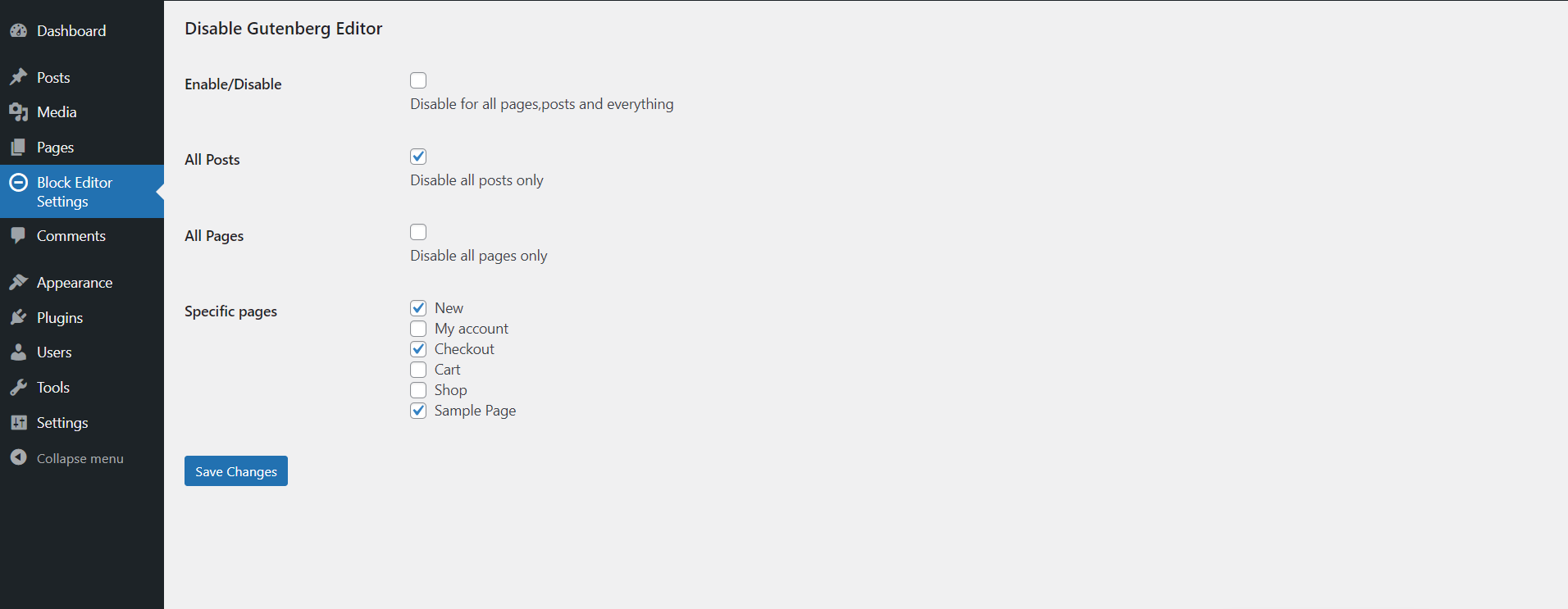
With this plugin, you can choose to disable the editor for specific pages, all pages, or even all posts, giving you complete control over your editing experience.
Features
- Giving you complete control over your editing experience.
- Show all control on Block Editor Settings admin menu page.
Video Tutorial
Include Soon!
屏幕截图

安装
- Upload Block Editor Disabler to the /wp-content/plugins/ directory.
- Activate the plugin through the Plugins menu in WordPress.
常见问题
-
What does the Block Editor Disabler plugin do?
-
This plugin allows you to disable the Gutenberg block editor for your entire WordPress site, specific post types (posts and pages), or individual pages.
-
Can I disable the block editor only for specific pages?
-
Yes, you can disable the block editor for specific pages by selecting them in the plugin’s settings.
-
Will this plugin affect custom post types?
-
No, this plugin is specifically designed to target posts and pages. Custom post types are not affected.
-
Does this plugin support Classic Editor?
-
Yes, the plugin restores the Classic Editor for the areas where the block editor is disabled.
-
How do I enable the block editor again after disabling it?
-
Simply go to the plugin settings and uncheck the options where you’ve disabled the block editor.
评价
此插件暂无评价。
贡献者及开发者

更新日志
1.0.2 – 27/12/2024
- Fix some major issues.
1.0.1 – 16/11/2024
- WordPress tested up to version is updated to 6.7 and Fix some major issues.
1.0.0
- 01-11-2024 – NEW – This is the initial release of the plugin.