
描述
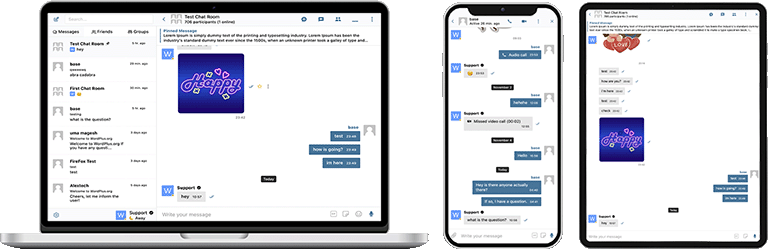
Better Messages 是功能最丰富的 WordPress 实时私信系统,原生集成了 BuddyPress、BuddyBoss Platform、Ultimate Member、PeepSo 以及任何其他 WordPress 驱动的网站。
将您的 WordPress 网站转变为强大的通信平台,具备私信、聊天室、视频和语音通话、群组视频聊天、AI 聊天机器人和原生移动应用。
无论您是在构建私人或公共社区、社交网络、内网、聊天室网站、市场、会员网站、约会平台,还是创作者经济网站 – Better Messages 都能提供企业级的消息功能和易于使用的界面。
试用 Better Messages:
- 在线演示 — 功能完备的演示站点
- Documentation & Knowledge Base — setup guides, features, FAQ
- 所有集成 — 每个支持的插件和主题
- 定价 — 免费版与 WebSocket 版本对比
- 博客 & 教程 — 指南、演练、集成深度解析
面向开发者:
- REST API 参考 — 每个端点和参数
- PHP Hooks — 动作、过滤器、辅助函数
- JavaScript Hooks — 前端事件和自定义 API
- 更新日志 — 每个版本和错误修复
- 路线图 — 即将推出的功能和投票
常见使用场景:
Better Messages 被广泛用于为以下场景提供消息功能:
- 私密社区 — 付费和仅会员社区平台、智囊团、校友网络、课程班级、辅导圈子、按角色限制的消息、群聊、用于入门引导和常见问题的 AI 聊天机器人、敏感对话的端到端加密
- 公共社区和社交网络 — 开放社交平台、兴趣爱好社区、由 BuddyPress / BuddyBoss / PeepSo / FluentCommunity 驱动的网站、私信、群组对话、聊天室、跟随用户在整个站点的迷你聊天小部件
- 内网和企业网站 — 内部员工沟通、团队和部门频道、按 WordPress 角色限制的访问、文件共享、远程团队的语音和视频通话、面向有数据主权要求站点的自托管方案
- 聊天室网站 — 以实时聊天室为主要功能构建的网站、公开和私密房间、基于话题的讨论、未注册访客的访客访问、AJAX 或 WebSocket 传输
- 约会和配对网站 — 私密一对一聊天、图片和视频附件、语音和视频通话、会员目录上的个人资料之间的聊天按钮、浏览访客的访客聊天、私密对话的端到端加密
- 创作者经济和粉丝平台 — 通过 GamiPress 或 MyCRED 按消息和按通话计费的付费消息、私人视频通话、向粉丝群发消息、始终在线的迷你聊天小部件
- 付费和盈利型 DM 平台 — 按私信或按通话收费,支持按角色定价、余额显示、按角色限制消息、AI 内容审核以过滤垃圾消息和诈骗尝试
- 辅导和指导平台 — 客户与教练的私信、预约视频通话、语音消息、文件共享、通过 LMS 集成实现的课程聊天室
- 在线商店 (WooCommerce) — 产品页面上的售前聊天、购买后订单支持、感知购物车上下文的消息、嵌入「我的账户」的收件箱
- 多供应商市场和分类信息 — 每个商品列表上的买卖双方聊天、每个列表的会话、未注册访客的访客聊天
- 在线课程 (LMS) — 课程聊天室、导师与学生的私信、基于班级的课程的群组对话
- 论坛和问答社区 — 每个回复上的私信链接、为话题参与者提供的后续聊天
- 房地产和房源网站 — 代理咨询消息、房源上下文聊天会话、浏览访客的访客聊天
- 直播活动和网络研讨会 — 活动大厅聊天室、未注册参与者的访客访问、用于 AMA 的群组语音和视频通话、包含活动议程的置顶消息
- 预订和预约平台 — 房源和预订上的访客与房东消息、文件共享、入住前的语音和视频通话
- 加密货币和 Web3 社区 — 通过会员插件和 WordPress 角色实现的代币门控聊天室、AMA 群组通话、用于白皮书问答的 AI 知识机器人、随时随地互动的移动应用
“Better Messages” 插件以前称为 “BP Better Messages“。
核心消息功能:
- AJAX 或 WebSocket 驱动的实时对话
- 私密一对一对话
- 无限参与者的群组对话
- 支持访客访问的聊天室
- BuddyPress 群组、PeepSo 群组、Ultimate Member 群组、FluentCommunity 群组的消息
- 对话主题
- 搜索所有消息
- 将消息标记为收藏
- 将重要消息置顶
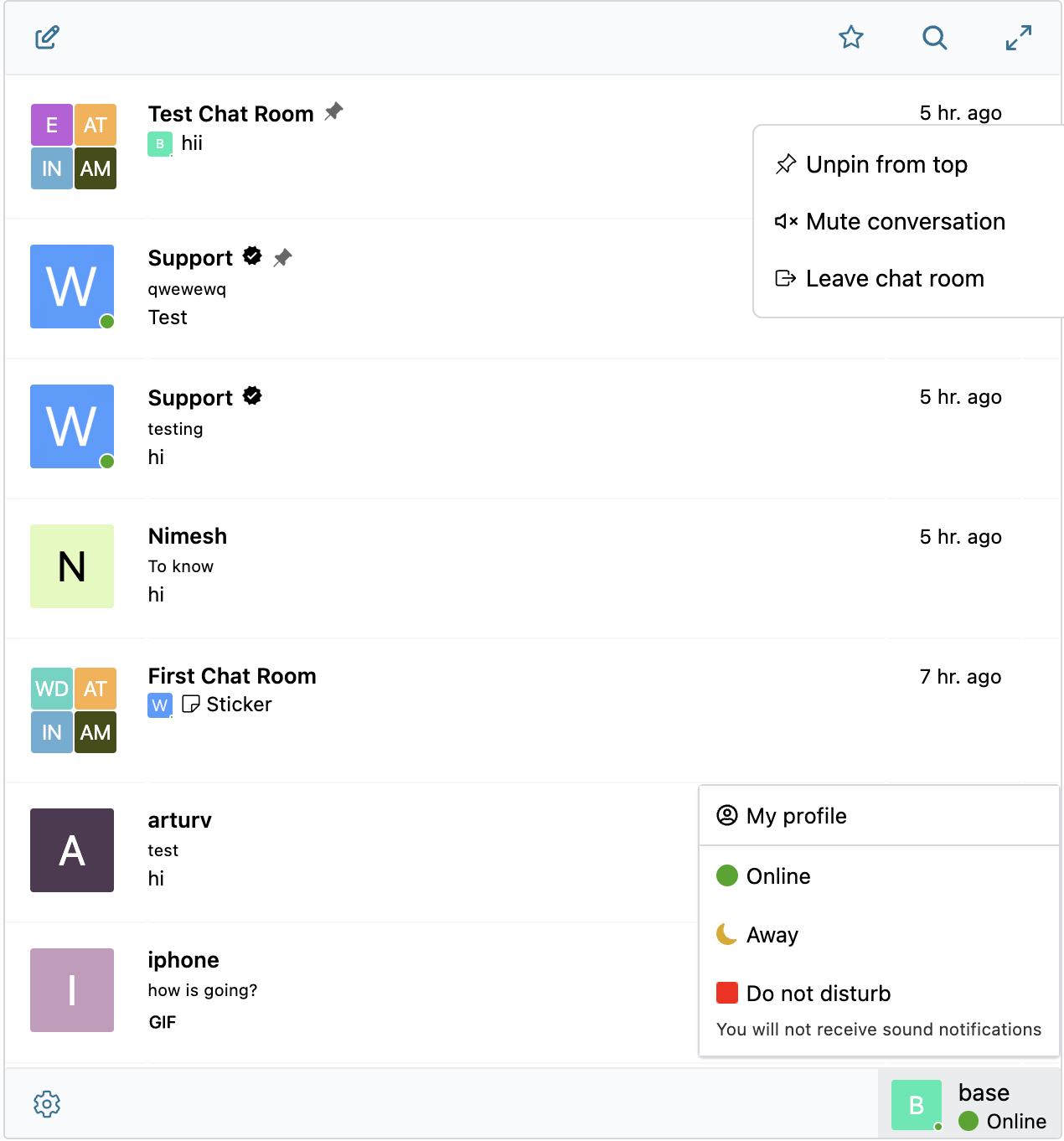
- 将喜爱的对话置顶
- 筛选对话列表以仅显示未读对话
- 回复特定消息
- 编辑已发送的消息(带编辑指示器)
- 删除消息
- 将消息转发到其他对话
- 静音对话通知
- 带恢复功能的消息草稿自动保存
AI & 自动化:
- 由 OpenAI、Anthropic (Claude) 和 Google Gemini 驱动的 AI 聊天机器人
- 群组对话中基于@提及响应的 AI 聊天机器人
- AI 会话摘要和定时摘要
- 带成本估算的令牌使用量跟踪
- 语音消息转文字由 Better Messages Cloud AI 或 OpenAI 提供支持
- AI 机器人的网络搜索功能
- AI 机器人的文件搜索工具
- AI 图像生成
- AI 对话的 PDF 文件支持
媒体 & 内容:
- 支持断点续传的文件共享和保护文件免受直接访问的功能(图片、视频、文档)
- 客户端图像和视频优化,实现跨浏览器兼容性和节省存储空间(格式转换、质量控制、元数据剥离)
- 语音消息(作为附加组件提供)
- 带缩略图和描述的嵌入链接
- 支持 YouTube、Vimeo、Spotify、SoundCloud、Flickr 等 20 多项服务的 oEmbed
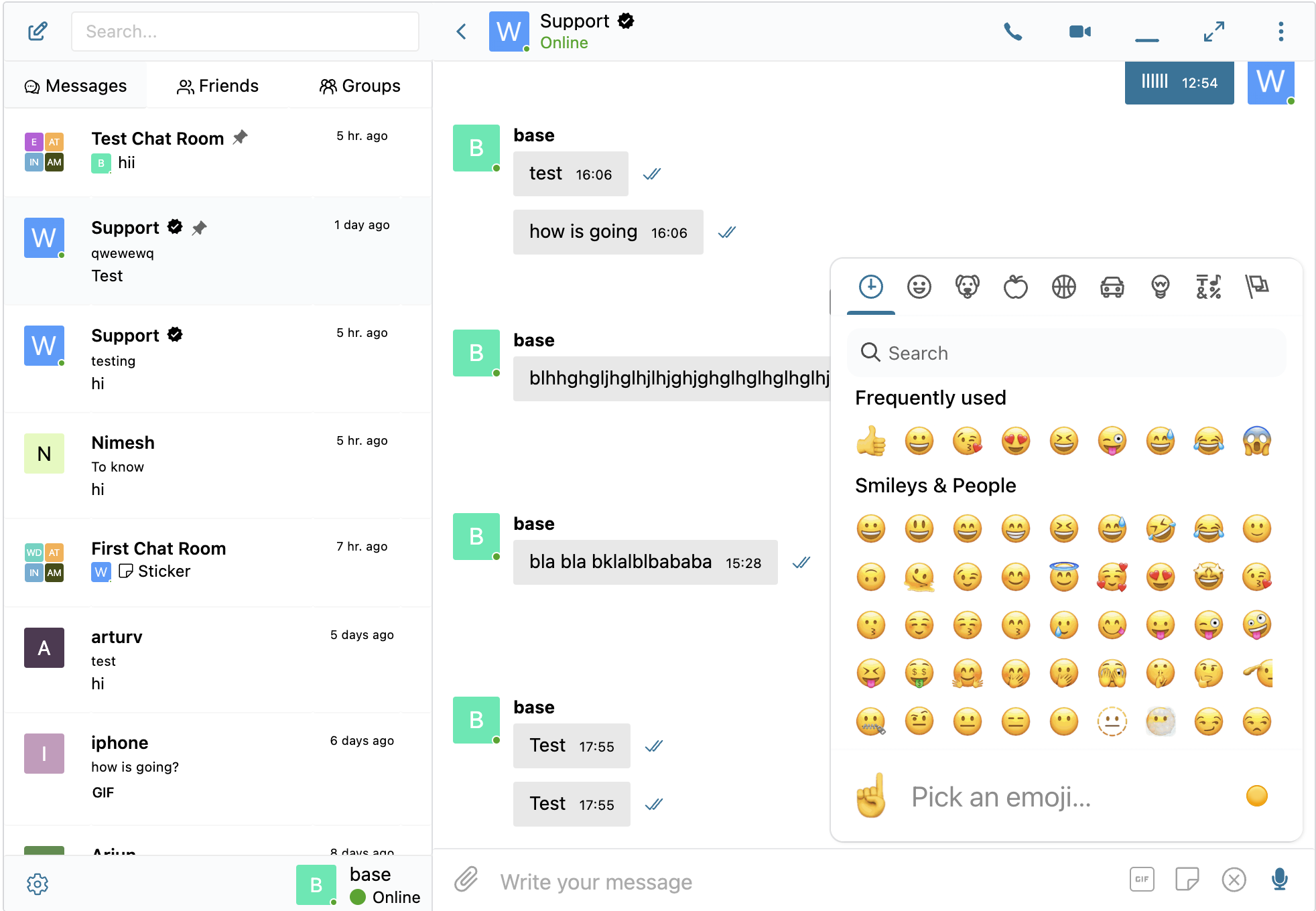
- 表情符号选择器
- 内置贴纸包,支持基于角色的访问控制和多语言支持
- GIF 集成,支持 GIPHY 和 Klipy 提供商
- 输入时内联贴纸建议
- Markdown 文本格式支持
通知:
- 未读消息的邮件通知(可自定义模板)
- 邮件中的退订链接支持
- 新消息声音通知
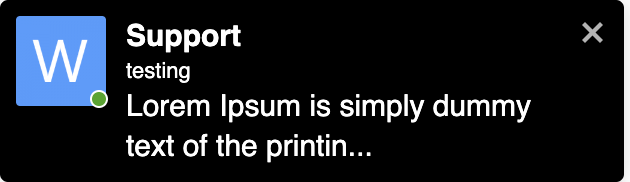
- 网站任何位置的站内弹窗通知
审核 & 安全:
- 支持两个提供商的 AI 内容审核:
- Better Messages Moderation AI — 随 WebSocket 许可证免费提供,无需第三方 API 密钥。由 Better Messages Cloud 驱动,支持扩展类别、自定义规则和对话上下文感知
- OpenAI Moderation API — 免费使用,需要 OpenAI API 密钥
- 自定义审核规则——用纯文本定义您自己的规则
- 对话上下文感知——检测分散在多条消息中的模式
- 在审核操作”仅标记”(推荐)或”保留待审”之间进行选择
- 预审核消息 – 在发送前审核消息
- 消息举报功能
- 可自定义黑名单的不良词汇过滤器
- 用户屏蔽功能
- 基于角色的访问控制
- 用于审核的用户白名单/黑名单
互动功能:
- 消息回应
- 提及 (@用户名)
- 通过 WP 管理后台进行群发消息,支持定时发送、文件附件和后台处理
- 为新用户推荐对话
- 无需使用短代码即可在您网站的任何位置嵌入对话入口
- 五种小部件:好友、群组、用户、AI 机器人、聊天室
- 两种显示样式:经典栏或悬浮气泡(带聊天头像)
- 三种放置位置:底部栏、侧边面板、移动标签栏
- 每个小部件均有图标选择器、搜索框、角色限制以及”为空时隐藏标签”开关
- 用户小部件支持三种显示模式(全部/按角色/精选)以及按最近活动或注册日期排序
- 可自定义迷你小部件、侧边面板和移动视图中的标签顺序
自定义:
- 现代化、完全可自定义的设计
- 通过 WP Customizer 轻松自定义颜色
- 自定义通知声音
- RTL 布局支持
- 白标解决方案
- 完全可翻译
- 自动删除旧消息选项
隐私与GDPR:
- 专用隐私与GDPR设置页面
- 所有消息数据均存储在您自己的服务器上
- AI 审核 (启用时) 会发送消息内容进行分析 — Better Messages Cloud 不会存储任何数据,如使用 OpenAI 提供商,请查阅 OpenAI 的数据政策
- 支持WordPress个人数据导出和删除(工具 导出/删除个人数据)
- 根据启用的功能自动调整的建议隐私政策文本
- 自托管表情图片选项 — 无外部CDN请求
- 隐私友好的视频嵌入 — YouTube、Vimeo仅在用户点击后加载
- 不设置Cookie,无分析或跟踪脚本
- 隐私与GDPR文档
这不是功能的完整列表 – Better Messages 还有许多未在此列出的小功能和选项。我们根据用户反馈不断添加新功能和改进。
兼容的插件 & 主题 — 35+ 个原生集成:
Better Messages 开箱即用,可在任何 WordPress 网站上运行。如果您的网站已经运行社区插件、LMS、市场或目录,Better Messages 将直接接入 — 继承成员、个人资料、群组、课程、列表和文章,从而无需设置即可让聊天界面出现在正确的位置。
社区 & 会员平台 — 替代内置消息系统,继承成员、个人资料、朋友和群组:
- BuddyPress
- BuddyBoss Platform — including BuddyBoss Theme and ReadyLaunch
- PeepSo
- Ultimate Member
- FluentCommunity — including Spaces and Courses
- SureDash
- ProfileGrid
- UsersWP
- WP User Manager
学习管理系统 (LMS) — 课程聊天室、导师消息以及学生之间的对话:
- LearnDash — including Instructor Role add-on
- LearnPress
- Tutor LMS
- MasterStudy LMS
- FluentCommunity 课程
电子商务 — WooCommerce — 在线商店的售前和订单支持聊天:
- WooCommerce — 产品、购物车、结账和订单页面上的联系按钮。购物车内容会自动作为富消息发布到对话中,使您的客服代表立即看到客户正在查看的内容,订单页面会发布结构化的订单上下文卡片。粘贴到任何聊天中的纯产品 URL 都会展开为富产品卡片。嵌入式收件箱位于 WooCommerce 我的账户内。兼容 HPOS、兼容区块主题、可与访客结账配合使用。免费版和 WebSocket 版本均可用 — WebSocket 版本将聊天作为弹出式迷你小部件覆盖层打开,而不是离开当前页面。
市场 & 多供应商 — 基于 WooCommerce 的买家与供应商聊天,支持按供应商选择加入以及供应商商店、产品页面和订单详情上的联系按钮:
列表、目录 & 分类信息 — 每个列表上的联系按钮,按列表会话:
- HivePress
- Directorist
- GeoDirectory
- Classified Listing
- Motors – Car Dealer, Classifieds & Listing
- WP Job Manager
房地产主题 — 房源列表上的代理和咨询消息:
论坛 — 每个回复上的私信链接:
- wpForo
- bbPress
游戏化、积分 & 付费访问 — 按消息或通话收费,支持按角色定价和余额显示:
自动化 & 页面构建器:
- Uncanny Automator — triggers and actions for chat events
- AutomatorWP — triggers and actions for chat events
- Crocoblock JetEngine Profile Builder — profile and chat shortcodes for JetEngine listings
推送 & PWA:
- OneSignal — web push notifications
- Progressify PWA — install-to-home-screen prompts on the messenger
通用短代码构建器 — 为任何其他内容添加聊天:
在列表中没看到您的插件或主题?Better Messages 在 WP 管理 Better Messages 短代码 提供了可视化短代码构建器,让您可以将实时聊天按钮放置到任何自定义文章类型、目录、市场列表、代理资料或页面构建器区块上 — 无需编写 PHP。将其指向一个示例文章,选择如何确定目标用户(文章作者、存储在 postmeta 中的用户 ID,或固定的收件箱),设置会话策略和标签,然后复制生成的短代码。相同的短代码随后将适用于具有相同结构的每篇文章,具有自动按文章会话和可选的聊天内横幅。将其粘贴到 Gutenberg、Elementor、Bricks、Divi 中,或直接粘贴到主题模板中。
欢迎报告任何不兼容问题或请求更多集成 — 这非常重要,有助于改进 Better Messages!
WebSocket 版本:
WebSocket 版本是付费选项,您可以在我们的网站上获取许可证密钥。
我们使用专用服务器在您的网站和用户之间实现 WebSocket 通信。我们的服务器完全私密,不存储或跟踪任何私人数据 — 所有消息都保留在您的数据库中。
性能 & 可靠性:
- 显著降低服务器负载 (请求量最多减少 200 倍)
- 实时即时消息发送
- 适用于包括共享主机在内的任何主机
- 并发连接数或月活跃用户数无限制
视频 & 语音通话:
- 高清视频通话(一对一)
- 高清语音通话(一对一)
- 群组视频聊天(最多 32 位参与者)
- 群组语音聊天(最多 50 位参与者)
- 通话和群聊中的屏幕共享
移动应用(Alpha):
- iOS 移动应用(构建您自己的品牌应用)- Alpha
- Android 移动应用(构建您自己的品牌应用)- Alpha
- 通话和消息的推送通知
- 来电 VoIP 通知
注意:移动应用目前处于 Alpha 阶段。核心功能可用,但部分功能可能受限或正在开发中。
实时功能:
- 消息送达状态(已发送、已送达、已读)
- 正在输入、语音录制和文件上传活动指示器
- 在线/离线状态指示器
- 用户状态(在线、离开、请勿打扰)
- 迷你聊天 – 在您网站的任何位置显示聊天窗口
- 迷你对话小部件 – 从任意页面列出并继续最近的会话
- 用户迷你小部件的仅在线筛选和在线优先排序
Better Messages Cloud AI:
- 一对一对话中的自动消息翻译 — 53 种语言,自动检测
- AI 内容审核 — 23 个类别、自定义规则、对话上下文感知
- 语音消息转文字 — 支持 99+ 种语言并自动检测
- 无需第三方 API 密钥 — 随 WebSocket 许可证免费提供
安全 & 加密:
- 可选的端到端加密 (E2EE) — 可在网站级别和每个对话级别启用,消息和文件在用户的浏览器中使用 AES-256-GCM 加密,服务器永远看不到明文
- 用于离线消息存储的本地浏览器加密 (AES256)
- Web 推送通知(即使浏览器关闭也能使用)
- 所有数据在传输中加密,因此我们无法在服务器上读取
支持:
- 优先邮件支持
- 定期更新和新功能
插件内置了 RTL 布局支持。
您可以使用 LocoTranslate 将插件翻译为您的语言,或参与插件翻译。
屏幕截图
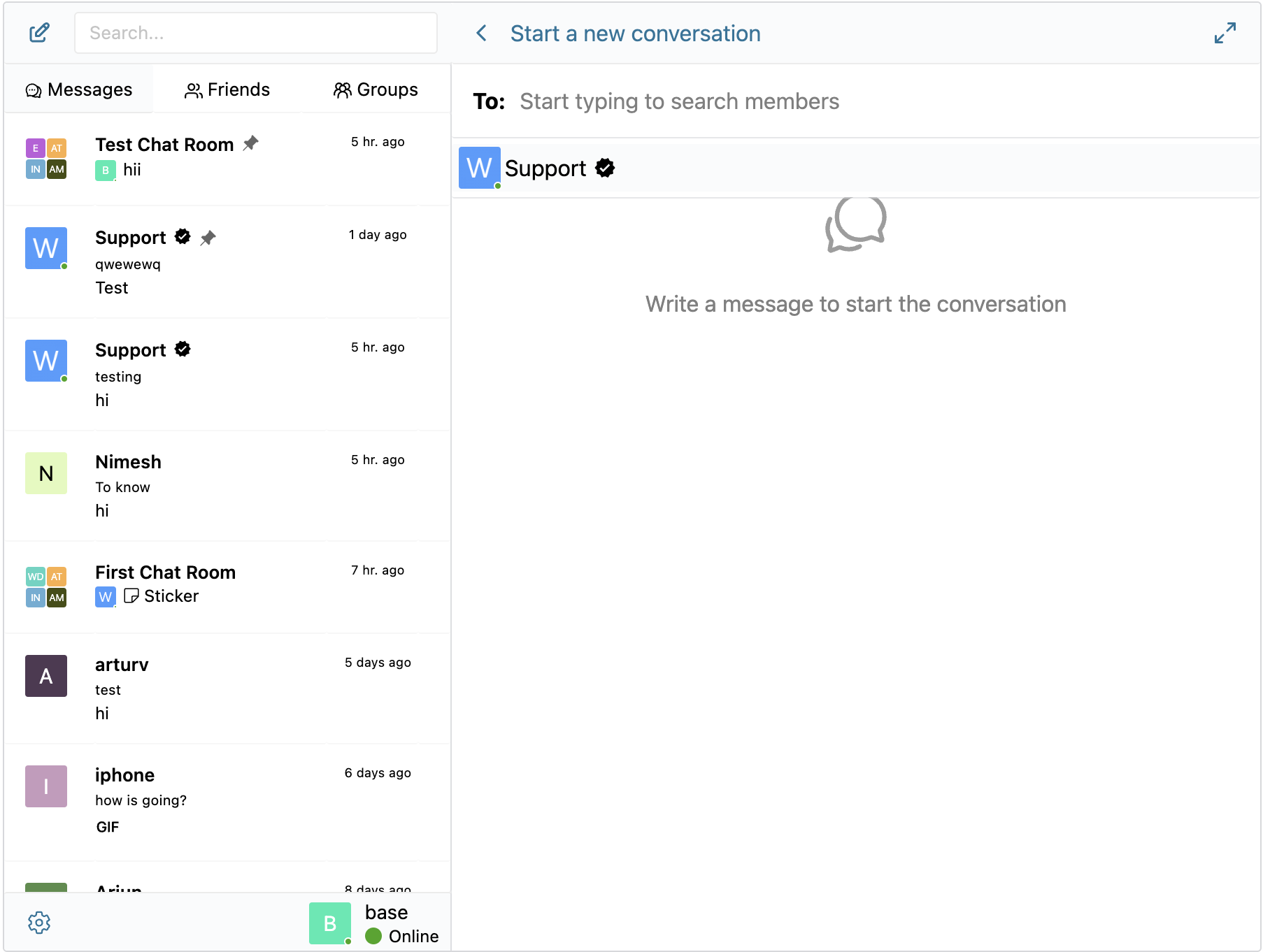
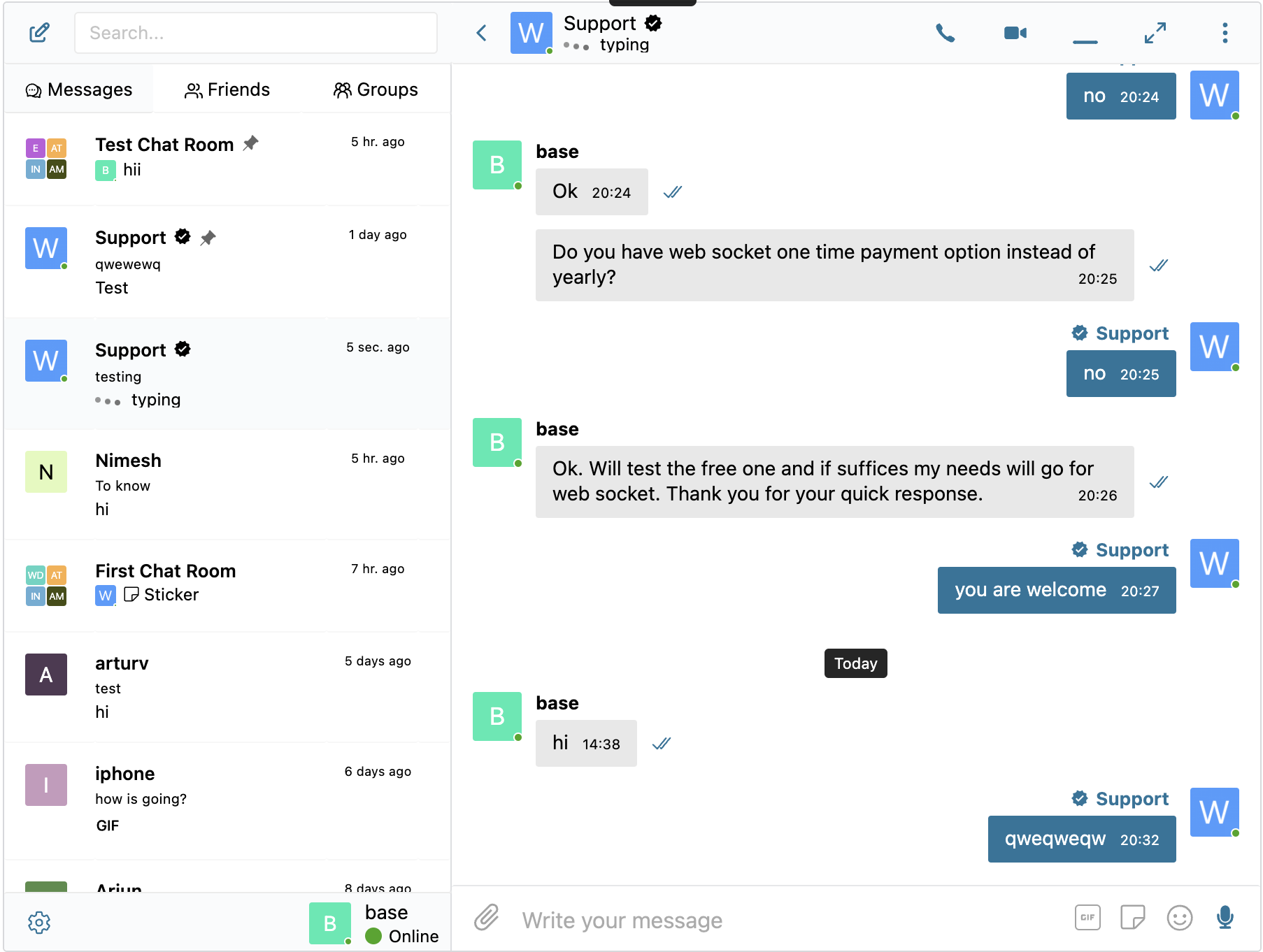
区块
该插件提供了 2 个区块.
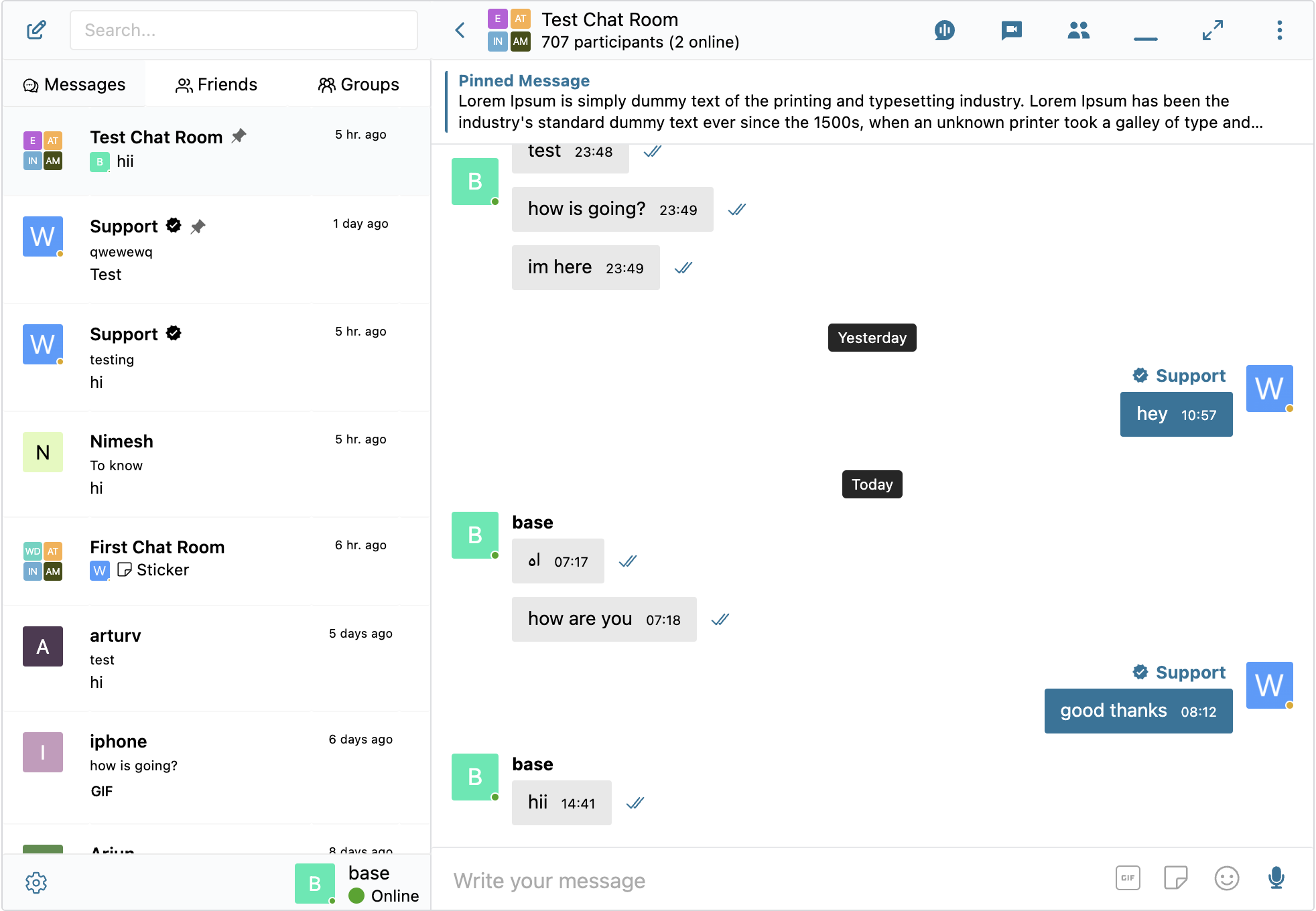
- Chat Room Embed a Better Messages chat room
- User Inbox Personal user inbox, where user can access all conversations which he is participating in
安装
- 将插件文件上传到
/wp-content/plugins/bp-better-messages目录,或直接通过 WordPress 插件界面安装插件。 - 通过 WordPress 中的“插件”界面激活插件
- 使用 设置 -> Better Messages 来配置插件
常见问题
-
Better Messages 是免费的吗?
-
是 — 可从 WordPress.org 安装免费版。它支持私聊和群聊、聊天室、文件共享、oEmbed 预览、智能批量邮件通知、基于角色的访问控制、guest chat,以及标准 messenger 功能集。WebSocket 版本为付费版本,可解锁即时投递、一对一和群组语音 / 视频通话、AI Chat Bots、AI Content Moderation、AI Message Translation、Voice Message Transcription、Web 推送以及端到端加密。
-
Better Messages 可以与哪些 WordPress 插件集成?
-
35+ 个原生集成,涵盖社区平台 (BuddyPress、BuddyBoss Platform、PeepSo、Ultimate Member、FluentCommunity、SureDash、ProfileGrid、UsersWP、WP User Manager)、LMS (LearnDash、LearnPress、Tutor LMS、MasterStudy LMS)、电子商务 (WooCommerce — 售前和订单支持聊天,带有产品、购物车、结账和订单页面上的联系按钮)、多供应商市场 (Dokan、WCFM、WC Vendors、MultiVendorX)、列表和目录 (HivePress、Directorist、GeoDirectory、Classified Listing、Motors、WP Job Manager)、房地产主题 (Houzez、RealHomes)、论坛 (wpForo、bbPress)、游戏化 (GamiPress、MyCRED)、自动化 (Uncanny Automator、AutomatorWP)、页面构建器 (Crocoblock JetEngine) 以及推送 / PWA (OneSignal、Progressify)。如果您的插件未列出,内置的可视化短代码构建器可让您将实时聊天按钮添加到任何自定义文章类型,无需编写 PHP。请查看完整集成列表。
-
是否支持群组对话?
-
是 — 一流的群组聊天,具备共享历史、提及、表情反应、文件上传、回复、编辑 / 删除 / 转发以及群组语音 / 视频通话(WebSocket 版本)。群组聊天可与 BuddyPress / BuddyBoss / PeepSo / Ultimate Member / FluentCommunity 群组自动配对,成员将与源社区群组保持同步地加入和退出聊天。
-
未注册访客(访客)也可以聊天吗?
-
是 — Guest Chat 允许未注册访客加入聊天室、在市场中向商家发起消息、在目录列表上提问,或与站点支持沟通。访客输入显示名称(并可选填写邮箱)后即可作为访客用户参与对话。若日后注册账号,其会话历史会被保留。
-
是否支持在 WordPress 上的语音和视频通话?
-
是的 (WebSocket 版本) — 一对一和群组语音 / 视频通话在消息会话内进行,而不是作为单独的 Zoom / Whereby 集成。托管的媒体中继包含在 WebSocket 许可证中,无需单独的 Twilio 账户、Daily / Whereby 订阅或 Zoom 开发者计划。通话在移动设备上为全屏,在桌面上为画中画。
-
Better Messages 是否符合 GDPR?
-
是。所有消息数据仅保存在您的 WordPress 数据库中。WebSocket 云端中继对消息内容是不可见的 — 它仅转发加密事件,不读取、不保存、也不检查经过的数据。Better Messages 也与 WordPress 自带的个人数据导出和擦除工具集成。对于数据主权要求更严格的站点(GDPR 第 9 条、与 HIPAA 接近的场景、受监管数据工作负载),还提供自托管方案 — 请联系支持。
-
是否具备 AI 功能?
-
是的 (WebSocket 版本,AI 附加组件)。AI 聊天机器人 (OpenAI、Anthropic Claude、Google Gemini) 作为任何会话中的完整参与者,具有自定义系统提示,并可通过 GamiPress / MyCRED 按机器人收取积分。Better Messages Cloud AI 提供 AI 内容审核 (23+ 类别,包括垃圾消息、诈骗、人肉、联系方式分享)、AI 消息翻译 (53 种语言,自动检测) 以及语音消息转录 (99+ 种语言) — 全部包含在 WebSocket 许可证中,无需第三方 API 密钥。
-
是否有 iOS 和 Android 原生应用?
-
是 — Better Messages 提供基于 Capacitor 构建的 iOS 和 Android 原生移动应用,支持推送通知、实时投递、语音 / 视频通话,并与 Web 版本保持完整的功能对等。对于希望在自己的开发者账户下、于 App Store / Play Store 上线自有品牌应用的站点,还提供白标重建服务。
-
我可以把 messenger 界面翻译成我的语言吗?
-
是 — Better Messages 使用文本域
bp-better-messages,可通过 WordPress 标准翻译工具(Loco Translate、WPML、Polylang)完整本地化。内置 30 多种社区翻译。可在 translate.wordpress.org 贡献或改进翻译。 -
是否支持端到端加密?
-
是的 (WebSocket 版本)。端到端加密按会话启用 — 消息和文件附件在发送方的浏览器中使用 AES-256-GCM 进行加密后再传输,在数据库中保持加密状态,仅在接收方的浏览器中解密。服务器仅存储密文,任何管理员、主机工程师或具有数据库访问权限的攻击者都无法读取 E2E 会话的消息内容。
-
哪里可以找到详细文档?
-
完整文档、集成指南、REST API 参考、钩子参考、视频教程以及 80 多篇博客文章均位于 www.better-messages.com。
评价


贡献者及开发者

更新日志
2.15.13
- Added Automatic Message Cleanup for chat rooms
- Added Participants List Order setting at Settings Messaging Group Conversation Settings
- Better Messages Administration moderation area now showing message timestamps in the site timezone from Settings General
- Fixed user badge icons (e.g. PeepSo VIP icons) showing as HTML code instead of images in WP Admin user lists
- Fixed encrypted conversations staying locked forever after a participant reset their encryption keys — the conversation key is now reliably re-shared as soon as any other participant visits the site or unlocks their encryption keys
- Other minor bugfixes and improvements
2.15.9 – 2.15.12
- Migration to new Roadmap
- Added Shortcode Builder — visual admin tool at Settings Shortcodes that configures the
[better_messages_live_chat_button]shortcode without code. - Added initial BuddyBoss ReadyLaunch theme integration
- Added new BuddyBoss settings group at Better Messages Settings Integrations BuddyPress — separate Full-page messenger, Full Width, Page Title, and Hide Mini Widget on Messages Page toggles for the ReadyLaunch theme and the classic BuddyBoss Theme
- Fixed FluentCommunity integration script throwing
Cannot read properties of nullon non-FluentCommunity pages - Hide the messenger Minimize button on the FluentCommunity
/messagesroute — the mini widgets are hidden there, so minimize had no surface to restore from - Fixed image download from the lightbox opening a stuck Quick Look preview when Better Messages is used in an iPhone PWA — now uses the native iOS share sheet
- Fixed guest authentication being silently dropped after long tab-idle periods in some websites
- Fixed BuddyBoss user-dropdown My Messages item not showing the unread counter on sites where the BuddyBoss Theme renders the user dropdown from a WordPress nav menu instead of the standard admin-bar nodes
- Fixed MultiVendorX vendor dashboard “Messages” sidebar link missing on some sites
- Fixed in-thread message Delivered tick rendering white in dark mode
- Added Settings Integrations WooCommerce MultiVendorX toggle “Hide Messages tab when vendor disables live chat” — off by default
- Fixed the “Sound Notification Control” setting not hiding the sound mute toggle from user settings when disabled
- Fixed the Guest Messages Page rendering the raw
[bp-better-messages]placeholder instead of the messenger when no main Messages Location page is set - Fixed user avatars and names not loading for not-yet-registered guests in chat rooms and the mini widget
- Other minor bugfixes and improvements
2.15.8
- Fixed pages with the slug
messagesreturning 404 on sites that use WooCommerce as the Messages Location - Fixed the compact-sidebar hover tooltip lingering on the conversation screen after tapping an avatar on mobile
- Added Guest Messages Page setting
- Added per-thread participant override mechanism — addons can display a participant under a different name, avatar and profile URL inside one specific thread without touching their real WordPress identity elsewhere. Same WP user can wear different identities in different threads at the same time. See the developer guide for the reusable pattern
- Added initial Houzez Real Estate Theme integration
- Added initial RealHomes Real Estate Theme integration
- Other minor bugfixes and improvements
2.15.7
- Added Send Message, Audio Call and Video Call buttons to the PeepSo user hovercard
- Added emoji search translations — admin can download per-locale annotations so emoji picker search works in 30+ languages (e.g. German “gesicht” finds 😀)
- Optimized emoji and stickers data delivery
- Fixed guest users seeing their own name and avatar in one-on-one conversation headers, mini chat heads, and thread list previews instead of the other participant in some cases
- Fixed MasterStudy LMS account mobile bottom menu overlapping the chat on the Messages page in full-screen mobile view
- Other minor bugfixes and improvements
2.15.6
- Added JavaScript filter slots in the guest authentication screen —
better_messages_auth_required_top,better_messages_auth_required_between, andbetter_messages_auth_required_bottom— for injecting custom HTML into the pre-chat popup, mini-widget banner, and full messages page wall - Added live unread counter badge to the BuddyBoss Theme profile dropdown Messages item
- Added Audio Call and Video Call buttons to the members directory and group member rows for both BuddyPress (Nouveau theme) and BuddyBoss Platform
- Added
better_messages_group_call_join_custom_errorPHP filter for blocking group audio/video call join with a custom error message, mirroring the existingbetter_messages_call_join_custom_errorfilter for 1-to-1 calls - Settings Integrations tab label and section titles now read “BuddyBoss” instead of “BuddyPress” when the BuddyBoss Platform is active
- Improved the bbPress reply Private Message link layout in BuddyBoss Theme
- Added initial Motors – Car Dealer, Classifieds & Listing integration
- Added initial Classified Listing integration
- Other minor bugfixes and improvements
2.15.5
- Added per-role filter for the auto-remove inactive chat room participants feature, so an admin can target guests or other specific roles only and leave members untouched
- Fixed new chat room participants could be remove if auto-removal option is enabled for users who did not wrote any message in the chat room
- Fixed online participant count in the chat rooms list not updating in real time when a user joined or was added to a room
- Fixed some group chats threads could reappear after the admin deleted them
- Other minor bugfixes and improvements
2.15.3
- Added System Messages
- Added per-role restrictions for group calls — Settings Group Calls Group Call Restrictions lets admins block specific WordPress roles from starting and / or joining group audio and video calls
- Group calls are now available to guest visitors
- Added possibility to auto-remove inactive chat room participants
- Added possibility to enable group audio/video calls button in mini chats
- Added support for LearnDash Instructor Role add-on
- Added shortcodes for every Send Message / Message Instructor button in the GeoDirectory, Directorist, LearnDash, LearnPress, Tutor LMS and MasterStudy LMS integrations, so they are possible to use with page builder. Check Integrations tab in plugin settings to find appropriate shortcode
- Reorganized Settings General tab — added a Quick Actions dashboard with shortcuts to the Chat Rooms, AI Chat Bots and Administration screens and added easy access to detected integrations
- End to end encryption is moved to Messaging settings tab
- Fixed PHP 8.5 deprecation notices
- Fixed sticker images pointing to the previous site URL after a domain migration
- Fixed guest visitors being redirected to wp-login after starting a chat from a WooCommerce
2.15.2
- Added initial MasterStudy LMS integration
- Added initial Directorist integration
- Added initial GeoDirectory integration
- Remake database displaying in plugin settings which make it easier to fix database if something not migrated properly
- LMS course chats are now their own thread type in database
- Added “Email Notifications” and “Push Notifications” toggles for LMS course chats under Settings Integrations LMS Shared Course Settings
- Other minor bugfixes and improvements
2.15.1
- Added initial LearnPress LMS integration
- Added initial Tutor LMS integration
- Added initial LearnDash LMS integration
- Added MultiVendorX 5.0+ integration alongside the existing < 5.0 support
- Older MultiVendorX 4.x sites are unaffected — the previous integration continues to load on those installations
- Added FluentCommunity Courses integration
- Added a dedicated Courses widget to the Mini Widgets which will be showing user enrolled courses in LMS
- Added “Maximum Message Length” setting (Settings Messaging) — cap the number of characters allowed in each message
- Other minor bugfixes and improvements
2.15.0
- Added three new widgets: Users (browse and message any site member, with optional online-only filtering, online-first ordering, sort by last activity or registration date, and three display modes — all / by role / hand-picked), AI Bots (start or continue conversations with configured AI chat bots), and Chat Rooms (browse public chat rooms with optional online-count badge)
- Redesigned the Settings Mini Widgets page into per-widget sub-tabs, with each widget exposing its own icon picker, search-box toggle, role restrictions matrix (mini bar / side panel / mobile bar), and widget-specific options
- Added “Hide Tab When Empty” toggle per widget — hides the Friends / Groups / AI Bots / Chat Rooms / Users tab entirely when the current user has nothing to show, instead of rendering an empty list
- Added AI Chat Bot welcome message — bots can greet users with a configurable opening message and placeholder
- Added dynamic placeholders which allows to dynamically change ai chat bots system prompts and welcome messages
- Renamed
better_messages_open_ai_bot_instructionfilter tobetter_messages_ai_bot_instructionsince it applies to all AI providers, and added new$thread_idand$message_idarguments so callbacks can read the conversation context and the triggering user message — the old name remains available as a deprecated alias - Added per-message edit time limit — restrict how long users can edit their own messages after sending
- Fixed fatal error when uploading attachments at the bulk messages screen
- Fixed
hideParticipantschat room setting being ignored when the attachments browser was enabled - Fixed stale sticker suggestions remaining visible in the composer after a sticker was sent
- Fixed AI Chat Bots admin layout breaking on older PHP versions and removed a misleading missing-key error
- Fixed sticker pack “Add language” button appearing when no remaining locales were available
- Fixed reply form not being blocked for deleted conversations when PeepSo friendship filter was active
- Fixed Private Message button still showing in chat room user list and message context menu when “Hide New Conversation Button” was enabled
- Improved performance of reported-messages admin screen for sites with millions of messages — queries now scale cleanly instead of relying on transient caches
- Other minor bugfixes and improvements
2.14.16
- 将 Stipop 贴纸提供商设为旧版,因其自初始集成以来大幅涨价
- Added built-in sticker packs system – create and manage your own sticker packs, with role-based access control and per-locale support
- 新增 8 个预创建贴纸包,可从插件设置中安装
- 新增内联贴纸建议 — 在插件设置中启用后,输入时会根据关键词自动推荐贴纸
- 将GIF 集成重构为多提供商系统,支持 GIPHY 和 Klipy 提供商 — 在设置 集成中选择您偏好的提供商
- 修复了回复编辑器中粘贴的表情符号被转换为 WordPress 表情图片的问题
- Other minor bugfixes and improvements
2.14.14
- Added WooCommerce integration — adds contact buttons on product, cart, checkout, and order pages with configurable placement and recipient
- Added Product Page contact button with 4 placement options (above/below summary, above/below add-to-cart) — works in both classic and block themes
- Added Order Page contact button on My Account View Order
- Added Pre-purchase Help Button on cart and checkout pages
- Added automatic cart snapshot — when a customer starts a chat from cart or checkout, the contents of their cart are auto-posted as a rich message in the conversation.
- Added rich product cards in chat — plain WooCommerce product URLs pasted in any chat message are auto-expanded into rich cards with image, title, and price
- Fixed bug where saving plugin settings could wipe registered rewrite endpoints (WooCommerce, BuddyPress, Better Messages) until permalinks were manually re-saved
- Removed hardcoded logo width and height in the email notifications template
- Other minor bugfixes and improvements
2.14.13
- Added new “Floating Bubble” display style for mini widgets — replaces the classic bottom tab bar with a circular button that expands into a chat panel on click
- Added “Bubble Chat Heads” option — shows recently closed conversations as avatar bubbles stacked above the floating bubble button (similar to Messenger chat heads), with hover tooltips showing thread name, time, and last message preview
- Added Bubble Icon picker in admin settings
- Added customizer controls for bubble button and chat head sizes and roundness
- Added smooth open/close/transition animations for mini widgets, bubble panel, and chat heads (can be disabled in admin settings)
- Fixed bug where photos uploaded from iOS could appear rotated in chat — caused by buggy EXIF orientation handling in iOS Safari’s createImageBitmap
- Fixed bug where the “Select Logo” button on the Email template settings page did nothing because the WordPress media library was not enqueued
- Other minor bugfixes and improvements
2.14.11 – 2.14.12
- Added Better Messages Translation AI — automatic message translation for 1-to-1 conversations
- Added Better Messages Transcription AI — voice message transcriptions
- Added Test Callback URL button to the Settings page in the WebSocket version, which allows testing the callback URL for the Better Messages Cloud AI
- Initial integration with WordPress Abilities API, which allows using MCP and AI
- Fixed bug with AI Chat Bots not allowing to select model if no global api key setting
- Fixed bug with attachments being sent to previously opened conversation when using “Send now” button in the file uploader popup
- Fixed bug where disabling End-to-End Encryption would lock users out of previously encrypted conversations and prevent starting new ones with the same participants when the Single Conversation Per Recipient option is enabled
- Other minor bugfixes and improvements
2.14.8 – 2.14.10
- Initial release of Better Messages Cloud AI
- Added Better Messages Moderation AI — included with WebSocket license at no additional cost, no third-party API keys required.
- Cloud-powered content moderation with extended categories, custom rules, and conversation context awareness
- Added AI moderation provider selection: choose between OpenAI Moderation API and Better Messages Moderation AI
- Added custom moderation rules — define your own rules in plain text (e.g. block contact sharing, promotions)
- Added conversation context for AI moderation — detect patterns like phone numbers split across multiple messages
- Added 10 new moderation categories for Better Messages AI: spam, scam/phishing, minor safety, contact sharing, profanity, impersonation, doxxing, drugs/alcohol, threats, commercial promotion
- Translations now loaded as cacheable external file instead of inline scripts to make it more efficient
- Added ability to open and close chat rooms
- Added chat room management actions: duplicate, clear messages, remove all participants
- Fixed PeepSo Notifications Popup overlapping Better Messages Popup
- Fixed PeepSo Vip Icons displaying incorrectly in administration panel
- Reworked reactions selector displaying as they became a bit jumpy, especially on mobile devices
- Improved database reset detection and connection timeout for settings changes
- Added FluentCommunity Spaces integration for groups widgets (mini widgets, side panel tabs, mobile tabs)
- It’s now possible to find users by email in admin user search
- Fixed PHP warning for undefined ‘lang’ key in mobile device registration
- Improved SharedWorker reconnect, plugin updates no longer require page reload
- Updated Freemius SDK to latest version
- Other minor bugfixes and improvements
2.14.7
- Added new Privacy & GDPR settings page with compliance overview and privacy controls
- Added self-hosted emoji sprites option — download emoji images to your server instead of loading from external CDN
- Added Privacy-friendly oEmbeds — YouTube, Vimeo and other video embeds load only after user clicks
- Added WordPress personal data export and erasure support (Tools Export/Erase Personal Data)
- Added suggested privacy policy text that adapts based on enabled features (Settings Privacy)
- Added option to delete file attachments when user requests data erasure
- Added option to enable or disable Emoji Picker button
- Added option to enable or disable automatic text emoticon to emoji conversion
- Improved caching — scripts and resources that don’t change between updates are now cached independently by the browser
- Scripts and resources are now loaded on demand only when the feature is actually used
- Added filter hooks for custom AI provider registration
- AI Chat Bots will not be auto-removed from Group Conversations when members list syncing
- Show “Voice message” fallback text when voice messages addon is disabled
- Fixed mentions popup not closing when no matches found
- Fixed voice message uploads returning 404 when file attachments disabled
- Fixed E2E encrypted file uploads in new conversations
- Fixed group member sync running for groups with chat disabled
- Improved email template customization — preview now reflects all settings accurately
- Fixed custom HTML email template not saving properly
- Other minor bugfixes and improvements
2.14.2 – 2.14.6
- Added option to randomize filenames on upload to prevent Web Application Firewalls from blocking file uploads in some web hosts
- Added double confirmation for message auto deleting setting to prevent accidental data loss
- Improved integrations subtabs sorting — active plugins now appear first
- Improved AI Digests with better context awareness and error logging
- Improved video and image transcoding to prevent GIF animation loss
- Fixed chat room moderators not recognized in group video call permissions (join, start, admin controls)
- Fixed async chunk loading issues caused by browser caching after plugin updates
- Fixed reactions selector overflowing bottom of viewport
- Fixed image/video optimization output formats not saved to settings and not validated on upload
- Fixed stale E2E encryption status when sending messages after switching threads
- Fixed Ultimate Member directory message button missing target user ID
- Fixed Chat Room block “Create new” link pointing to old post editor
- Fixed messages location warning showing incorrectly for integration plugins
- Fixed mentions with HTML badges (e.g. PeepSo verified icons) rendering as raw HTML instead of images
- Fixed CSS issue for SVG icons in FluentCommunity Groups
- Fixed Fluent Community mobile bottom menu not returning after closing keyboard on Chrome iOS with native button
- Improved Fluent Community mobile bottom menu icon now navigating back to messages list when not at it
- Other minor bugfixes, improvements and optimizations
2.14.0 – 2.14.1
- Completely rebuilt Settings page in WP Admin to make it more compact and easier to navigate while adding new features
- Reworked GamiPress and myCRED addons into unified Points System with per-role pricing and balance display directly in Better Messages interface
- AI Chat Bots: Added support for adding chat bots to group conversations and ability to respond when they are mentioned
- AI Chat Bots: Added support for Anthropic (Claude) and Google Gemini providers alongside OpenAI
- AI Chat Bots: Added conversation summarization and scheduled digests features for Group Conversations
- AI Chat Bots: Added token usage tracking with cost estimation and ability to charge with MyCRED or GamiPress points
- AI Chat Bots: Bots now appear as online users and show typing indicators while generating responses in WebSocket Version
- AI Chat Bots: Added dedicated admin page for bot management
- Added activity indicators for voice recording and file uploading in addition to typing indicator in WebSocket Version
- Added Voice Messages settings tab with max recording duration, auto-delete, voice transcription and role restrictions
- Added new Chat Rooms administration page in WP Admin
- Added ability to force notification for tagged users even if muted the conversation
- Added online users sidebar panel in Chat Rooms with toggle button
- Added ability mute and unmute participant microphones in group video calls
- Added ability to send voice messages when creating a new conversation
- Added ability to customize order of tabs in mini widgets, side panel and mobile view
- Added compatibility with the new Progressify plugin (wordpress.org version) alongside the legacy CodeCanyon version
- Tested with WordPress 7.0 Beta
2.13.0 – 2.13.1
- Added optional End-to-End Encryption (E2EE) for private and group conversations (WebSocket version only)
- Can be enabled at the website level and optionally per conversation
- Messages encrypted in user browsers — server never sees plaintext
- AES-256-GCM encryption for messages and file attachments
- Password-protected key backup for multi-device access
- Key recovery if the user forgets an encryption password
- Automatic key distribution for new conversation participants
- Added client-side image and video optimization for cross-browser compatibility and saving storage space
- Automatic image conversion to WebP, AVIF, or JPEG before upload
- Configurable image quality and max resolution
- Metadata stripping for privacy
- HEIC/HEIF automatic conversion for cross-browser compatibility
- Video format conversion to MP4 for universal playback
- Added Compact Mode for Side Conversations List with auto and always compact options
- Renamed “Combined View” to “Side Conversations List”
- Fixed “Enable PeepSo Header at Messages Page” was not working after some updates
- Other minor bugfixes, improvements and optimizations
2.12.9
- Added optional feature to enable messages forwarding
- Reworked bulk messaging
- Moved bulk messaging to a dedicated WP Admin screen
- Added ability to attach files to bulk messages
- Moved bulk messaging sending to a background process instead of frontend processing
- Added ability to schedule bulk messages for later
- Added ability to pause, resume and cancel bulk jobs
- Added follow-up messaging to send additional messages into existing bulk conversations
- Added activity filter to target users active within or inactive for a specified number of days
- Added ability to send bulk messages as another user
- Added ability to send bulk messages to specific users
- Added ability to send bulk messages to group members (BuddyPress, PeepSo, Ultimate Member)
- Added send rate (batch size) control
- Added test/preview for bulk messages before sending
- Added initial integration with SureDash
- Removed jQuery dependency from inline scripts
- Fixed empty chat rooms to be properly shown in user inbox when user auto added to it
- Added Thread ID indication and View in inbox button to Chat Rooms settings page in WP Admin
- Other minor bugfixes, improvements and optimizations
2.12.5 – 2.12.6
- Added option to filter conversations list to show only unread conversations
- Migrated WC Vendors and WCFM Add-ons to the core plugin. WCFM and WC Vendors Add-ons are now deprecated and will be removed, please deactivate them in your website if you are using them.
- Updated OneSignal Integration code to support the latest OneSignal API changes
- Mentions search now supports searching usernames with whitespace
- Other minor bugfixes, improvements and optimizations
2.12.2 – 2.12.4
- Completely reworked Voice Recorder Add-on UX
- Added Attachments browser feature which allows browsing all uploaded files in the conversation information panel
- Added message draft autosave feature — unsent messages are automatically saved and restored when returning to a conversation, with a draft indicator shown in the conversations list
- Added voice message transcription powered by OpenAI (requires OpenAI API key)
- Added protect files with proxy feature to protect uploaded files from direct access with support for X-Sendfile, X-Accel-Redirect and LiteSpeed optimized serving
- Added resumable file uploads for improved reliability on slow or unstable connections
- Added option to switch between file upload method (Standard POST Upload or TUS (Resumable Upload)) as some hosting blocks TUS uploads with WAF
- Improved upload directory structure with per-thread unique subfolders to improve security and keep original filenames
- Other minor bugfixes and improvements
2.12.0 – 2.12.1
- Added AI Content Moderation powered by OpenAI Moderation API
- Group Video & Audio Calls improvements:
- Added moderator controls: lock room, mute all participants, broadcast mode
- Added Promote to Speaker / Demote to Viewer controls in broadcast mode
- Added Raise Hand / Lower Hand feature for viewers in broadcast mode
- Added Lower All Hands button for moderators
- Added option to restrict who can start group calls (anyone or moderators only)
- Added default call mode setting (Participatory or Broadcast) in conversation settings
- Added group call settings section in conversation information panel
- Added visual speaker highlighting during group calls
- Improved microphone and camera device switching reliability
- Replaced browser database engine with new lightweight custom solution for better performance and stability
- Browser database and WebSocket connection is now shared across browser tabs via SharedWorker, improving performance and real-time sync
- AI Moderation supports two modes: Hold for Review (messages require admin approval) and Flag Only (messages are sent but marked for admin review)
- AI Moderation includes configurable sensitivity threshold, content category selection, and role-based bypass
- AI Moderation supports image moderation in addition to text content
- AI Flagged messages appear in the moderation panel alongside user-reported messages
- Improved moderation notification emails with detailed reason information (AI moderation, first-time sender, blacklisted user)
- AI Chat Bots: Added support for OpenAI reasoning models (o-series, GPT-5)
- AI Chat Bots: Added Temperature, Max Output Tokens, and Reasoning Effort settings
- Added Chat Room block for WordPress Block Editor (Gutenberg) with full screen auto-open option
- Added option to hide participants count in chat room header
- Improved rendering performance of the messages list, reducing unnecessary updates when receiving new messages
- Improved auto-recovery when browser database is unexpectedly deleted
- Fixed calls not starting in some cases
- Fixed group video call crash when container has zero dimensions during initialization
- Fixed AI Chat Bot error “You cannot send messages to this user”
- Fixed scrollbar thumb direction in some browsers
- Compatibility update for WordPress 6.2+ by replacing deprecated
get_page_by_title()usage during activation - Other minor bugfixes and improvements
2.11.0 – 2.11.1
- Added ability to customize the email template for unread messages notifications in WP Admin
- Added ability to add unsubscribe link to email notifications
- Added ability to send test email notifications message from plugin settings page
- Added Pre-Moderated Messages feature, which allows moderating messages before they are delivered to recipients
- Added ability to pre-moderate messages when the user did not have messages at website yet
- Added ability to enable moderation of new conversation by user role in plugin settings
- Added ability to enable moderation of new replies by user role in plugin settings
- Added ability to whitelist users from moderation in the administration screen
- Added ability to blacklist users, which enables force moderation of messages from them
- Added ability to set email list which will receive notifications about new messages for moderated or new message reports
- Added options for admins to bypass words blacklist
- Added initial support for new Dokan Vendor Dashboard UI
- Removed Customizations tab from settings page, settings from that page moved to Messaging tab
- Other minor bugfixes and improvements