
描述
Click to Scroll allows you easily add a button which smoothly brings the user back to the top of the page. It adds the button to the admin area as well, which is useful if you have long admin area pages and can be disabled if you do not need it.
The plugin works out of the box with any theme which is built in WordPress way. No programming skills needed: just activate the plugin and you are done.
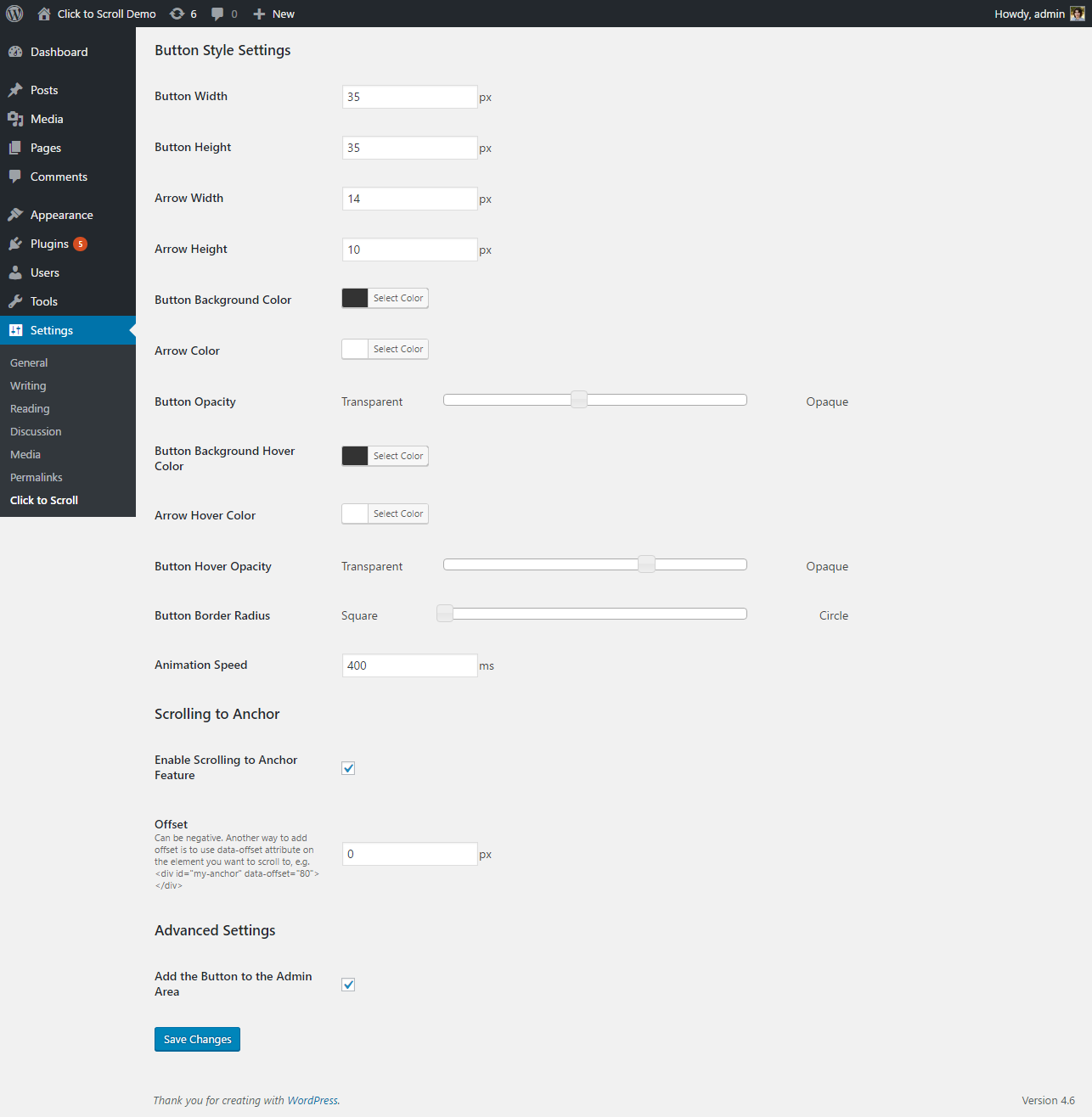
The button style is designed with love but if you feel it does not fit your site appearance, you can easily change the look in the Click to Scroll Settings.
Features
- Scroll to top: Back-to-top button both for front-end and the admin area
- Scroll to anchor: Smooth scrolling to any section of your page using anchors
- Well-working and good-looking out of the box
- Totally customizable look: sizes, colors, opacity settings (including hover states) and more
- Pure modern CSS design and no cumbersome images
- Peformance optmized
屏幕截图

安装
There are a few options for installing and setting up this plugin.
Upload Manually
- Download and unzip the plugin
- Upload the ‘click-to-scroll’ folder into the ‘/wp-content/plugins/’ directory
- Go to the Plugins admin page and activate the plugin
Install Via Admin Area
- In the admin area go to Plugins > Add New and search for “Click to Scroll”
- Click install and then click activate
常见问题
- Will the plugin work with my theme?
-
Yes, it will. It uses only action hooks that is necessary for use in each theme and if your theme does not have these hooks, you have bigger problems.
- Do I need to make modifications to my theme to use the plugin?
-
No modifications is needed. The plugin will hook into your theme on activation and will be unhooked on deactivation (if you decide you do not need the amazing scroll-to-top button anymore).
- How do I set up the plugin?
-
The plugin does not require any configuration. However, if you want to change the look of the button, you can go to Settings > Click to Scroll and change button style settings as you will.
评价
此插件暂无评价。
贡献者及开发者

更新日志
1.3.3
- Fix: issue with scrolling to anchor if the links contains only hash
1.3.2
- Fix: enabled scroll anchor option might be ignored
- Fix: scroll to anchor even if the URL contains not only hash
1.3.1
- Fix: undefined use_image offset
- Fix: scroll to anchor option
1.3.0
- Fix: z-index issue because of which the button may be overlapped by other site elements
- Add: the capability to use a button image
1.2.0
- Fix: overriding default values for some fields
- Add: animation speed setting
1.1.0
- Fix: save border radius with 0 value
- Add: scrolling to anchor feature
1.0.0
- Plugin released