
描述
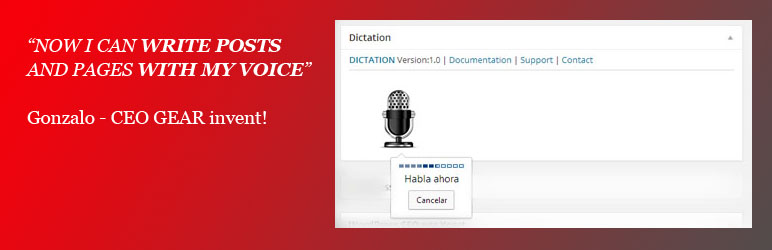
Dictation (Speech Recognition) adds an interactive MIC icon to the wordpress editing screens. When editing a Post or Page just click on MIC icon and start talking.
The plugin will automatically insert the converted text from voice into your blog!
Key Features
- Dictation (Speech Recognition) is based on the latest Google API
- WordPress MultiSite compatible
- Custom post types are supported
- Easily use your voice in the standard post edit and page edit screens
- Real-time voice to text converter using Chrome on Desktop
Home Page |
Documentation |
FAQ |
Support
Upgrade
- Deactivate your old version
- Follow the installation instructions to install the new version
屏幕截图

安装
See full Installation intructions and Documentation 1. Install and activate the plugin through the ‘Plugins’ menu in WordPress 2. You should now see a MIC icon in the ‘edit posts’ screen
Home Page | Documentation | FAQ | Support
评价
此插件暂无评价。
贡献者及开发者

更新日志
The full Dictation (Speech Recognition) change log available here: Change Log
1.0.1
- Added Spanish Translation
1.0
- First Version: launching first version of Dictation (Speech Recognition)