
描述
Digital Signage creates a specialized page for digital signage displays. It automatically rotates through featured images from posts in a specified category, making it perfect for information screens, waiting rooms, or promotional displays.
Features
- Dedicated URL for your digital signage display
- Automatic image rotation with configurable timing
- Category-based image filtering
- Custom image dimensions
- Automatic page refresh to get the latest content
屏幕截图
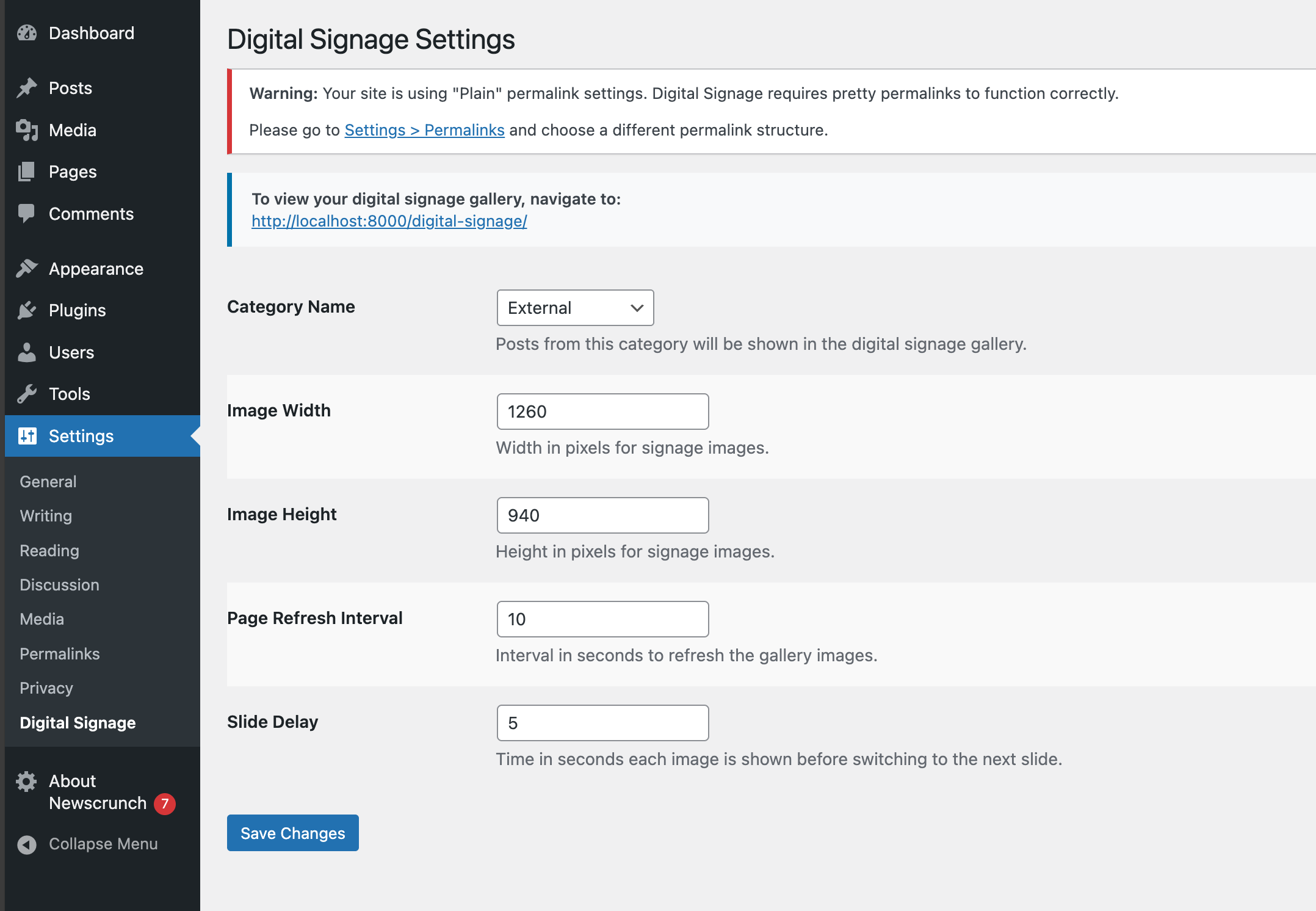
Digital signage display showing rotating images 
Admin settings page
安装
- Upload the
digital-signagefolder to the/wp-content/plugins/directory - Activate the plugin through the ‘Plugins’ menu in WordPress
- Configure settings under Settings > Digital Signage
- Access your digital signage at yourdomain.com/digital-signage
常见问题
-
How do I add images to the slideshow?
-
Add posts with featured images to the category you specified in the settings (default is ‘news’).
-
Can I customize the refresh rate?
-
Yes, you can set both the slide delay (time between slides) and page refresh interval in the settings.
评价
此插件暂无评价。
贡献者及开发者

更新日志
1.0.2
- Version bump
1.0.1
- Added support for HTML pages; misc. improvements
1.0.0
- Initial release