
描述
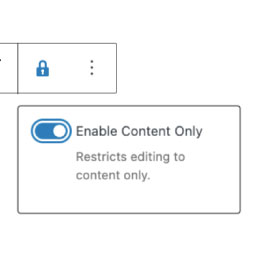
A plugin that lets administrators easily toggle the block template lock (contentOnly) from the WordPress block editor toolbar. Take flexible control over your editing experience. (Available to administrators only. The menu is not displayed for users with editor or lower capabilities.)
How to use hook
locky_blocky_required_capability hook allows you to change the permissions to display the lock menu provided by this plugin.
add_filter( 'locky_blocky_required_capability', function( $default ) {
    return 'edit_others_posts'; // Editor privileges and above
});
It can also be made available only to specific user IDs.
add_filter( 'locky_blocky_required_capability', function( $default ) {
    if ( get_current_user_id() === 123 ) {
        return 'read'; // Available for User ID 123 only
    }
    return 'do_not_allow'; // Otherwise, not allowed.
});
Important Notice
This plugin provides a feature to toggle the templateLock (contentOnly) directly from the block toolbar. If WordPress Core implements a similar feature in the future, this plugin will be deprecated and no longer maintained.
Thank you for your understanding.
Github Repository
https://github.com/Olein-jp/locky-blocky
安装
This plugin can be installed directly from your WordPress dashboard.
- Log in and navigate to Plugins Add New.
- Type “Locky Blocky” into the search and press Enter.
- Locate the Locky Blocky plugin in the list of search results and click Install Now.
- Once installed, click the Activate link.
评价

