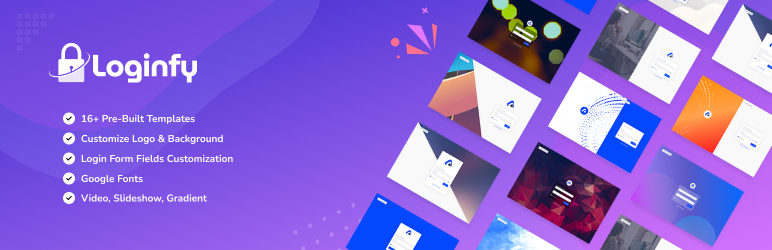

描述
Loginfy is a powerful WordPress login customizer that lets you completely redesign your login page without writing code. Perfect for agencies, freelancers, businesses, and site owners who want a branded, professional login experience.
Live Demo | Documentation | Upgrade to Pro
Why WordPress Login Customization Matters
Your login page is often the first interaction users have with your site’s backend. A generic, unbranded login page can:
- Reduce trust for clients and customers
- Create a disconnected brand experience
- Look unprofessional for membership sites
- Confuse users on multi-site networks
Loginfy solves these problems by giving you complete visual control over your WordPress login page through the native WordPress Customizer with real-time preview.
Who Is Loginfy For?
- WordPress Agencies & Developers – White-label client sites with custom-branded login pages
- Membership & Community Sites – Create a cohesive brand experience from login to dashboard
- E-commerce Stores – Build trust with professional, branded customer login pages
- Business Websites – Match your login page to your corporate identity
- Freelancers – Deliver polished, professional sites to clients
- Bloggers & Content Creators – Add personality to your site’s backend access
Live Customizer Integration
Unlike basic login plugins, Loginfy integrates directly into the WordPress Customizer. This means:
- Instant visual preview of every change
- No save-and-refresh workflow
- Familiar WordPress interface for easy customization
- Mobile-responsive preview to test all devices
Key Benefits
✓ No Coding Required – Visual customization through point-and-click interface
✓ 100% Mobile Responsive – Looks perfect on desktops, tablets, and phones
✓ Fast & Lightweight – Optimized code with no performance impact
✓ White Label Ready – Remove WordPress branding for agencies
✓ Regular Updates – Actively maintained and tested with latest WordPress
✅ Free Features
Pre-Built Templates
- 4 professional login page templates
- Quick-start designs ready to customize
- Mix and match template elements
Logo Customization
- Upload custom logo image or use text
- Control logo width and height
- Customize logo link URL and hover text
- Show/hide logo completely
- Multiple logo display options (Image, Text, Both, or None)
Background Control
- Set background color or image
- Upload custom background images
- Gradient backgrounds with full color control
- Advanced positioning (9 position options)
- Background repeat settings (Repeat, No Repeat, Horizontal, Vertical)
- Attachment control (Fixed or Scroll)
- Background size options (Cover, Contain, Auto)
- Overlay color with opacity control
- Gradient overlay support
Layout Options
- Single-column or two-column layout
- Form positioning (9 placement options)
- Horizontal alignment (Left, Center, Right)
- Vertical alignment (Top, Middle, Bottom)
- Side column background customization
Login Form Styling
- Form background color, image, or gradient
- Form width and height controls
- Border style, width, and color
- Position and size controls
Form Fields Customization
- Change all label text (Username, Password, Remember Me, etc.)
- Customize placeholder text
- Label font size control
- Input field height adjustment
- Field font size control
- Label color customization
- Input field colors (Normal and Focus states)
Button Styling
- Button font size control
- Background color customization
- Text color for Normal and Hover states
- Visual hover effects
Custom Code
- Add custom CSS for advanced styling
- JavaScript support for custom functionality
White Label Control
- Show/hide plugin credits
- Remove default WordPress branding elements
🚀 Pro Features
Extended Templates
- 12 additional premium templates (16 total)
- Advanced modern designs
- Industry-specific layouts
Video Backgrounds
- Self-hosted video backgrounds
- YouTube video integration
- Engaging visual login experiences
Slideshow Backgrounds
- Multiple background images rotation
- Create dynamic login pages
- Timed transitions
Advanced Logo Styling
- Logo padding controls
- Google Fonts integration for text logos
- Extended typography options
Login Form Pro Styling
- Full margin and padding controls
- Border radius for rounded corners
- Advanced box shadow effects (Color, Blur, Horizontal, Vertical, Spread, Position)
- Premium visual effects
Form Fields Pro Options
- Custom field background colors
- Advanced border customization
- Border radius controls for modern look
Button Advanced Styling
- Text shadow effects (Color, Blur, Horizontal, Vertical)
- Advanced button borders
- Premium hover effects
Typography
- Full Google Fonts library access
- Custom font selection for all elements
- Professional typography control
How to Use Loginfy
- Install and activate the plugin
- Go to Appearance Customize in your WordPress admin
- Click on the Loginfy panel
- Choose a template or start from scratch
- Customize logo, background, layout, and form elements
- See changes instantly in the live preview
- Click Publish when ready
SEO-Friendly & Performance Optimized
Loginfy is built with clean, efficient code that doesn’t slow down your site. The customizations only load on the login page, ensuring zero impact on your main site performance.
Secure & Reliable
- Regular security updates
- Compatible with security plugins
- Doesn’t modify WordPress core
- Safe database storage of settings
Documentation & Support
- Live Demo – See Loginfy in action
- Documentation – Step-by-step guides
- Upgrade to Loginfy Pro – Get unmatched customization
Related Plugins by Jewel Theme
Enhance your WordPress admin experience with our other premium plugins:
- WP Adminify – Complete WordPress admin dashboard customizer with dark mode, custom menus, and productivity tools
- Admin Bar Editor – Customize, organize, and control your WordPress admin bar
- WP Spotlight – Universal search for WordPress admin – find anything instantly
- Master Addons – 70+ powerful Elementor widgets and extensions
- Master Blocks – Extended Gutenberg blocks collection
屏幕截图

Choose from 4 Free Professional Templates (16 in Pro) – Quick-start your design 
Live Preview Customization – See changes instantly in WordPress Customizer 
Complete Logo Control – Upload custom logo, adjust size, and set custom links 
Background Customization – Colors, images, gradients, and overlay options 
Two-Column Layout Options – Modern side-by-side login page layouts
安装
Automatic Installation (Recommended)
- Log in to your WordPress dashboard
- Go to Plugins Add New
- Search for “Loginfy”
- Click Install Now on the Loginfy plugin
- Click Activate after installation
Manual Installation
- Download the loginfy.zip file
- Go to Plugins Add New Upload Plugin
- Choose the downloaded file and click Install Now
- Click Activate Plugin after installation
Getting Started
After activation:
1. Navigate to Loginfy Customize
2. Start customizing with the live preview
3. Choose a template or create your own design
4. Publish your changes when satisfied
常见问题
-
Is Loginfy compatible with my WordPress theme?
-
Yes! Loginfy works independently of your theme since it only customizes the login page. It’s compatible with all WordPress themes.
-
Will Loginfy slow down my website?
-
No. Loginfy only loads its resources on the login page, not on your main website. Your site performance remains unaffected.
-
Can I preview changes before making them live?
-
Yes! Loginfy uses the WordPress Customizer with real-time preview. You see every change instantly before publishing.
-
Is the login page mobile-friendly?
-
Absolutely. All designs created with Loginfy are 100% responsive and tested on all devices – desktop, tablet, and mobile.
-
Can I revert to the default WordPress login page?
-
Yes. Simply deactivate the Loginfy plugin, and your login page will return to the default WordPress design. Your settings are preserved if you reactivate later.
-
Does Loginfy work with security plugins?
-
Yes. Loginfy is compatible with popular security plugins like Wordfence, iThemes Security, and others. It only changes the visual appearance, not the security functionality.
-
Can I use custom CSS and JavaScript?
-
Yes. The free version includes custom CSS and JS fields for advanced users who want complete control.
-
Will my customizations survive plugin updates?
-
Yes. All your settings are stored in the WordPress database and remain intact during plugin updates.
-
How do I white-label the login page for clients?
-
Loginfy includes options to remove the “Powered by WordPress” link and plugin branding, perfect for agency use.
-
What happens if I upgrade to Pro later?
-
Your existing free customizations will remain intact. Pro features simply unlock additional options and templates.
-
Can I customize the login error messages?
-
Yes. Loginfy includes an Error Messages section where you can customize text for incorrect passwords, invalid usernames, and other login scenarios.
-
Does Loginfy support multilingual sites?
-
Yes. You can customize all text elements, making it compatible with multilingual setups. The plugin is also translation-ready.
-
How do I get support?
-
For free plugin support, visit the WordPress.org support forum. Pro users get priority email support.
-
Where do I report security bugs found in this plugin?
-
Please report security bugs found in the source code of the undefined plugin through the Patchstack Vulnerability Disclosure Program. The Patchstack team will assist you with verification, CVE assignment, and notify the developers of this plugin.
评价


贡献者及开发者


更新日志
1.0.5 (06-05-2026)
- Update: Recommended Plugin Page Updated.
1.0.4.0 – 2025-01-24
Security & Improvements
* Security: Updated SDK with enhanced security patches
* Improved: UI/UX refinements for better user experience
* Updated: Better performance and compatibility
1.0.3.9 – 2025-12-08
Bug Fixes
* Fixed: Wrong URL on WP Adminify submenu
* Fixed: Login Customizer issue in Admin Bar Editor
1.0.3.8 – 2025-05-24
Updates
* Updated: Freemius SDK to latest version
* Updated: Background images compressed to WebP format for faster loading
* Improved: Plugin file structure per WordPress.org requirements
1.0.3.7 – 2025-03-03
Bug Fixes & Security
* Fixed: Hide Lost Password link when Back to WordPress button is hidden
* Fixed: Privacy Policy link displaying twice
* Fixed: Language Switcher conditional display issue
* Updated: Freemius SDK to latest version
* Security: Applied security patches
Details Changelogs here