
描述
LumiCode is a premium-quality syntax highlighter built for developers and technical bloggers who want beautiful, readable code on their WordPress site – without fighting the editor.
Key Features
- 40+ languages auto-detected – PHP, JavaScript, TypeScript, Python, Go, Rust, SQL, YAML, Bash, and more
- 13 bundled themes – Atom One, Dracula, GitHub, Monokai, Night Owl, Nord, Solarized, VS 2015, Xcode, and more, powered by highlight.js 11.11.1
- Dark & Light mode – toggle from the admin topbar. Applies to both admin UI and frontend code boxes
- Copy to Clipboard – one-click copy button on every code block
- Line numbers – perfectly aligned, synced to font size and line height
- Collapse / Expand – long code blocks auto-collapse after a configurable number of lines
- Filename / language badge – shows in the titlebar of every code box
- TinyMCE integration – Insert Code Block button in the Classic Editor toolbar, with language detection and all options
- Gutenberg block – native block editor support
- Code Scanner – scans your entire site for bare
<pre>blocks and lets you apply LumiCode with one click, or dismiss - Auto-detect – wraps any existing
<pre>blocks automatically on the frontend without touching your content
How It Works
LumiCode renders code blocks server-side (shortcodes + TinyMCE insertion) and enhances them on the frontend with a lightweight JS renderer. The renderer wraps <pre class="lumicode-pre"> elements in a beautiful VS Code-style chrome (titlebar, statusbar, line numbers, copy button) and runs highlight.js for syntax coloring.
No page builders required. Works with any theme.
Shortcode Usage
[lumicode lang="javascript"]
const greeting = "Hello, world!";
console.log(greeting);
[/lumicode]
All shortcode attributes:
* lang – language identifier (e.g. php, python, typescript)
* title – filename shown in titlebar (e.g. config.js)
* highlight – lines to accent (e.g. 1,3-5)
* collapse – force collapse (true/false)
* collapse-after – collapse after N lines (overrides global setting)
Performance
- highlight.js is loaded locally (v11.11.1) for speed and privacy
- Our CSS and JS are tiny (<15 KB combined, unminified)
- No jQuery dependency on the frontend
屏幕截图
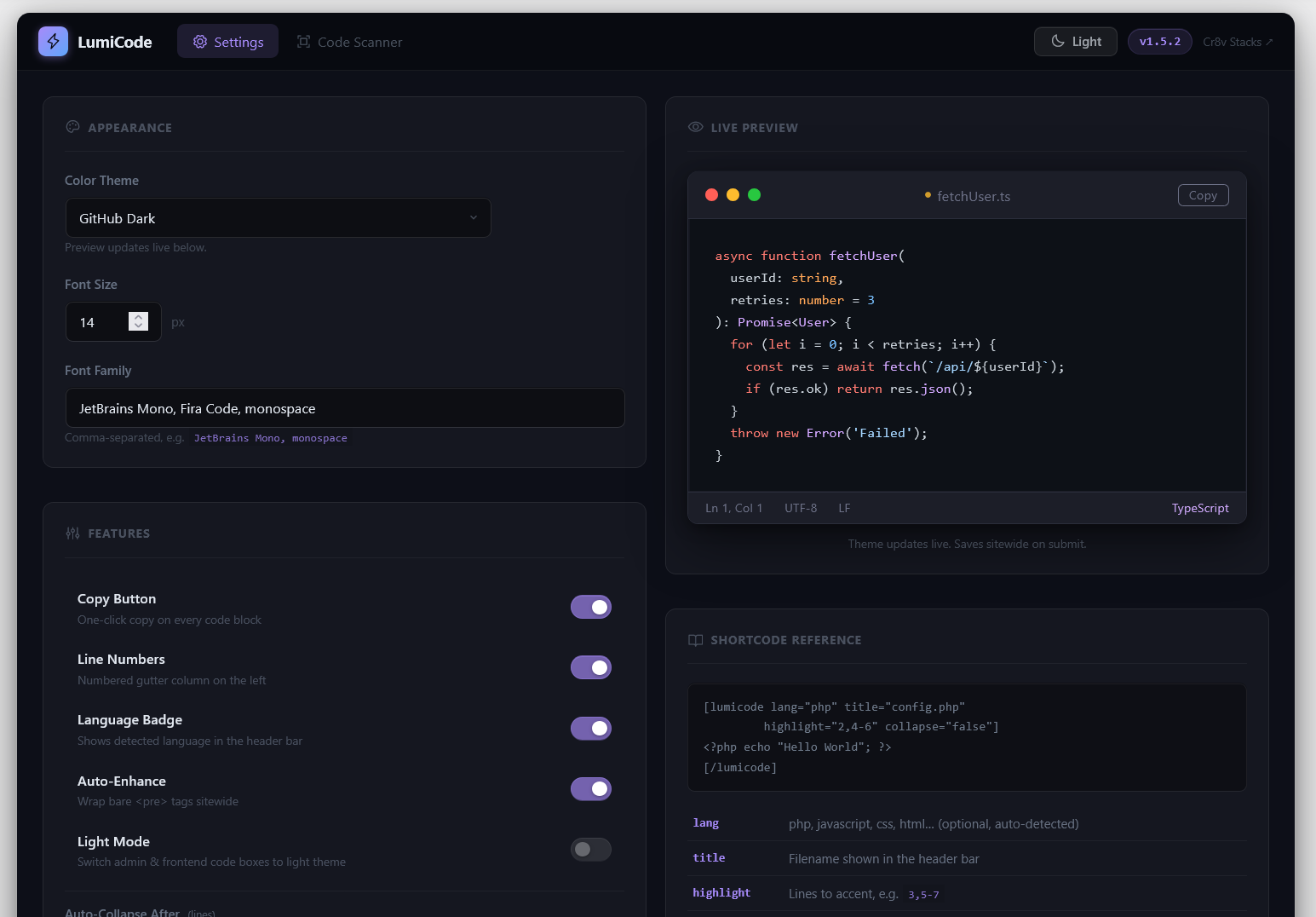
Settings page – theme picker, font options, toggles for line numbers, copy button, and collapse 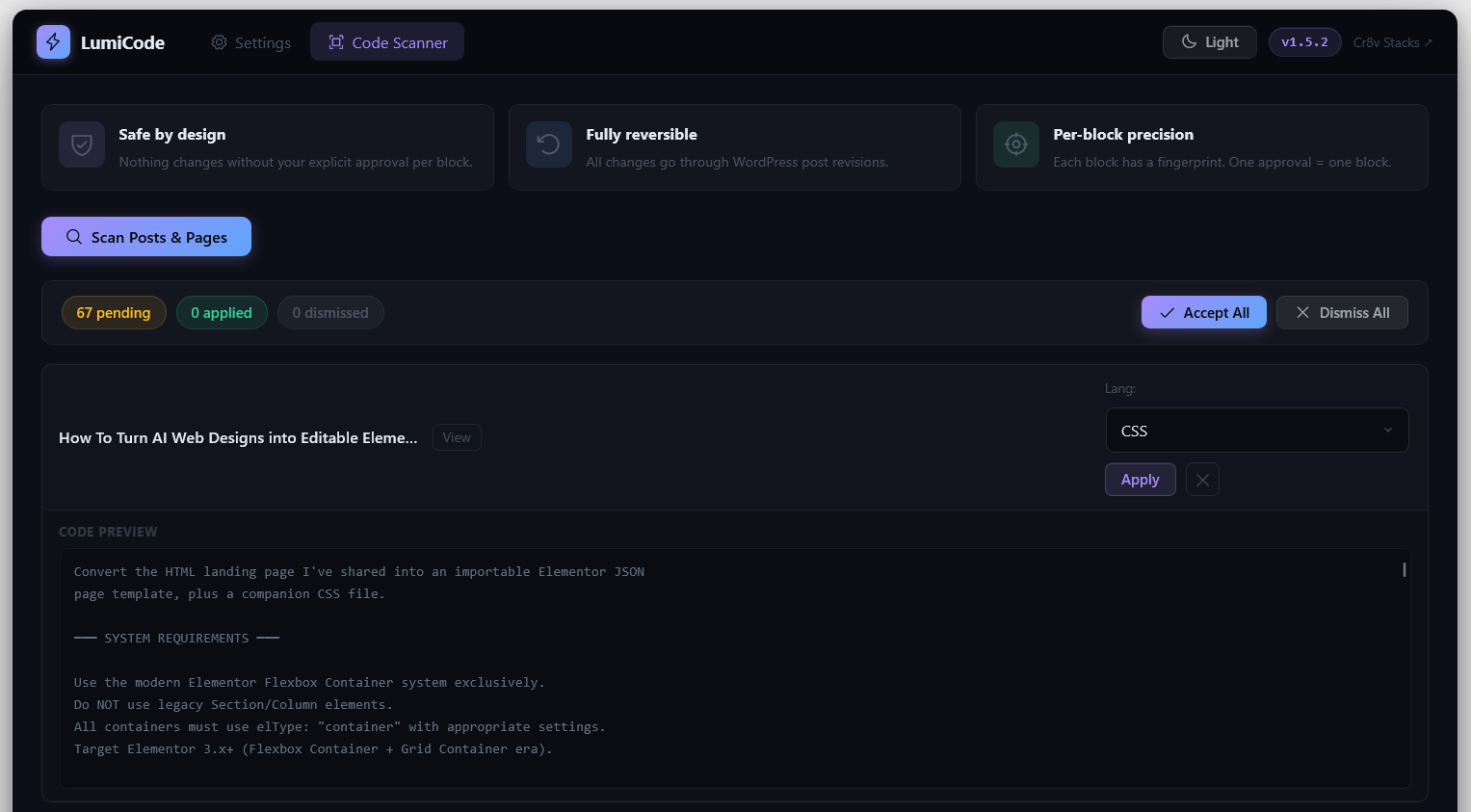
Dark mode code box – VS Code-style titlebar, traffic-light dots, copy button, statusbar 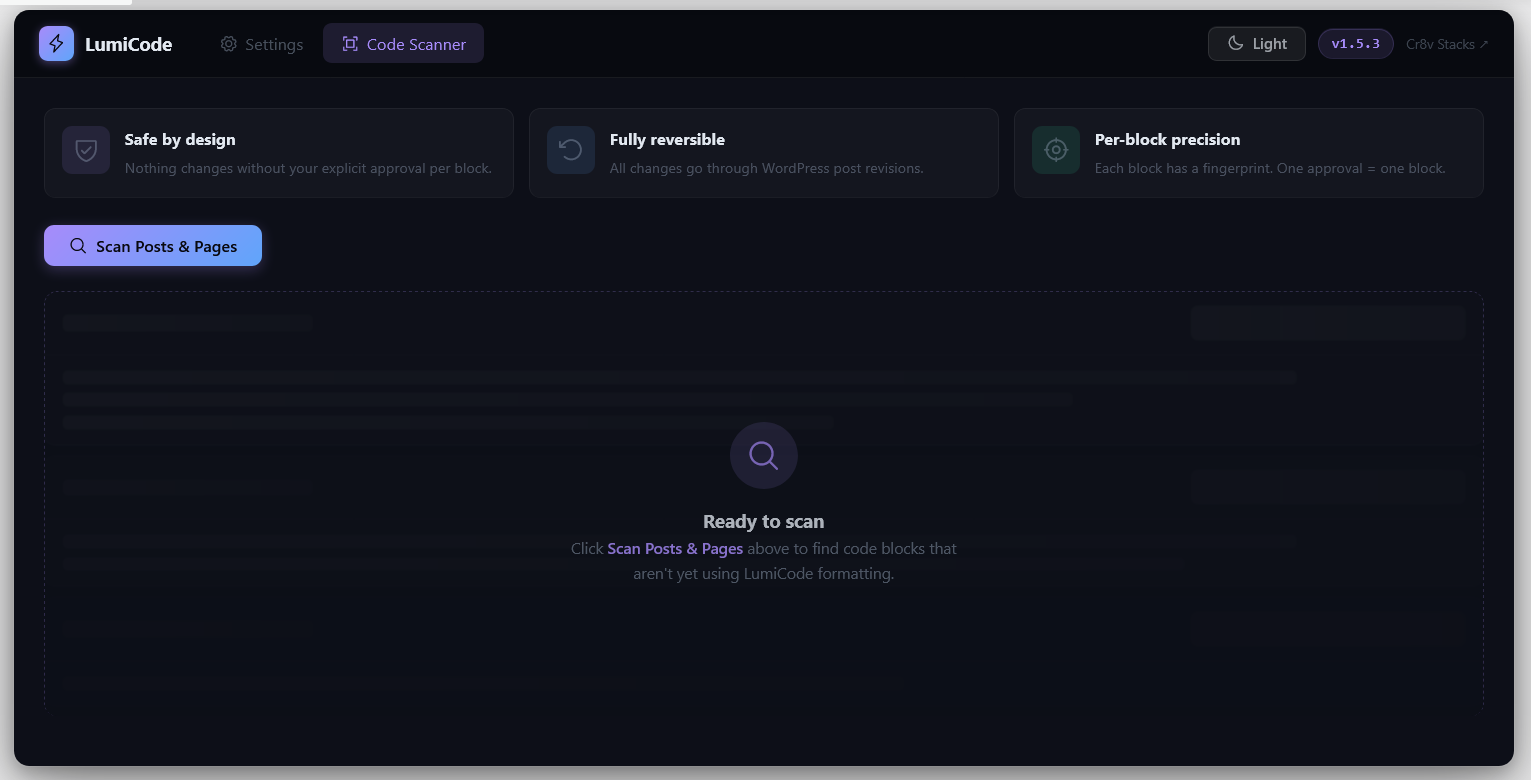
Light mode code box – switches chrome colors while keeping the hljs theme intact 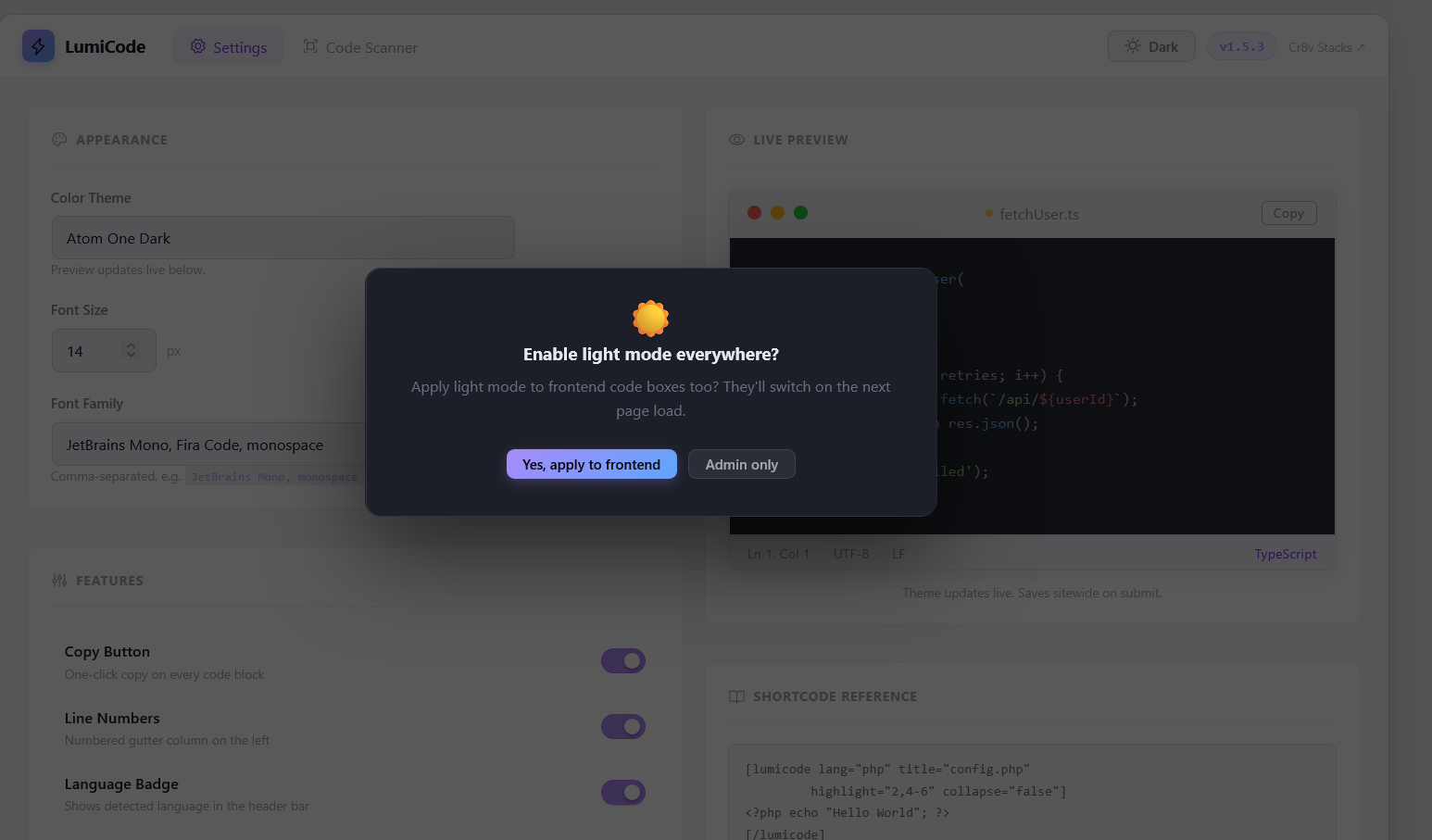
Collapse / Expand – long blocks collapse with a gradient overlay and pill button 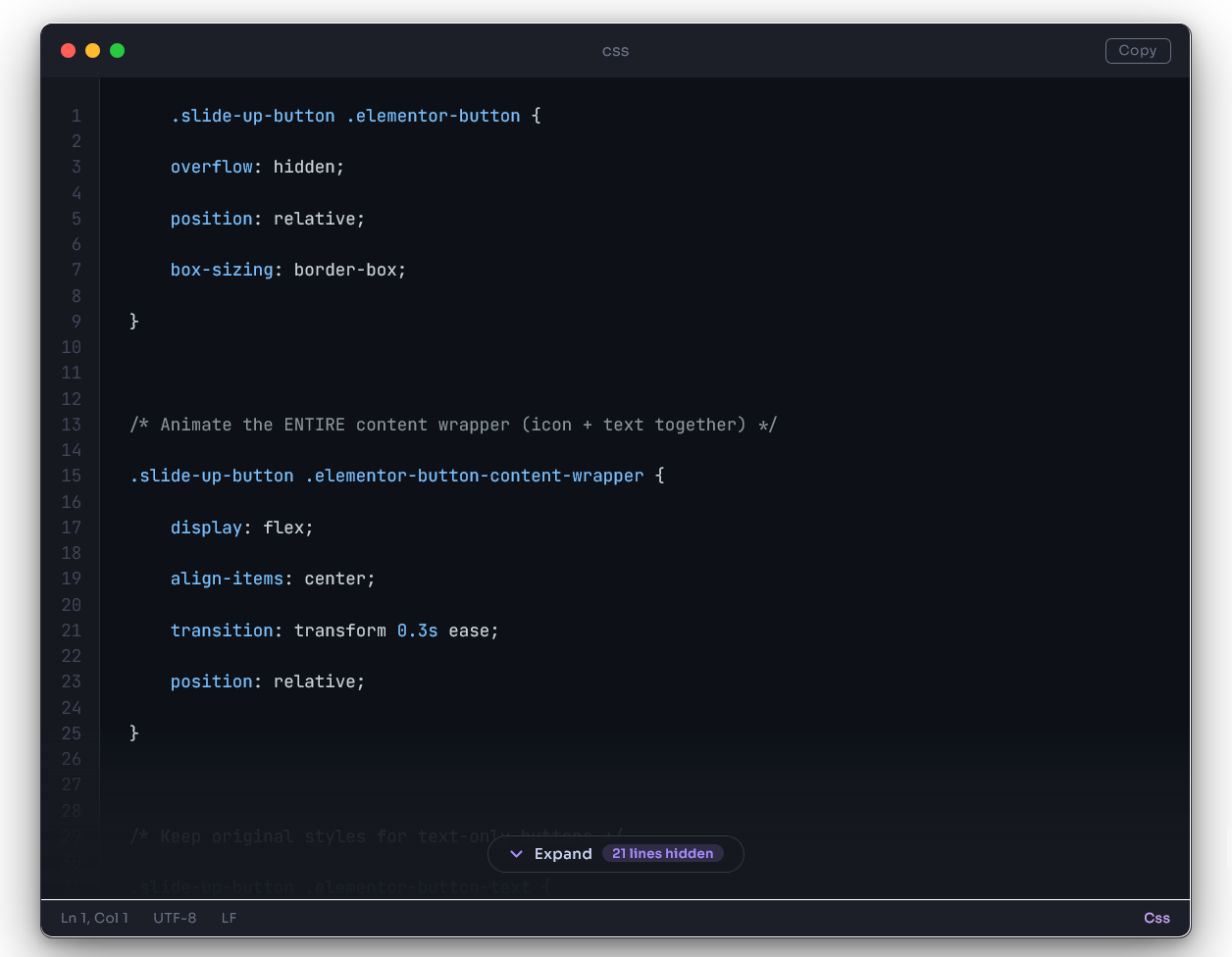
TinyMCE dialog and scanner – insert formatted code or find existing bare <pre>blocks
区块
该插件提供了 1 个区块.
- Lumicode Code Block
安装
- Upload the
lumicode-syntax-highlighterfolder through Plugins -> Add New -> Upload Plugin, or place it in your site’s plugins directory.- OR – install directly from the WordPress plugin search: Plugins -> Add New -> search “LumiCode”
- Activate the plugin through the Plugins menu in WordPress
- Go to LumiCode -> Settings to choose your theme, font, and options
- Insert code blocks using:
- Classic Editor: click the Code button in the TinyMCE toolbar
- Block Editor: search for “LumiCode” in the block inserter
- Shortcode:
[lumicode lang="php"]...[/lumicode]
常见问题
-
Does this work with the Block Editor (Gutenberg)
-
Yes. LumiCode includes a native Gutenberg block. Search for “LumiCode” in the block inserter.
-
Does this work with the Classic Editor
-
Yes. LumiCode adds an Code button to the Classic Editor (TinyMCE) toolbar. Click it to open the Insert Code Block dialog with language detection, filename, highlight lines, and collapse options.
-
Will it break my existing `
` blocks
-
No. LumiCode’s auto-detect mode wraps existing
<pre>blocks on the frontend only – your database content is never modified. You can also use the Code Scanner (LumiCode -> Code Scanner) to see what it finds and apply the design selectively. -
Can I use my own highlight.js theme
-
All 13 built-in themes are bundled and available in Settings. Currently custom themes aren’t supported.
-
Does it slow down my site
-
LumiCode is designed for performance. highlight.js is served completely locally from your own server, eliminating third-party asset requests. Our own CSS + JS is under 15 KB combined, ensuring your site remains blazingly fast.
-
Can I have different settings per code block
-
Yes. Per-block overrides work via shortcode attributes (
lang,title,highlight,collapse,collapse-after) and via the TinyMCE dialog fields. Global defaults come from Settings. -
Is it compatible with page caching plugins
-
Yes. LumiCode is purely frontend-rendered – there are no per-request PHP computations on the frontend. Works with WP Rocket, W3 Total Cache, LiteSpeed Cache, and any other caching plugin.
-
What PHP version do I need
-
PHP 8.0 or higher. WordPress 6.0 or higher.
评价
此插件暂无评价。
贡献者及开发者

更新日志
1.5.6
- Maintenance: Updated bundled highlight.js to v11.11.1 and kept assets served locally.
- Maintenance: Refined bundled asset loading and shortcode behavior.
- Maintenance: Refined code block handling across shortcode, scanner, block editor, and auto-enhance flows.
- Fix: Updated Plugin URI to point to the public LumiCode preview page.
1.5.5
- Maintenance: Improved generated code block markup and frontend enhancement behavior.
- Maintenance: Updated bundled assets and admin loading flow.
- Fix: Improved plugin metadata and shortcode naming consistency.
1.5.4
- Maintenance: Refined bundled library handling and admin asset loading.
- Maintenance: Improved frontend enhancement behavior.
- Maintenance: Updated shortcode registration.
- Bug Fix: Corrected CSS
appearanceproperty in dialog.
1.5.3
- Added frontend recognition for inline code-style elements:
<code>,<kbd>,<samp>, and<var>. - Added inline styling for those elements so examples like
service-row,service-row-1, and similar tokens render clearly in paragraphs and lists. - Updated inline code styling to use a transparent background,
#1e40aftext color, and a matching blue border color scheme.
1.5.2
- Fix: TinyMCE Insert Code dialog now switches to light mode when admin is in light mode
- Fix: Expand overlay now hides reliably on expand (CSS-driven, no JS timing issues)
- Fix: Line number gutter alignment – padding and line-height precisely match code area
- Fix: Line height reduced to 1.5 (standard for code editors, was 1.6)
- Fix: Collapse bar now has 30px top/bottom padding for visual breathing room
- Fix: All frontend CSS rules use !important for full isolation from theme styles
- Fix: Enqueue handles are now versioned (prevents WordPress internal handle caching)
- Improvement: Updated asset loading hints for better frontend performance.
- Improvement: Collapse correctly wraps
.lc-pw-linedwhen line numbers are on
1.5.1
- Fix: Light mode toggle now reliably applies across admin and frontend
- Fix: Collapse system – wraps correct element when line numbers are enabled
- Fix: Phosphor Icons decoupled from parent font-size (use explicit font-size)
- Fix: Admin CSS enqueue handles versioned to prevent WordPress style registry caching
- Fix: Complete light mode coverage with !important on all rules in admin-shared.css
1.5.0
- Removed all custom cache-busting systems – back to simple LUMICODE_VERSION
- Inline vanilla JS toggle in topbar (no jQuery dependency)
- DB setting light_mode now controls both admin and frontend
- Code block overlay collapse / expand redesign with gradient + backdrop blur
1.4.9
- LUMICODE_BUILD token system for zip-level cache busting
- Overlay collapse design with gradient + backdrop blur
- Frontend/admin light mode sync via DB setting
1.4.8
- filemtime()-based cache busting for CSS/JS
- Inline expand/collapse pill
- Light mode system via .lc-pw-is-light class
- Scanner dismiss persistence
1.4.7
- File-rename-based cache busting
- DB-based asset version timestamps
- Flush Asset Cache button in settings
1.4.6
- TinyMCE editor insertion flow
- hljs warnings fixed
- wpautop inline fix
1.0.0
- Initial release