

描述
WordPress 5.3 introduced an admin email verification screen that will be shown to periodically after an admin has logged in.This feature to periodically prompt administrators to verify the site’s administration email address. This plugin disables that prompt.
**NOTE : This plugin requires WordPress 5.3 or greater.
屏幕截图
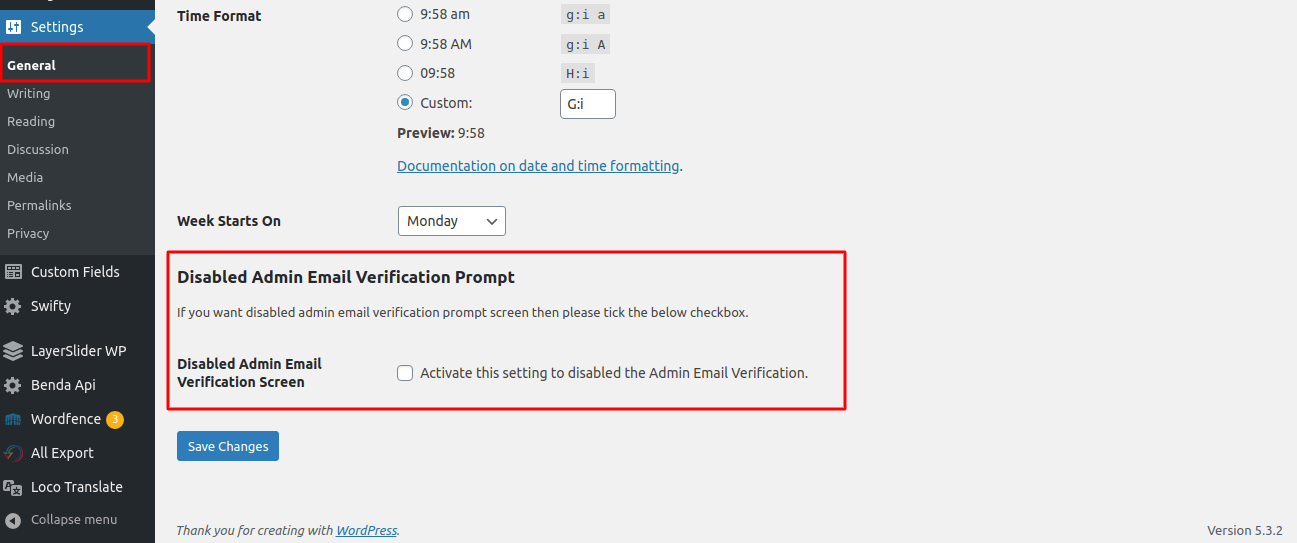

安装
Minimum Requirements
- WordPress 5.3 or greater is recommended
- Upload
make-disable-admin-email-verification-promptfolder to the/wp-content/plugins/directory. - Activate the plugin through the ‘Plugins’ menu in WordPress.
常见问题
-
Does this plugin do anything if the WordPress 5.3 or later versions is not used?
-
No, this plugin not used without WordPress 5.3 or later vesrions.
-
Do you have a question?
-
If so, please use the support forum to ask!
评价

2023 年 10 月 19 日
what more can you say. simple and gets rid of an an annoying nag.

2020 年 6 月 12 日
It’s fantastic plugin, working fine according my requirement.
贡献者及开发者
「Make Disable Admin Email Verification Prompt| Aims Infosoft」是开源软件。 以下人员对此插件做出了贡献。
贡献者

更新日志
1.0.7
- Tested upto latest wordpress version 6.9
1.0.6
- Tested upto latest wordpress version 6.6
1.0.5
- Tested upto latest wordpress version 6.3
1.0.4
- Change readme.txt file
1.0.3
- Tested upto latest wordpress version 6.0
1.0.2
- Tested upto latest wordpress version 5.9
1.0.1
- Tested upto latest wordpress version 5.6
1.0.0
- Initial release of the plugin