

描述
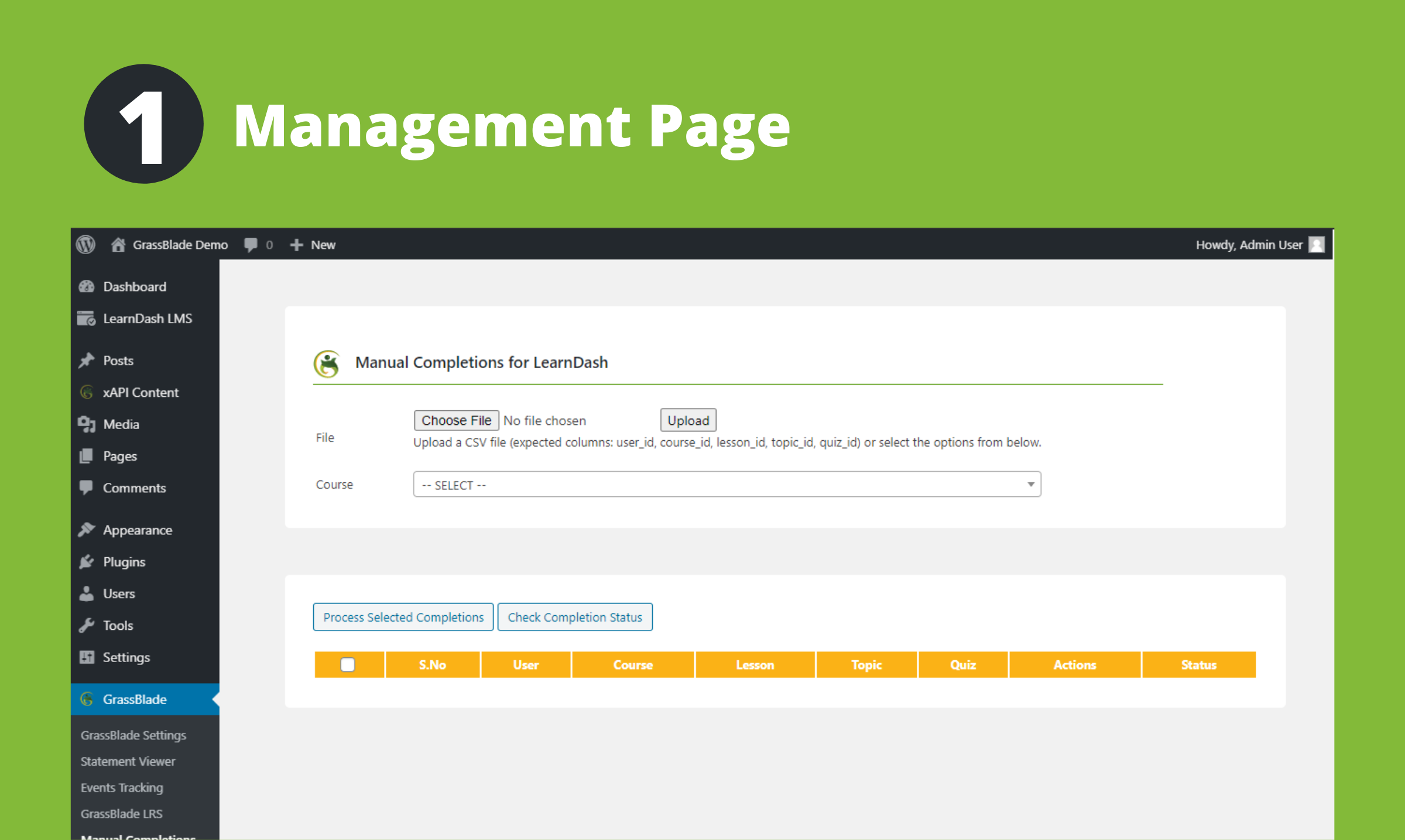
Manual Completions for LearnDash gives admins a simple and powerful way to review completion status and manually mark LearnDash courses, lessons, topics, and quizzes as complete or incomplete.
Use it for individual updates or manage bulk completions for hundreds of users at once. With a single click, you can load all users enrolled in a course and process their completion status quickly.
The plugin also supports CSV uploads using fields such as user_id, course_id, lesson_id, topic_id, and quiz_id. This makes it easy to prepare a list of completions, review them, and process them in bulk in any order you prefer.
Manual Completions can also bypass completion restrictions applied to xAPI content when needed.
When a course step linked to xAPI content is marked incomplete, the related xAPI content completion status is removed to ensures the user must complete the xAPI content again.
Tracking:
– If you have an LRS, you can see tracking data, including the user id and name of the admin who marked the lesson complete.
Requirements to use this plugin:
To use this plugin you need these two plugins:
1. LearnDash LMS
2. GrassBlade xAPI Companion
Other Manual Completion Plugins:
Manual Completions for LifterLMS
Manual Completions for TutorLMS
Manual Completions for LearnPress
Related Plugins for LearnDash LMS:
Manage Enrollments for LearnDash LMS
Autocomplete LearnDash Lessons and Topics
Visibility Control for LearnDash LMS
屏幕截图


安装
This section describes how to install the plugin and get it working.
- Upload the plugin files to the
/wp-content/plugins/manual-completions-learndashdirectory, or install the plugin through the WordPress plugins screen directly. - Activate the plugin through the ‘Plugins’ screen in WordPress
- Go to WP ADMIN > GrassBlade > Manual Completions for LearnDash or (WP ADMIN > LearnDash > Manual Completions)
评价


贡献者及开发者

更新日志
2.0
- Feature: Added ability to mark incomplete for courses, lessons, topics, and quizzes.
- Security: Several security improvements.
- Fixed: Various minor bugs and improvements.
1.10
- Improvement: Added example csv file for upload.
- Fixed: Wrong message shown when content is already completed.
1.9
- Fixed: GrassBlade Icon not displaying on multisite.
- Fixed: Not able to mark complete for LearnDash Lessons having Video with Video Progression enabled. Required: GrassBlade xAPI Companion v2.6.7+
- Fixed: Not able to mark complete for LearnDash External Lesson. Required: GrassBlade xAPI Companion v2.6.7+
- Other minor improvements.
1.8
- Improvement: CSV Upload. Allow uploading user_email or user_login instead of user_id.
- Improvement: Store quiz completion data in LearnDash Activity/ActivityMeta table. Default Quiz Completion data: score = 100, percentage = 100%, points and total points = 1, 1 out of 1 questions.
1.7
- Improvement: User search is changed for select2 to own code to improve performance for large websites.
- Feature: Added Total count
1.6
- Fixed: issues related to addons page specially on network website.
1.5
- Feature: Added ability to pull list of all enrolled users.
1.4
- Feature: Added ability to mark complete entire Course or entire Lesson.
1.3
- Fixed: Styling to work with v4.0 of GrassBlade xAPI Companion
1.2
- Fixed: Completion with CSV upload showing Unknown Error.
- Fixed: Topic and Quiz selection causing issues
1.1
- Fixed CSS issue on GrassBlade page
- Added Addons page
1.0
- Initial Commit