

描述
This plugin provides a dynamic display of your Minecraft server’s status, including current active players. Simply input your server’s address and port to get started.
Key Features
- Real-time Server Status: Instantly view whether your Minecraft server is online or offline.
- Active Player Display: See a list of currently active players on your server.
- Optional Server Details: Add a custom server name, description, icon, and modpack download link.
- Improved Frontend Actions: Copy the full server address with port and open Dynmap fullscreen without inline JavaScript handlers.
- Supports only Java Minecraft. Bedrock may be supported on popular demand.
Technology
Utilizes the robust PHP-Minecraft-Query library for retrieving server information. More details can be found on Packagist.
屏幕截图
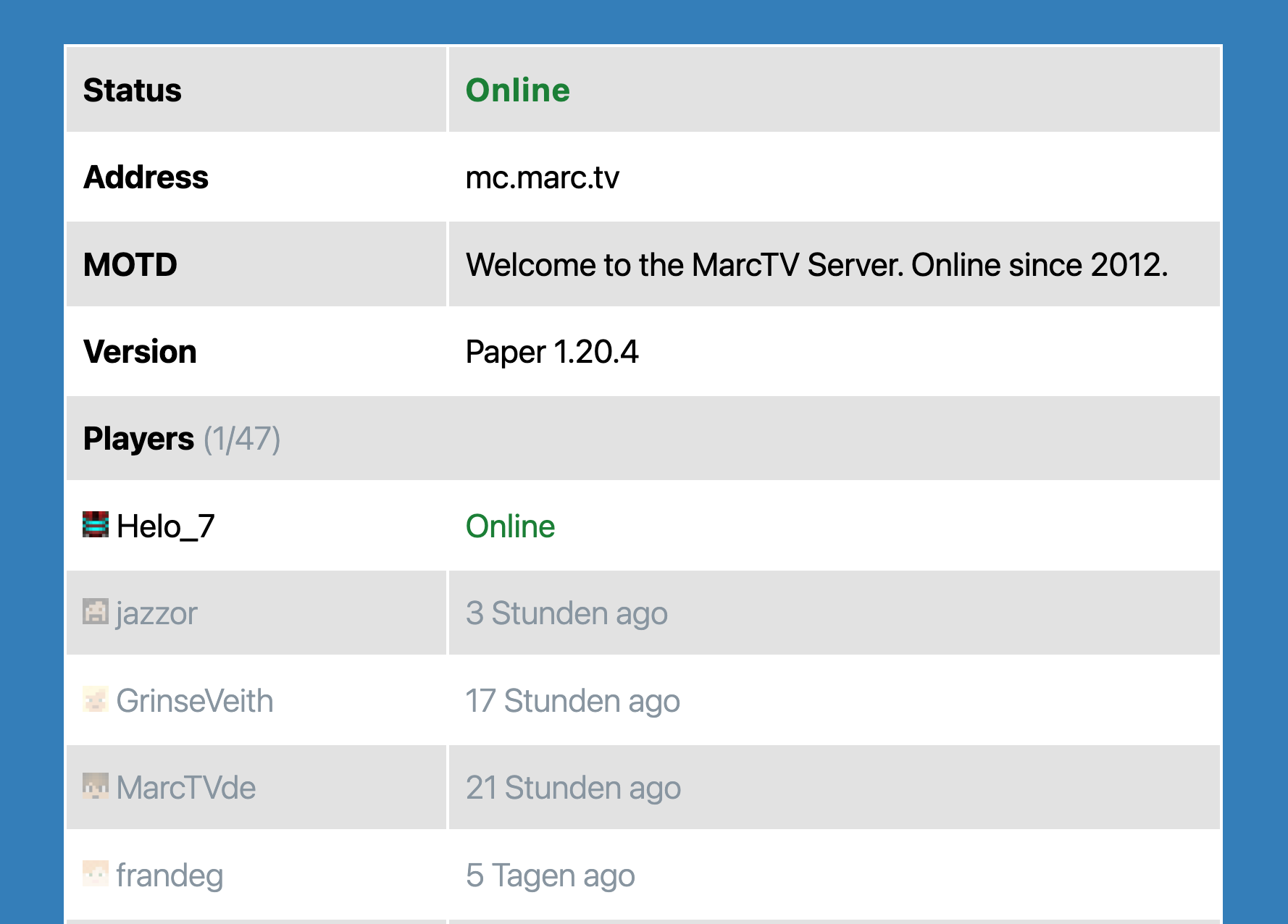
The Minecraft Server Block.
区块
该插件提供了 1 个区块.
- Minecraft Server Status Shows information about a Minecraft Server in a block.
安装
- Upload the plugin files to the
/wp-content/plugins/mc-server-statusdirectory, or install the plugin through the WordPress plugins screen directly. - Activate the plugin through the ‘Plugins’ screen in WordPress
评价

2026 年 3 月 16 日
Ok so it’s simple to install BUT once installed and activated there is NOTHING!!!, no settings no nothing. Worst piece of crap ever, look elsewhere. NOT RECOMMENDED

2025 年 6 月 20 日
Everything is great! Thank you!

2024 年 4 月 1 日
Simple Gutenberg Plug-In that works flawless for my server!
贡献者及开发者

更新日志
1.6.1
- Prepared release for WordPress 7.0 compatibility.
1.6.0
- Added optional server name, description, icon, and modpack download URL fields.
- Improved output escaping for server data and Dynmap embeds.
- Improved copy-to-clipboard behavior to include the server port.
- Replaced inline frontend click handlers with delegated JavaScript handlers.
1.5.3
- Bugfix: Avoid PHP warnings when the Dynmap URL does not contain a host.
1.5.2
- Added offline failure message from server ping when server cannot be reached.
- Bugfix: Added safe null/array handling to avoid PHP warnings for malformed responses.
- Block now shows offline status with error text when ping fails.
- Dependencies updated.
- Tested compatibility with WordPress 6.9
1.5.1
- Dependencies updated.
- Tested compatibility with WordPress 6.8
1.3.0
- Better Dynmap and styling.
1.1.0
- Added prefix to generic function names.
- Tested up to WordPress 6.4.
- Added fix to prevent Direct File Access to plugin files.
1.0.0
- Initial Release