

描述
Select multiple items from the media library and download them as a single ZIP archive. Simple and efficient.
屏幕截图
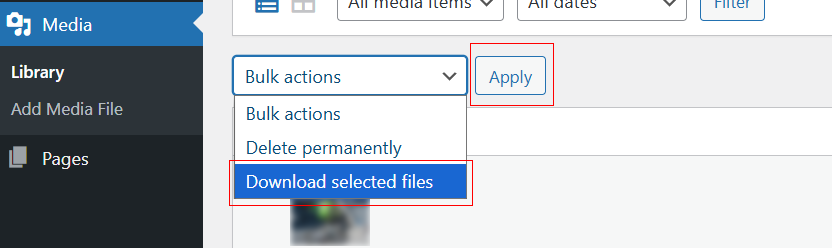
Location of the “Download selected files” button in the Media Library.
安装
- Upload the plugin files to the
/wp-content/plugins/media-library-downloaddirectory, or install through the WordPress plugins screen directly. - Activate the plugin through the ‘Plugins’ screen in WordPress.
- Go to Media > Library and use the “Download selected files” button or bulk action.
评价
此插件暂无评价。
贡献者及开发者

更新日志
1.0.13
- Use WP_Filesystem API for downloads (no fopen/fread/fclose).
- Replaced inline scripts with proper enqueues (wp_register_script/wp_enqueue_script + wp_localize_script).
- Unique prefix
medilidofor actions/filters/transients; removed short prefixes. - Replaced unlink() with wp_delete_file().
- Removed bundled banner/icon assets (use SVN /assets instead).