
描述
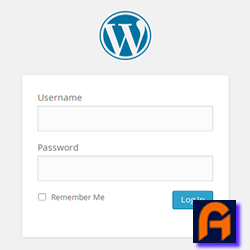
Easily replace the default WordPress login logo with your custom image. Simple to use—just install, upload your logo, and you’re done.
屏幕截图

安装
- Upload
replace-wp-logo-easilyto the/wp-content/plugins/directory. - Activate the plugin through the ‘Plugins’ menu in WordPress.
- Navigate to Admin Dashboard Menu > Replace WP Logo Easily to upload your custom logo.
- Upload your logo image and save the changes.
- Visit your WordPress login page to see your new logo in action.
常见问题
-
How do I replace the WordPress login logo?
-
Simply activate the plugin and go to Admin Dashboard Menu > Replace WP Logo Easily to upload your custom logo. Once uploaded and saved, your new logo will appear on the WordPress login page.
-
What is the recommended logo size?
-
For the best results, use a logo with dimensions of 320 pixels wide by 120 pixels tall. This size ensures that your logo displays clearly and proportionately on the login page.
评价
此插件暂无评价。
贡献者及开发者

更新日志
1.1.0 – Desember 22, 2024
- Script Check: Compatible With WordPress 6.7.1
1.0.2 – September 28, 2024
- Public Release: The plugin is now available to the public through the WordPress repository.
- Added Screenshots: Screenshots have been included to provide a visual representation of the plugin’s features and functionality.
- Script Optimization: Unnecessary or redundant scripts have been removed or optimized to improve the plugin’s performance.
1.0.1 – September 27, 2024
- Adjusted usage of
wp_enqueue_script,wp_enqueue_style,wp_add_inline_script, andwp_add_inline_styleto comply with WordPress standards. - Moved the media uploader functionality to an external JavaScript file (
js/rwle-custom.js) to maintain modularity. - Added an external CSS file (
css/login-custom.css) to customize the login page appearance. - Implemented
wp_nonce_fieldfor improved security on plugin settings. - Applied proper sanitization (
sanitize_text_fieldandwp_unslash) for handling user input.
1.0.0 – September 8, 2024
- Initial release and submission to WordPress repository