
描述
ROAS Tool Kits is the ultimate attribution and catalog infrastructure for modern media buyers and arbitrage marketers.
Whether you are scaling WooCommerce E-commerce or running high-volume Advantage+ Arbitrage campaigns, this plugin restores your attribution data and seamlessly generates the XML feeds Meta needs to scale your ads.
Core Free Features
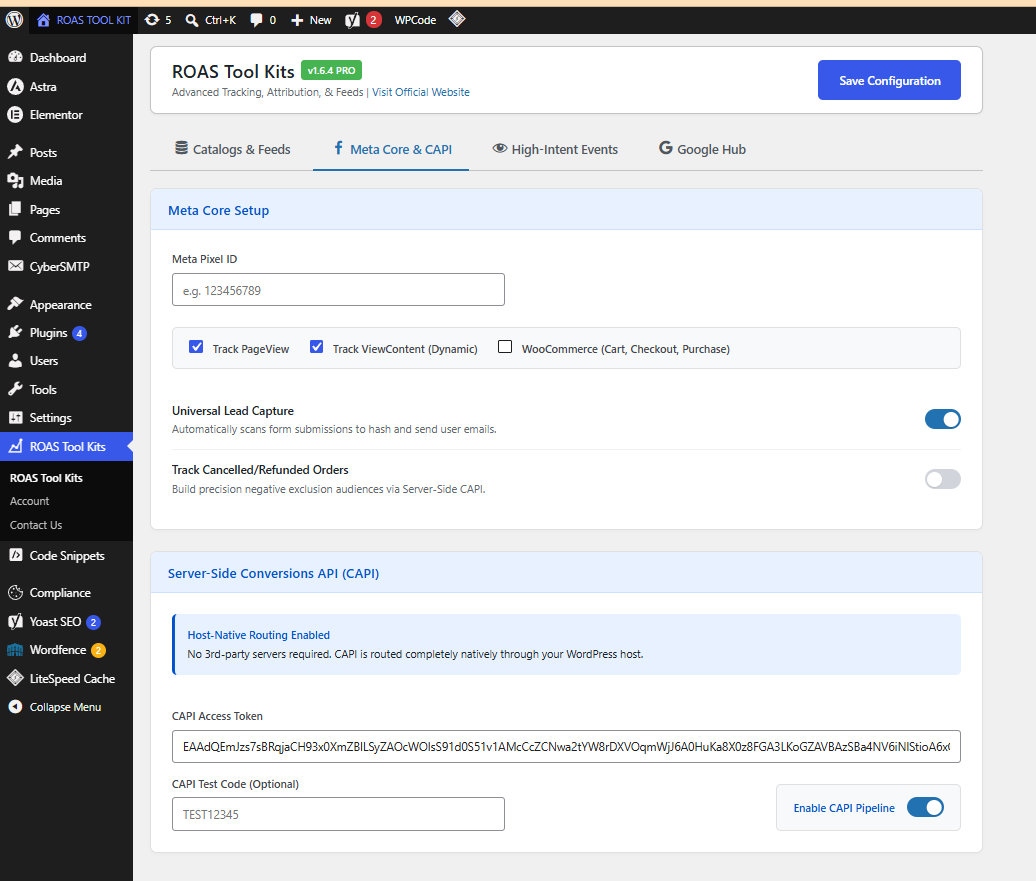
- Host-Native Conversions API (CAPI): Route server-side events directly through your own WordPress host. No third-party servers like Stape.io or Google Cloud required.
- Unified Catalog Feeds: Instantly generate Meta-compliant XML feeds for both Standard Blog Posts (Advantage+ Arbitrage) and WooCommerce Products (Dynamic Product Ads).
- Meta Core & E-Commerce: Global tracking for PageView, ViewContent, AddToCart, InitiateCheckout, and Purchase.
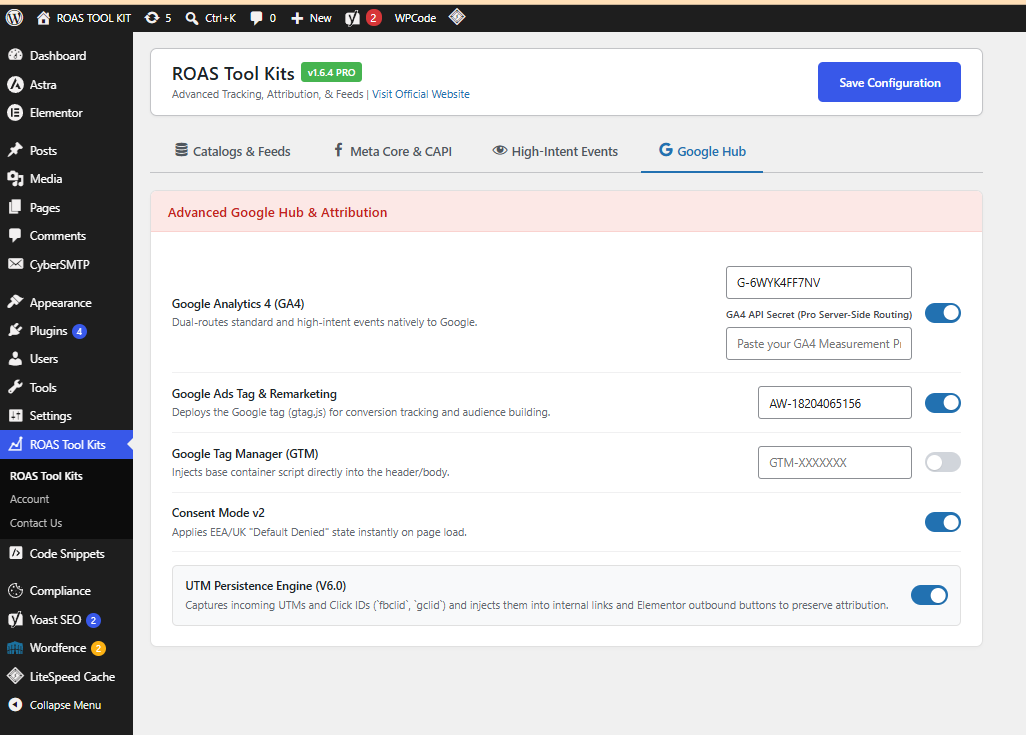
- Google Hub: One-click deployment for Google Analytics 4 (GA4), Google Tag Manager (GTM), Google Ads Remarketing, and Consent Mode v2.
- Dual-Routing Events: Automatically push all standard Meta Pixel events directly into GA4 simultaneously.
Premium Features (PRO)
- [PRO] Ad-Blocker Bypass Proxy: Routes frontend JavaScript tracking data to an internal WP endpoint to completely bypass strict browser ad-blockers and recover up to 30% of missing data.
- [PRO] GA4 Server-Side API: Dual-routes custom events directly to Google’s servers using the Measurement Protocol API secret to restore data lost to iOS tracking restrictions.
- [PRO] Automatic Advanced Matching: Automatically detects logged-in WordPress/WooCommerce users, hashes their emails securely, and injects them into the Meta pipeline to boost Event Match Quality (EMQ).
- [PRO] UTM & Click ID Persistence Engine (v6.0): Bulletproof cross-session tracking. Captures UTMs,
fbclid, andgclidto dynamically stitch them into outbound links or send them directly into CAPI server payloads. - [PRO] Real-Time Feed Invalidation: Move beyond basic 12-hour caching. The XML catalog instantly self-destructs the millisecond a product price changes, goes out of stock, or is moved to the trash, saving wasted ad spend.
- [PRO] Event Deduplication: Automatically generates and passes synchronized
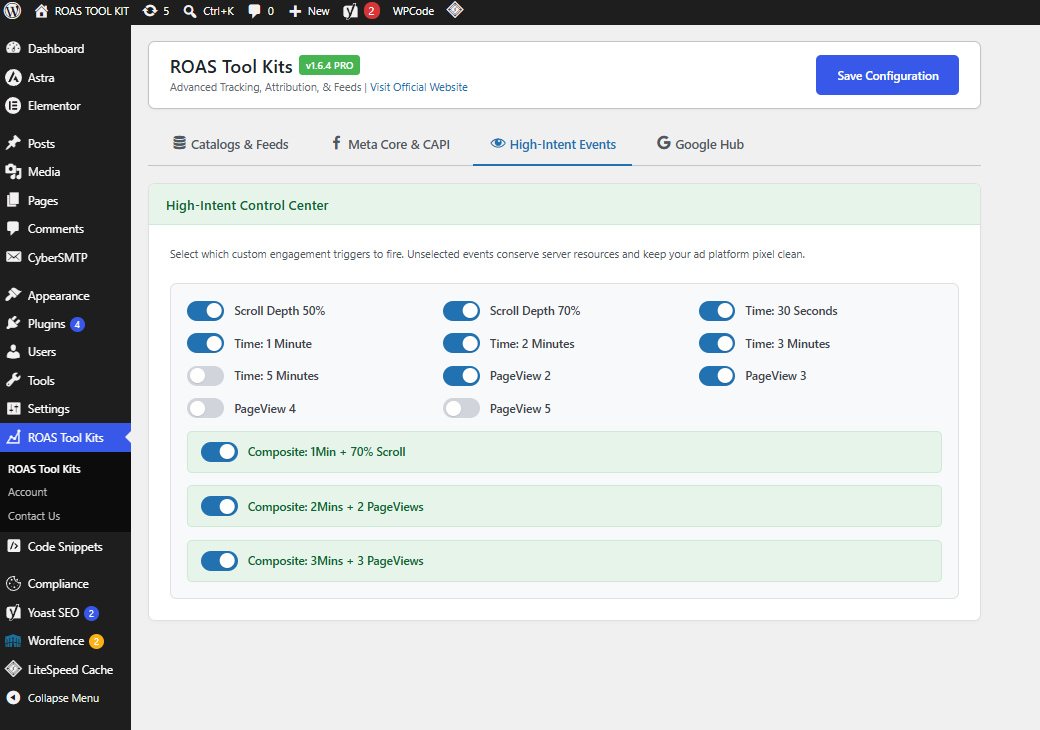
event_idhashes between the browser and server to prevent double-counting. - [PRO] High-Intent Custom Triggers: Fire granular events (Scroll Depth 50/70%, Time on Site up to 5 minutes, Multi-PageViews, and Composite Triggers) to Meta, GA4, and Google Ads.
- [PRO] Advanced Feed SEO: Automatically pulls Yoast SEO titles and primary categories into your XML Catalog fields.
- [PRO] Negative Exclusion Audiences: Server-side tracking for WooCommerce Order Refunded and Order Cancelled events.
屏幕截图


常见问题
How do I get Yoast SEO titles and categories into my XML Feed?
The Free version pulls standard WordPress titles and categories. If you upgrade to Pro, the feed engine automatically detects Yoast SEO (or standard WP hierarchy) and injects your optimized SEO titles into the
custom_label_0field, and your primary categories into thecustom_label_1field in your Meta Catalog. Ensure you map these custom fields correctly when setting up your Data Source in Meta Commerce Manager.Do the High-Intent Custom Events go to Google Analytics 4?
Yes! If you enable GA4 or Google Ads in the Google Hub tab, all High-Intent events (like
ScrollDepth70,TimeOnSite3Min,PageView3, and Composite Triggers) are dual-routed. They will fire to both Meta (for ad optimization) and Google automatically, allowing you to build identical high-intent retargeting audiences.How does the Ad-Blocker Bypass Proxy work?
Standard ad-blockers block requests going to standard tracking URLs. The Pro version utilizes a custom internal REST API endpoint (
/wp-json/roas-analytics/v1/track/). Events are sent to your own domain first (which ad-blockers ignore), and then your server securely routes the data to Meta CAPI and GA4.Do I need Stape.io or Server-Side GTM to use the Conversions API?
No. ROAS Tool Kits features a 100% Host-Native CAPI routing engine. It securely processes and pushes the server payloads directly from your existing WordPress hosting server environment, saving you monthly third-party server costs.
Why is Meta rejecting my XML Feed URL?
If Meta returns an error when you paste your
/feed/meta-catalog/link, you simply need to flush your permalinks. Go to your WordPress Dashboard > Settings > Permalinks, and click “Save Changes” at the bottom. Test the URL in your browser to verify you see raw XML code, and then paste it into Meta or Google.Will this slow down my website?
No. All server-side Conversions API requests are processed asynchronously in the background. They do not block the page load and will not negatively impact your Core Web Vitals or Google PageSpeed scores.
Does the UTM Engine work with Elementor?
Yes. The v6.0 UTM Persistence Engine uses a global capture-phase interceptor. Even if Elementor or other page builders use Javascript to hijack button clicks, our engine forces your UTMs and Ad IDs into the URL the millisecond before the browser navigates away.
评价
此插件暂无评价。
贡献者及开发者
「ROAS Tool Kits for Meta and Google (Post & Product Catalogue + Pixel, CAPI, GA4, GAds & GTM)」是开源软件。 以下人员对此插件做出了贡献。
贡献者

更新日志
1.6.4
- Update: Integrated official branding and direct documentation links (roastoolkit.com) into the plugin header and dashboard UI.
- Security: Strengthened programmatic server-side
$is_progating for custom telemetry tracking to prevent unauthorized database manipulation.
1.6.3
- Major Upgrade: Added Ad-Blocker Bypass Proxy via custom REST API to ensure server-side tracking survives strict browser extensions.
- Feature: Added GA4 Server-Side Measurement Protocol routing (Dual-routes Meta CAPI and GA4 events natively).
- Feature: Added Google Ads tag (
AW-XXXXXXXXX) support with automatic High-Intent event syncing for Google Audience Remarketing. - Feature: Introduced Click ID Recovery (
fbclid,gclid) and automatic server payload stitching for perfect attribution. - Feature: Added Automatic Meta Advanced Matching (automatically hashes logged-in WooCommerce customer emails to boost Event Match Quality).
- Feature: Advanced Feed Scheduling with custom cache intervals (Live, 1hr, 6hr, 12hr).
- Feature: Bulletproof Real-Time Feed Invalidation instantly clears the XML cache on WooCommerce product edits, stock changes, new variations, or trash deletions.
1.6.2
- Major Upgrade: Rebuilt UTM & Click ID Persistence Engine (v6.0) to bypass Elementor page-builder redirects.
- Feature: High-Intent events now dual-route directly to Google Analytics 4 (
gtagglobal bridge). - Feature: Added extended engagement triggers (Time on Site: 3 Min, 5 Min & PageViews: 4, 5).
- Feature: Added new high-value composite events (2Mins + 2PV, 3Mins + 3PV).
- Feature: Advanced ViewContent dynamic data injection (passes exact price, currency, category, and IDs for Dynamic Ads).
- Fix: Universal Click Interceptor deployed for WooCommerce Add-To-Cart buttons (captures AJAX and custom Elementor clicks).
- UI: Rebuilt dashboard with a cleaner, color-coded, tabbed interface and unified “Pro” badges.
- UI: Added 1-Click Copy buttons to Catalog Feed URLs.
- Update: Moved permalink flush warning and added explicit
custom_label_0andcustom_label_1SEO mapping instructions to the dashboard.
1.6.1
- Initial stable release of the unified tracking and feed engine.