

描述
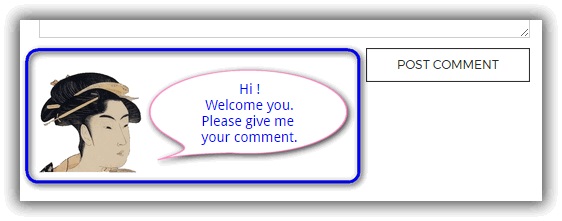
This plugin will add the HTML code to the submit button portion of the comment.
You will be able to display messages and images there. The operation is very easy.
屏幕截图



安装
You can install this plugin directly from your WordPress dashboard:
- Go to the ‘Plugins’ menu and click ‘Add New’.
- Search for ‘SAMURAI’.
- Click ‘Install Now’ next to the ‘SAMURAI’ plugin.
- Click ‘Activate’ next.
常见问题
-
If you turn off the Display check button, the HTML code will not function.
评价
此插件暂无评价。
贡献者及开发者

更新日志
1.0.8
- 2021-08-09
- Support & fix for PHP version 8.
- fixed Bugs.
1.0.7
- 2017-08-05
- Add preview in the setting.
1.0.6
- 2017-05-19
- Modify css style.
- Checked the operation of WordPress 4.7.5.
1.0.5
- 2017-05-04
- First published version of WordPress official.
1.0.1
- 2013-09-21
- Public version on my site.
1.0
- 2012-09-21
- First version.