
描述
By default, WooCommerce does not notify your customers when you update a downloadable file or digital product. The Digital Product Update Notifier for WooCommerce solves this by letting you safely queue and broadcast update emails to past buyers with a single click.
Whether you have 10 past buyers or 10,000, this plugin is built for performance. Instead of crashing your server by sending emails sequentially on page save, it uses WooCommerce’s built-in Action Scheduler to process emails efficiently in the background.
Key Features
- Safe Background Processing: Uses Action Scheduler to queue emails, preventing server timeouts and crashes on large stores.
- Native WooCommerce Emails: Emails are sent using your store’s global WooCommerce sender details and inherit your native store styling (header, logo, footer).
- Customizable Templates: Edit the email subject, heading, and body content directly from the WordPress admin area.
- Dynamic Tags: Personalize emails using
{product_name}and{account_url}variables. - Test Email Tool: Send a preview email to yourself before blasting your customer list.
- Secure Broadcast Logs: Keep track of queue initializations right from your dashboard.
How to use?
- Go to WooCommerce > Update Notifier to configure your email template.
- When editing any Downloadable WooCommerce product, check the “Notify Past Buyers” box before clicking “Update” to trigger the broadcast.
屏幕截图
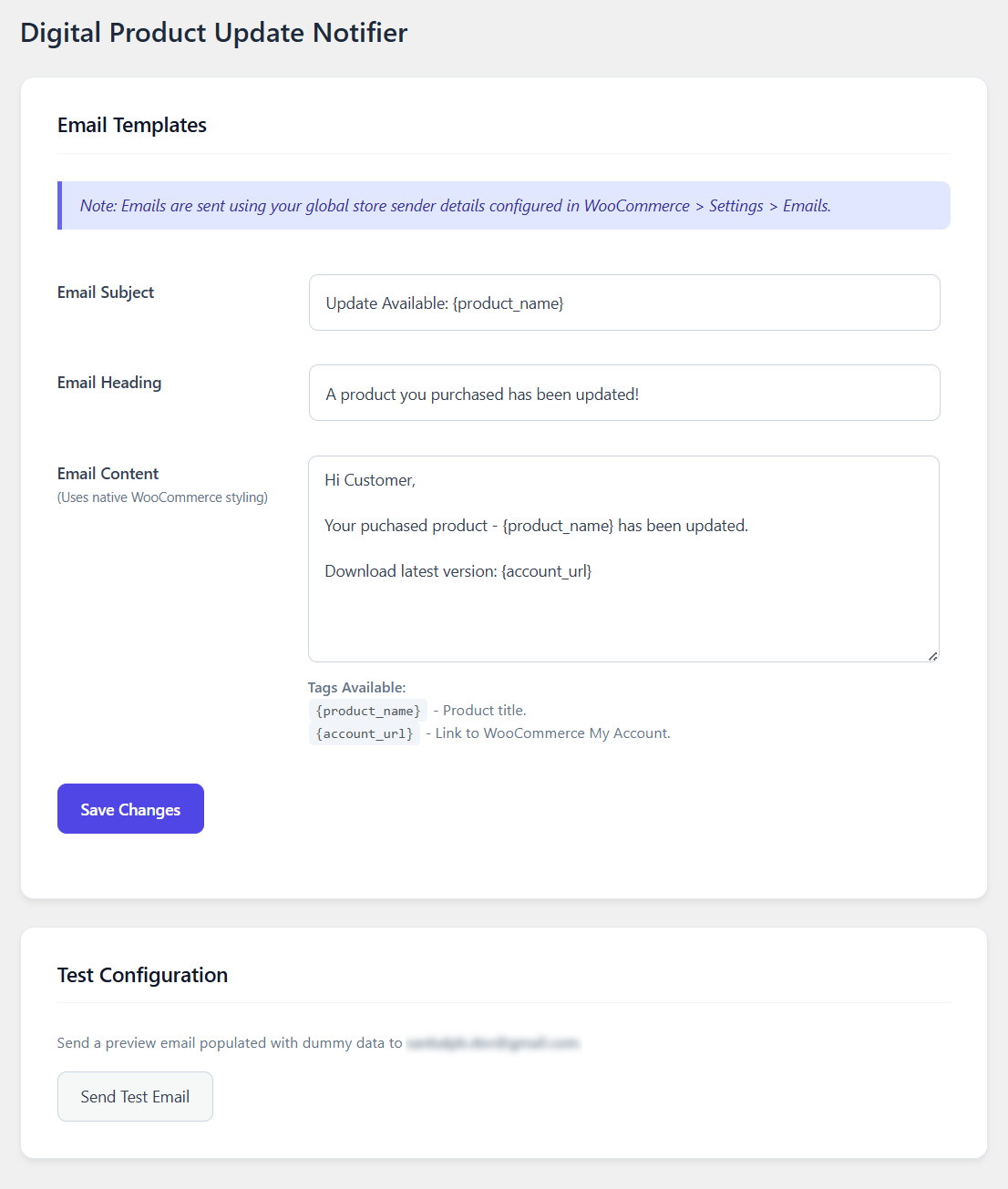
Settings page 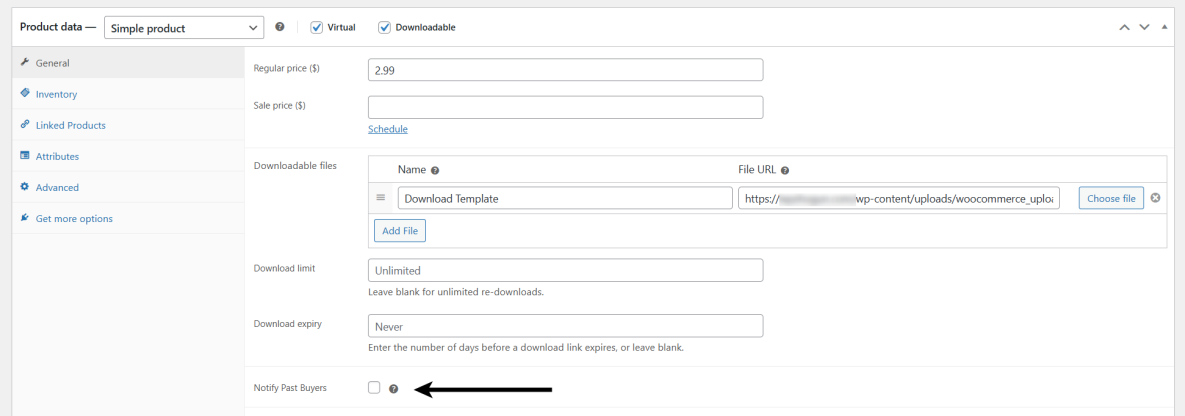
Single product page 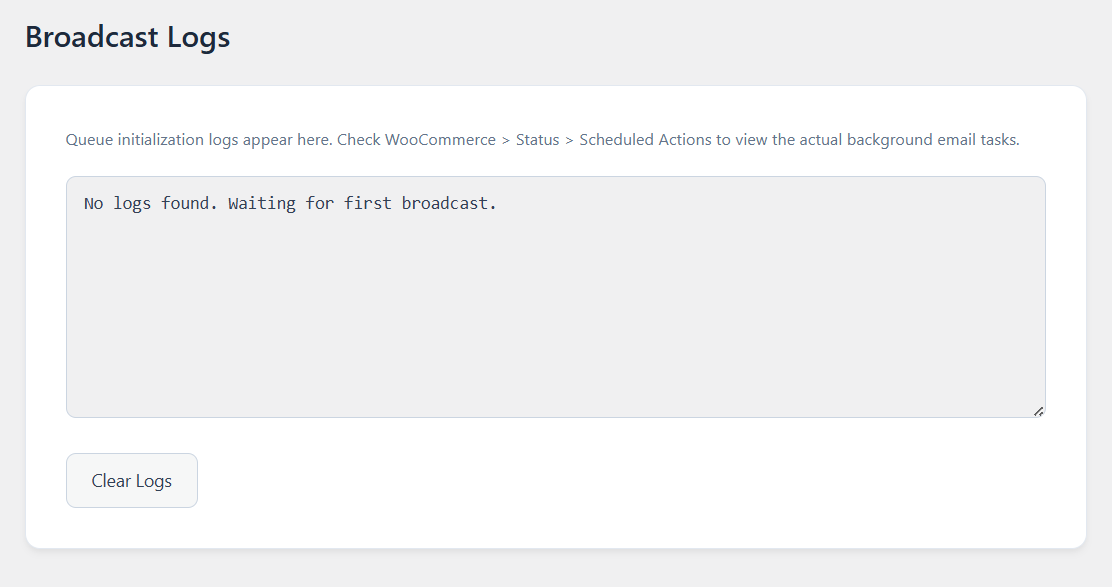
Broadcast logs
安装
- Upload the
shogun-product-update-notifierfolder to the/wp-content/plugins/directory, or install it directly through the WordPress plugins screen via the.zipfile. - Activate the plugin through the ‘Plugins’ screen in WordPress.
- Go to WooCommerce > Update Notifier to configure your email template.
- When editing any Downloadable WooCommerce product, check the “Notify Past Buyers” box before clicking “Update” to trigger the broadcast.
常见问题
-
How do I know if the emails are sending?
-
When you trigger an update, the plugin logs the queue initialization in WooCommerce > Update Logs. Because it uses background processing, the actual emails are processed by WooCommerce over the next few minutes. You can monitor the real-time progress by going to WooCommerce > Status > Scheduled Actions and looking for the
shogun_pun_process_single_emailhook. -
Where do the “From Name” and “From Email” come from?
-
To ensure maximum compatibility and brand consistency, the plugin automatically uses the global sender settings you have configured under WooCommerce > Settings > Emails.
-
Currently, you can use
{product_name}to output the title of the updated product, and{account_url}to output the link to your store’s “My Account” page so users can log in and download their new files. -
Does this work for physical products?
-
No. For safety and logic reasons, the “Notify Past Buyers” checkbox will only appear on products that have the “Downloadable” checkbox enabled.
评价
此插件暂无评价。
贡献者及开发者

更新日志
1.0.0
- Initial release.