

描述
TH Variation Swatches for WooCommerce by ThemeHunk is a free, easy-to-use swatches plugin that replaces the default WooCommerce variation dropdowns with professionally styled, colourful swatches. Instead of plain select boxes, your customers can pick product variations using color swatches, image swatches, and button (label) swatches – a much nicer way to present product colors, sizes, and styles on your WooCommerce store.
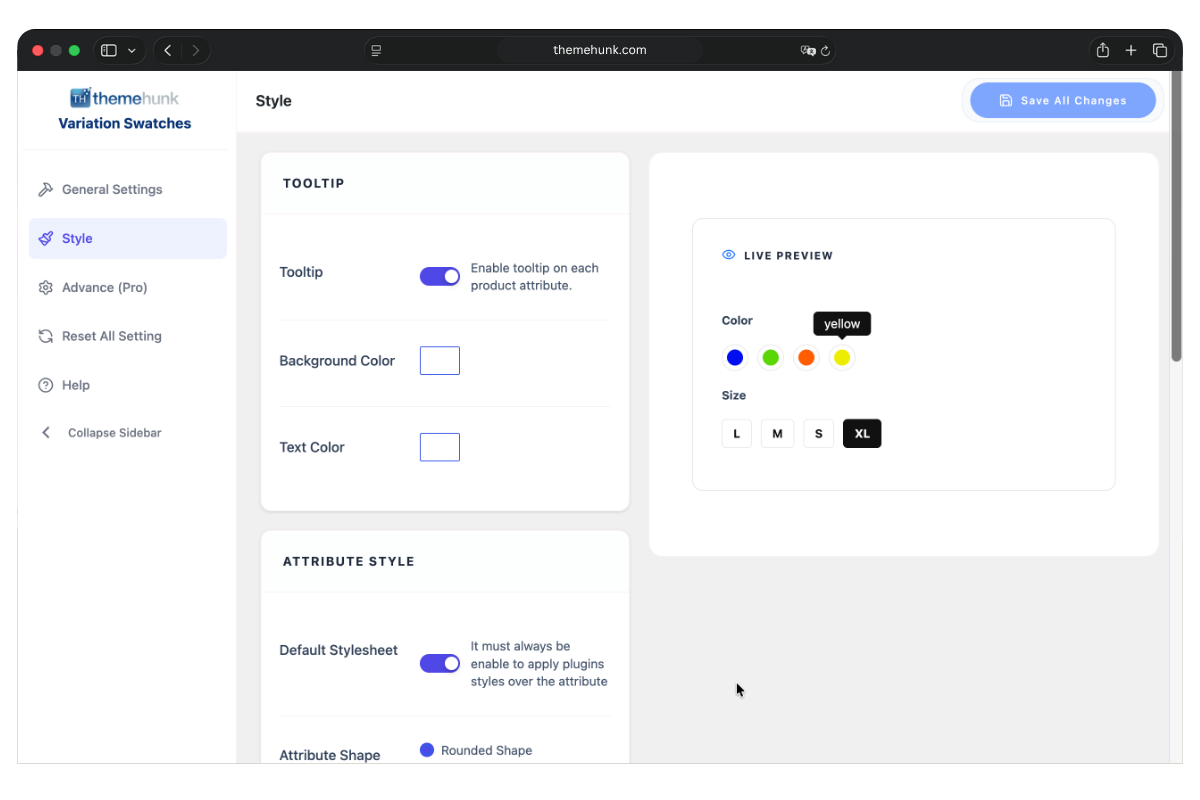
This variation swatches plugin gives your single product, shop, and archive pages an advanced, modern look. With a user-friendly interface you can edit WooCommerce attributes and variations seamlessly, choose between rounded or square swatch shapes, enable tooltips on every product attribute, and display styled swatches across your shop and catalog pages.
If you sell variable products – clothing in multiple colors and sizes, accessories, or any product with attributes – Variation Swatches for WooCommerce turns boring dropdowns into clear, clickable swatches that help shoppers find what they want faster and improve your product page experience.
Docs | More Details | Support
Why choose Variation Swatches for WooCommerce?
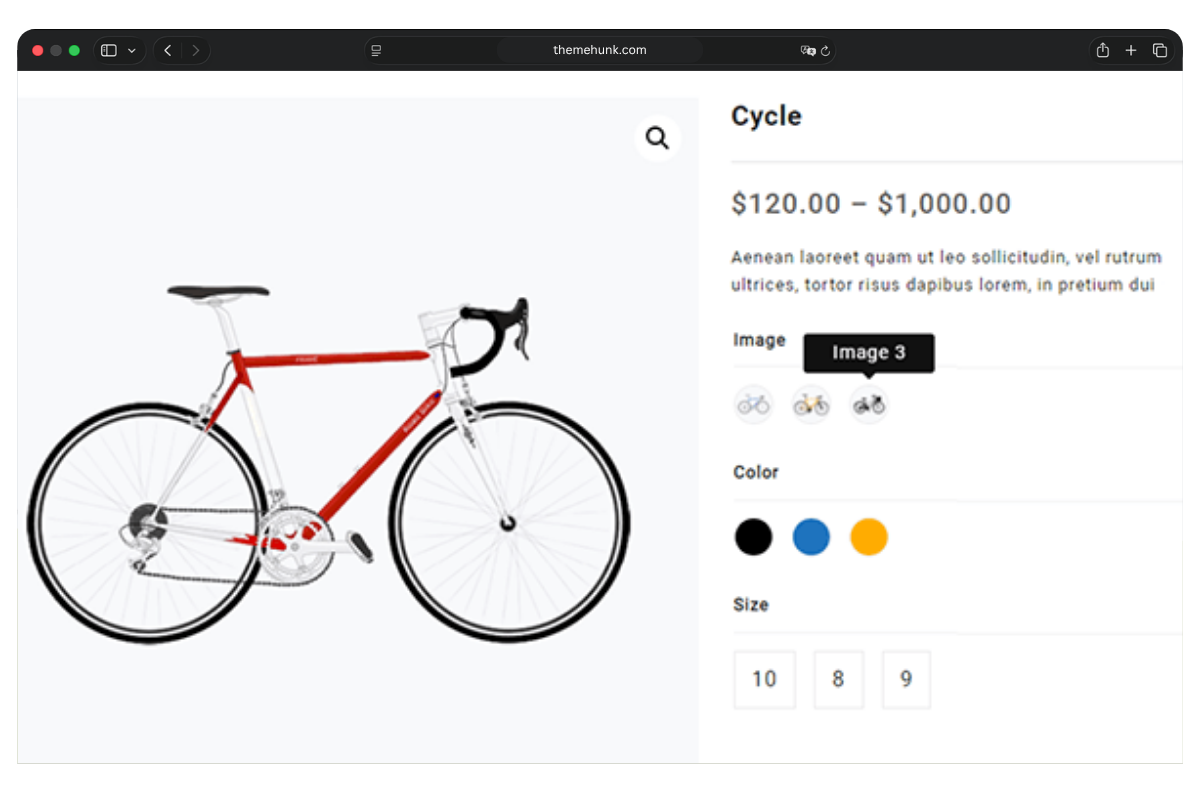
- Color Variation Swatches – Show product colors as clickable color swatches instead of a dropdown, even you can show Dual color variations too.
- Image Variation Swatches – Display attribute images so customers can see exactly what they’re choosing.
- Button / Label Variation Swatches – Turn sizes and styles into clean button swatches.
- Tooltips on Swatches – Show the attribute name on hover for a clearer shopping experience.
- Rounded & Square Shapes – Pick the swatch shape that matches your theme.
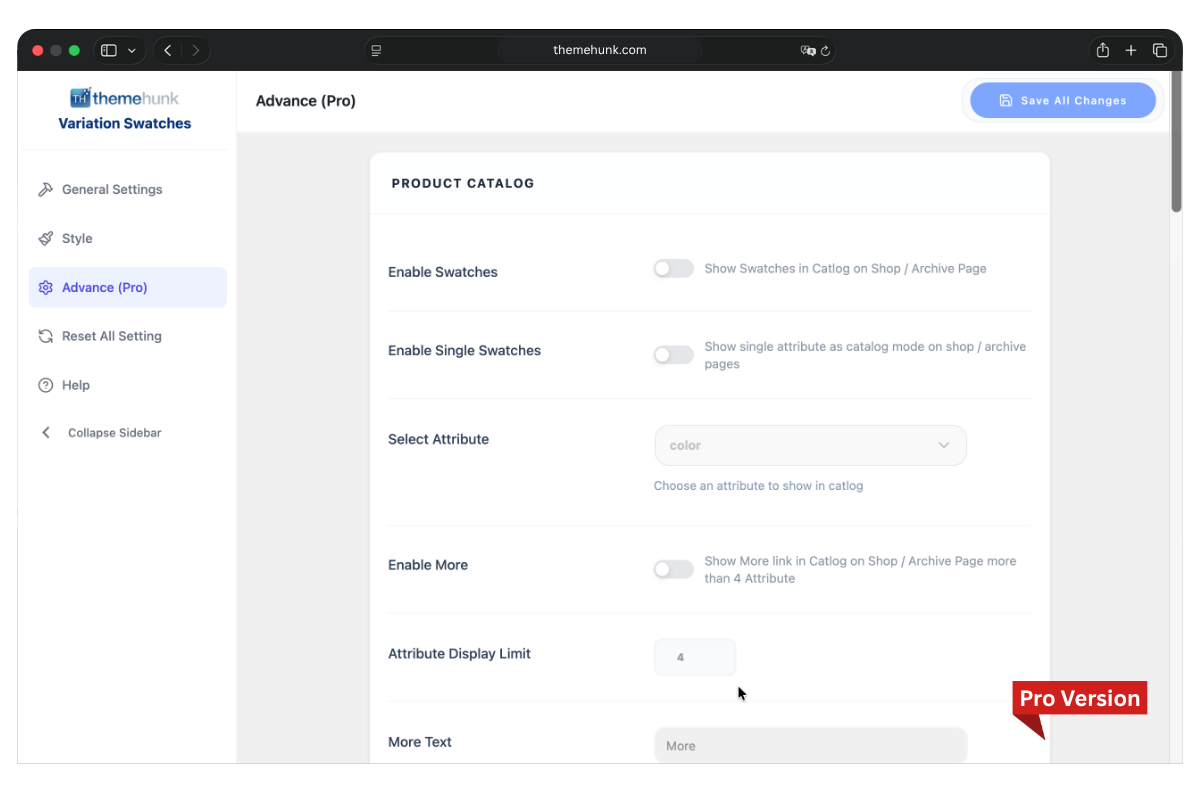
- Swatches on Shop & Archive Pages – Let users choose variations right from the shop, catalog, and archive pages.
- Swatches in Quick View – Works inside Quick View for faster browsing.
- Attribute Behaviour Control – Choose how unavailable variations behave (Blur / Hide).
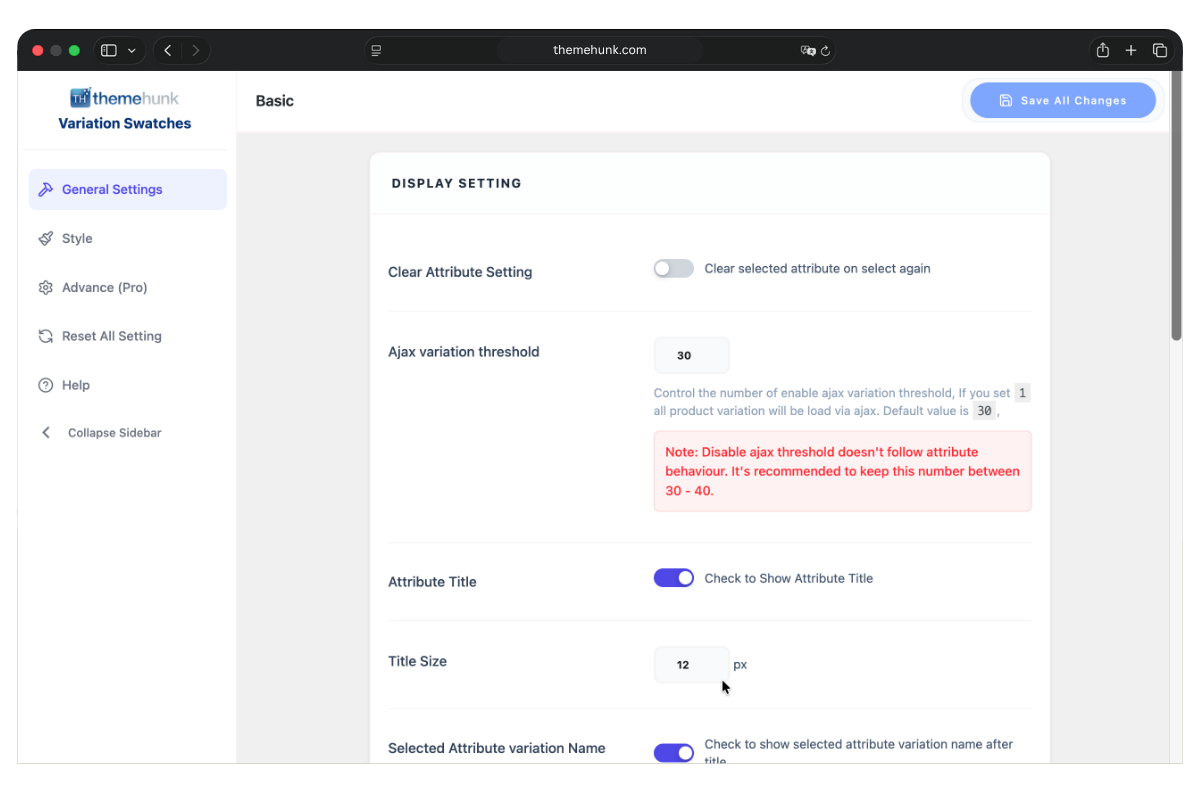
- Display Options – Show or hide the attribute title, name, and separator.
- Fully Responsive – Looks great on desktop, tablet, and mobile.
- Works With Any Theme – Compatible with WooCommerce and almost all WordPress themes.
Free Features
⭐ Super Fast Loading
⭐ Color Variation Swatch
⭐ Image Variation Swatch
⭐ Button Variation Swatch
⭐ Tooltip on Variation Swatches
⭐ Rounded Shape Style
⭐ Squared Shape Style
⭐ Attribute Behaviour ( Blur / Hide )
⭐ Swatches for Quick View
⭐ Swatches for Shop Page & Archive Pages
⭐ Display Options ( Attribute Title, Name, Separator )
⭐ Easily Customizable
⭐ Responsive on All Devices
⭐ Fully Documented
⭐ 24×7 support available for the free product too
Pro Features
⭐ Advanced Tooltip in Variation Swatches
⭐ Tooltip Styling Options
⭐ Image Tooltip Option
⭐ Button Variation Swatch Styling
⭐ Swatches for Shop Page Products
⭐ Swatches for Archive Pages
⭐ Swatches Widgets for WooCommerce Sidebar
⭐ Highlight Attributes
⭐ Stock Availability Tooltip
⭐ Full Styling Options for All Swatches
Get the Pro version on ThemeHunk to unlock advanced styling and tooltip control.
Works With Popular Themes
Compatible with Shop Mania, OceanWP, Jot Shop, Top Store, Big Store, Open Shop, Zita, Royal Shop, Open Mart, Storefront, Orchid Store and almost all WordPress themes.
Demo
Sport Shop, Top Store Watches, Pet World, Open Shop Pro Demo 1, Open Shop Pro Demo 2
屏幕截图
安装
Automatic Installation
- Log in to your WordPress dashboard, navigate to the Plugins menu and click Add New.
- In the search field type “Variation Swatches for WooCommerce” and click Search Plugins.
- Once you’ve found it, install it by clicking the Install Now button, then click Activate.
Manual Installation
- Upload the
th-variation-swatches.zipto the/wp-content/plugins/directory, or extract it there. - Activate the plugin through the ‘Plugins’ menu in WordPress.
- Get started from Dashboard > TH Variation Swatches Builder.
Configure Your Attributes (Important)
Even after the plugin is installed and activated, your variable products will keep showing dropdowns until you set an attribute type. To turn dropdowns into swatches:
- Go to Products > Attributes in your WordPress dashboard.
- Click an attribute name to edit it, or create a new attribute.
- Set the attribute type to Color, Image, or Button instead of the default Select.
- Save the attribute, then click the cog/edit icon to manage its terms.
- For each term, choose a color, upload an image, or enter a label.
- Open the TH Variation Swatches Builder from your dashboard to style the swatches and adjust display options.
Your variation dropdowns will now display as color, image, or button swatches on the product, shop, and archive pages.
常见问题
-
How do I install the plugin?
-
Upload the
th-variation-swatches.zipto the/wp-content/plugins/directory, then activate it from the ‘Plugins’ menu in WordPress. You can also install it directly by searching “Variation Swatches for WooCommerce” under Plugins > Add New. -
How do I turn my variation dropdowns into swatches?
-
Go to Products > Attributes, set each attribute’s type to Color, Image, or Button, then add a color, image, or label for each term. See the “Configure Your Attributes” section above for the full step-by-step.
-
Will this variation swatches plugin work with my theme?
-
Yes. It is compatible with all ThemeHunk themes and almost all WordPress themes. If you experience any styling issue with your theme, contact us and our team will be happy to help.
-
Is it compatible with WooCommerce HPOS?
-
Yes. The plugin is compatible with WooCommerce High-Performance Order Storage (HPOS).
-
How can I get support if the plugin isn’t working?
-
First, deactivate other plugins to check for conflicts, confirm your theme and plugin versions are up to date, and test with a default theme. If the issue continues, contact us by email, our contact form, or live chat support. Full documentation is also available.
-
How do I get the advanced features?
-
The premium features – advanced tooltips, full swatch styling, widgets, and highlight attributes – are available in the Pro version on ThemeHunk.
-
Can I translate the plugin into another language?
-
Yes. The plugin is translation ready and can be translated into your desired language.
评价
此插件暂无评价。
贡献者及开发者
「Variation Swatches for WooCommerce – Color, Image & Button Swatches」是开源软件。 以下人员对此插件做出了贡献。
贡献者
更新日志
1.4.1
- Update: images , logo and readme file.
1.4.0
- Update: Admin area with live preview style updated.
- Update: Mobile responsive design added.
- New: Languages folder added.
- Update: Issues resolved.
- Update: Style settings working at frontend also added.
- Update: Tooltip live working added.
- Update: Swatches new front style added.
- Update: Settings rearranged to live preview.
- Update: admin area style made same as front style.
- Update: first time attribute not saving value resolved.
- Update: Tested width WordPress 7.0.
1.3.6
- Update: Style Updated.
1.3.5
- Update: Tested with WordPress 6.9.
- Update: PHP 8.1 compatibility improvements.
- Themehunk Plugins page style updated.
1.3.4
- Update: Tested With WordPress 6.8.
- Update: Variation margin bottom style updated.
- Fix: Show Title setting not working issue resolved.
1.3.3
- Security Issue Fixed.
1.3.2
- Fix : Creation of dynamic property Th_Variation_Swatches_Settings::$settings_name is deprecated on
wp-content\plugins\th-variation-swatches\inc\thvs-settings.php on line 20 - Fix : Activate ajax issue resolved.
- Update: Admin style improved.
- Update: Premium Link updated.
1.3.1
- HPOS compatibility issue fixed.
1.3.0
- Admin style modification.
- Background Modification.
1.2.9
- Delete Notice.
1.2.8
- Security Issue Fixed.
1.2.7
- Ad Change.
1.2.6
- Color Picker Issue Resolved.
1.2.5
- TH Notice Issue Resolved.
1.2.4
- Pro Notice Improved.
- New Option panel added.
1.2.3
- Pro Notice add.
1.2.2
- Amaz Store Banner add.
- Useful Plugins add.
1.2.1
- Improve Text.
1.2.0
Tested up to wordpress 5.8.1.
1.0.9
Pro feature detail add.
1.0.8
Screenshot images change.
1.0.7
Feature Updated.
1.0.6
Maybe_serialize function remove.
1.0.5
Issue Fixed.
1.0.4
Data Serialize Issue Fixed.
1.0.3
Sanitized & Escaped Issue Fixed.
1.0.2
Meta Issue Fixed.
1.0.1
Sanitized, Escaped, and Validated Issue Fixed.
1.0.0
Initial release