
描述
Experience a better way to translate your WordPress site and go multilingual, directly from the front-end using a visual translation interface. The built-in AI translation lets you translate automatically, then refine anything visually.
TranslatePress是一个任何人都可以使用的WordPress翻译插件。
该界面可让你一次性轻松翻译整个页面,包括来自简码、表单和页面构建器的输出。它还能与 WooCommerce 一同使用。
TranslatePress-Multilingual以WordPress的方式构建,是一个GPL和自托管翻译插件,这意味着您将永久拥有所有翻译。这是创建双语或多语言站点最快的方法。
多语言及翻译功能
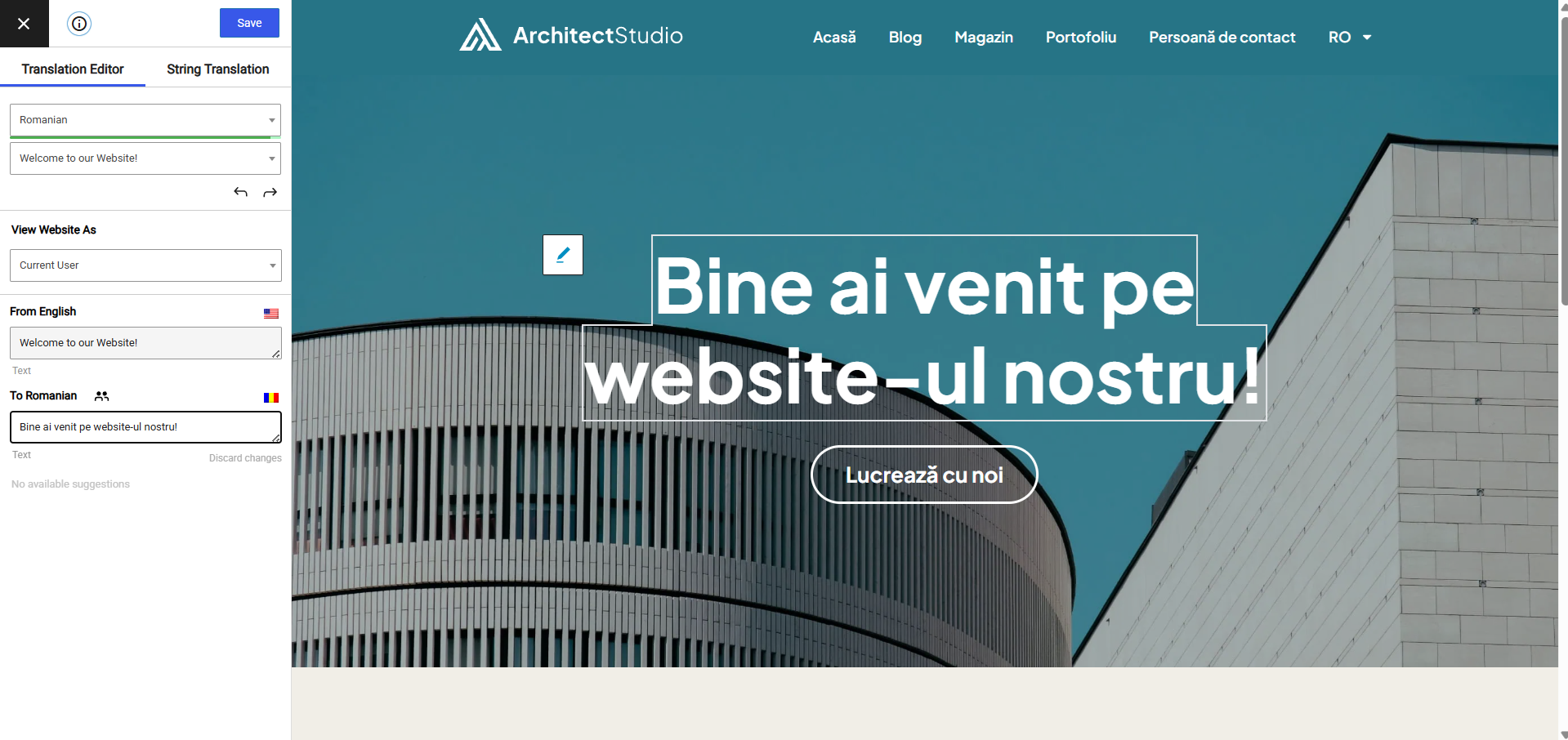
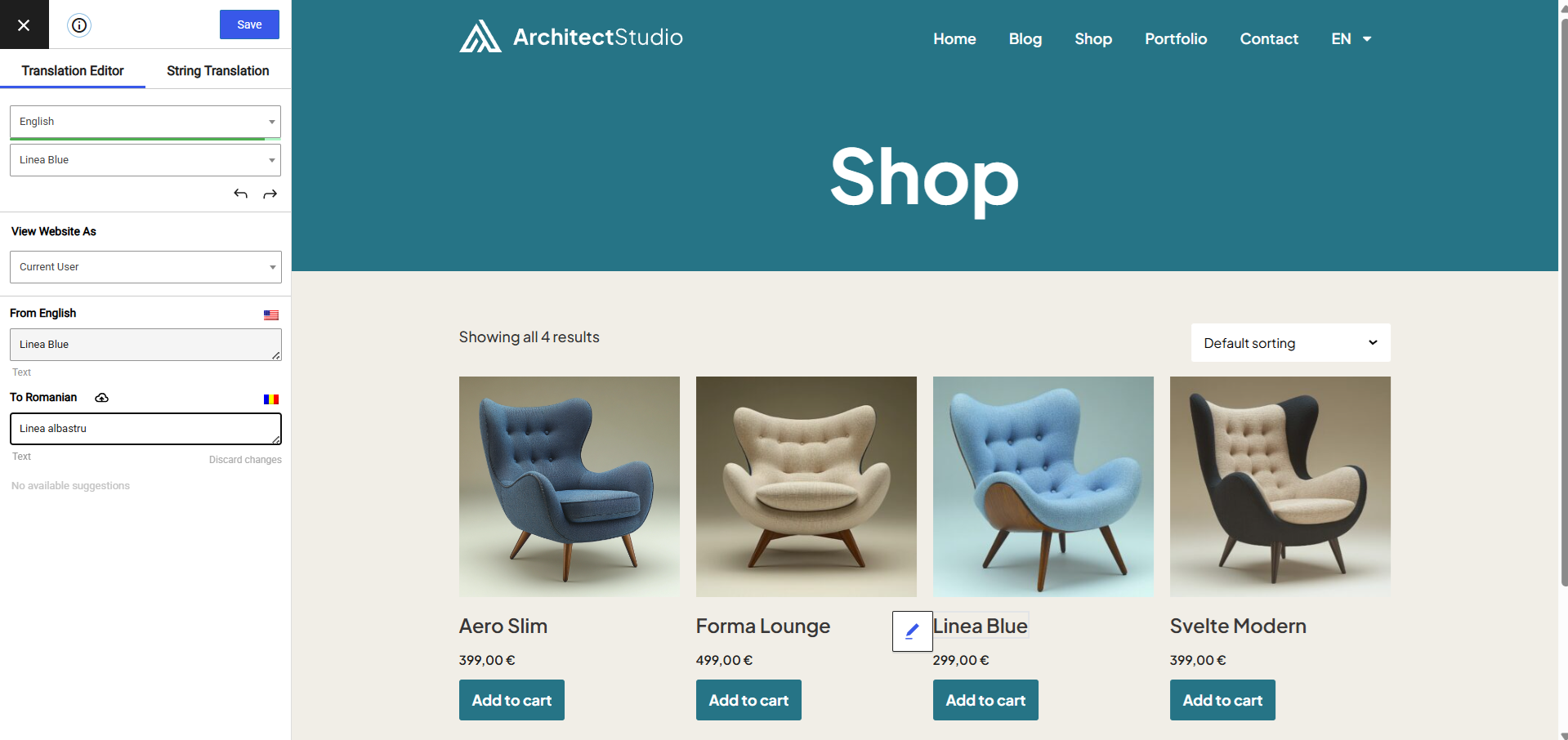
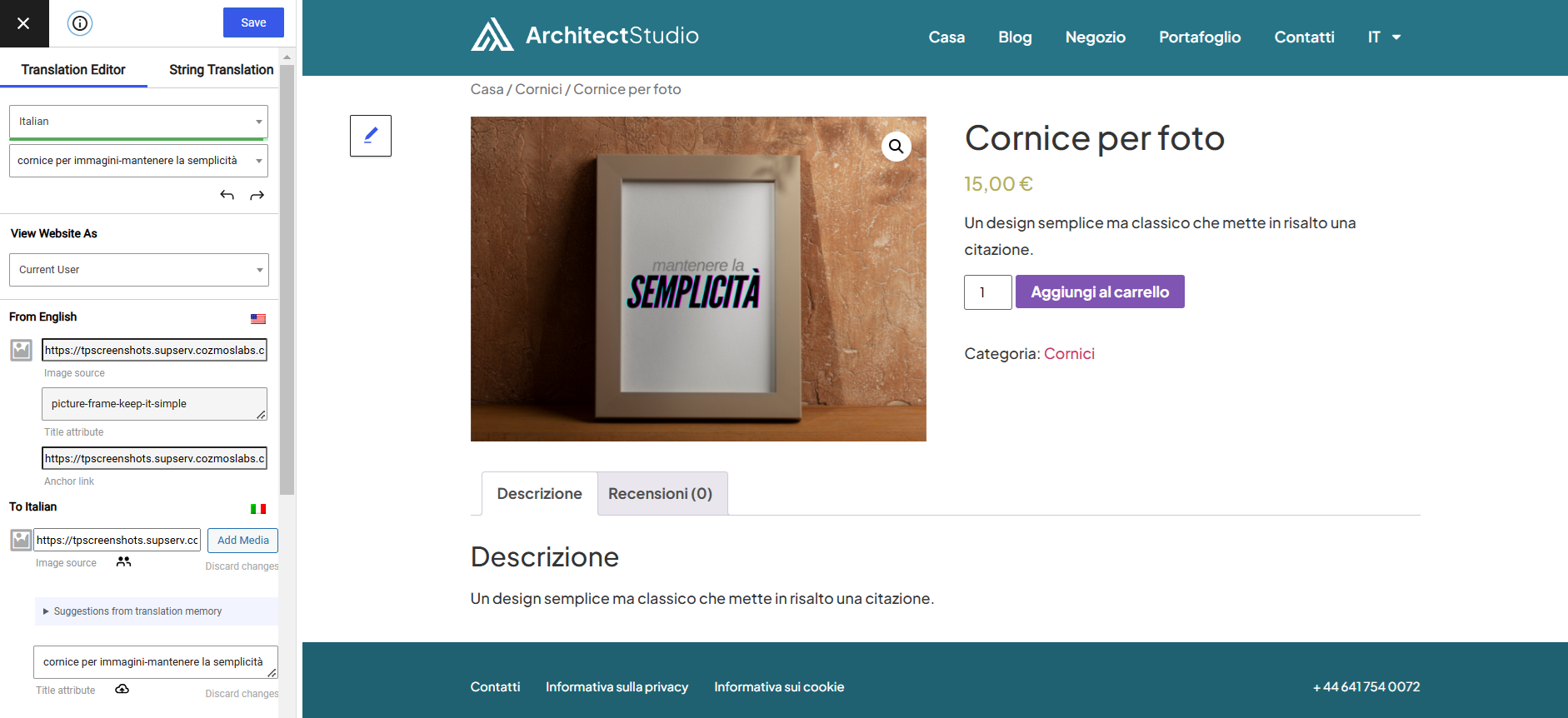
- 在友好的用户界面上,直接从前端翻译所有网站内容(翻译内容实时显示)。
- 与所有主题和插件完全兼容
- 编辑时实时预览翻译后的页面。
- Automatic AI translation support through TranslatePress AI Free, with a 2,000 AI words limit. Use our free Website Word Count to find how many words your website contains.
- Integrates with Google Translate, allowing you to set up unlimited automatic translations using your own Google API key.
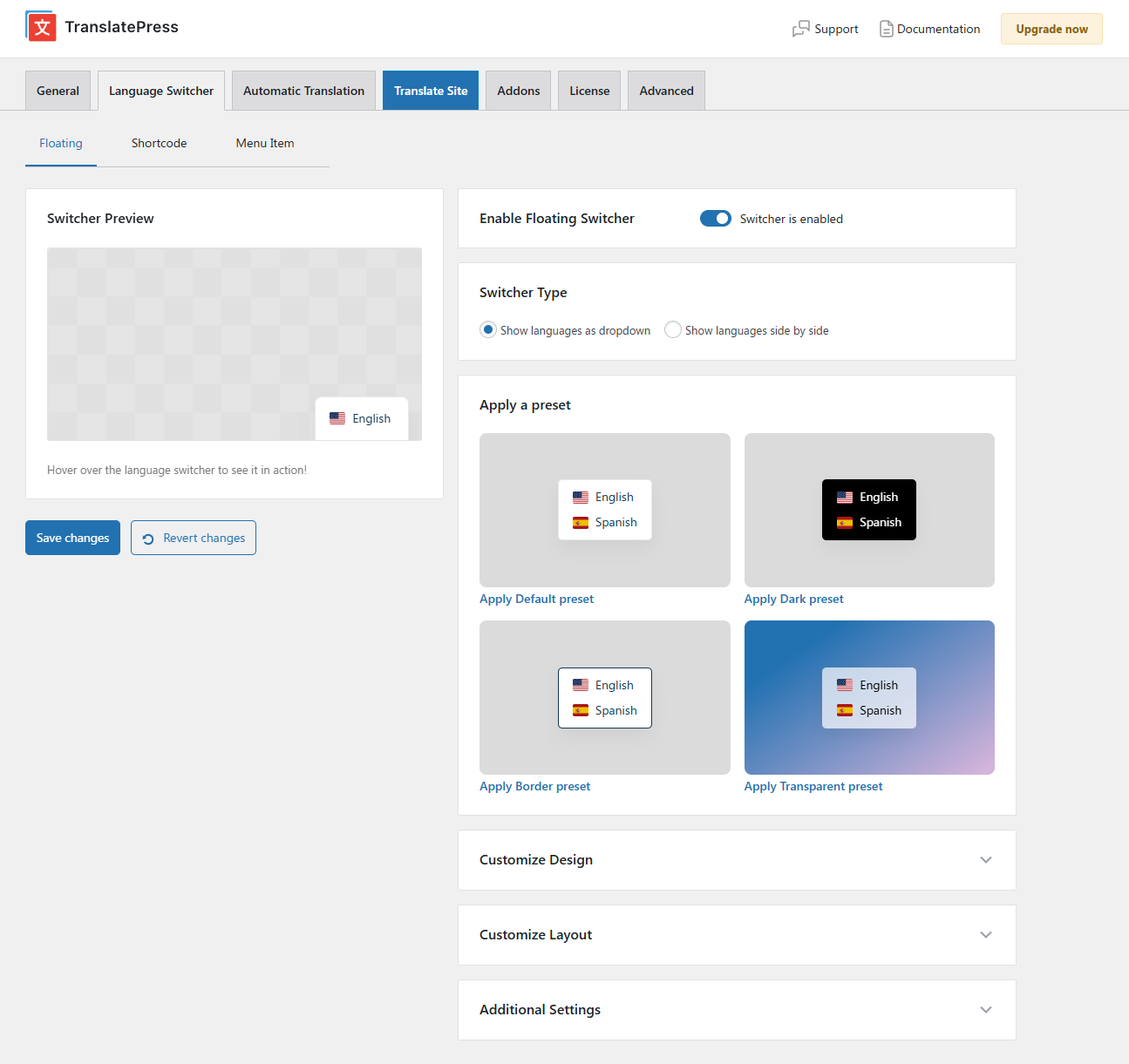
- Fully customizable language switcher that you can display as a menu item, a floating dropdown, or place anywhere else using the Language Switcher block, or the [language-switcher] shortcode.
- 支持图像翻译,用于翻译图像、滑块和其他媒体。
- 支持手动和自动翻译
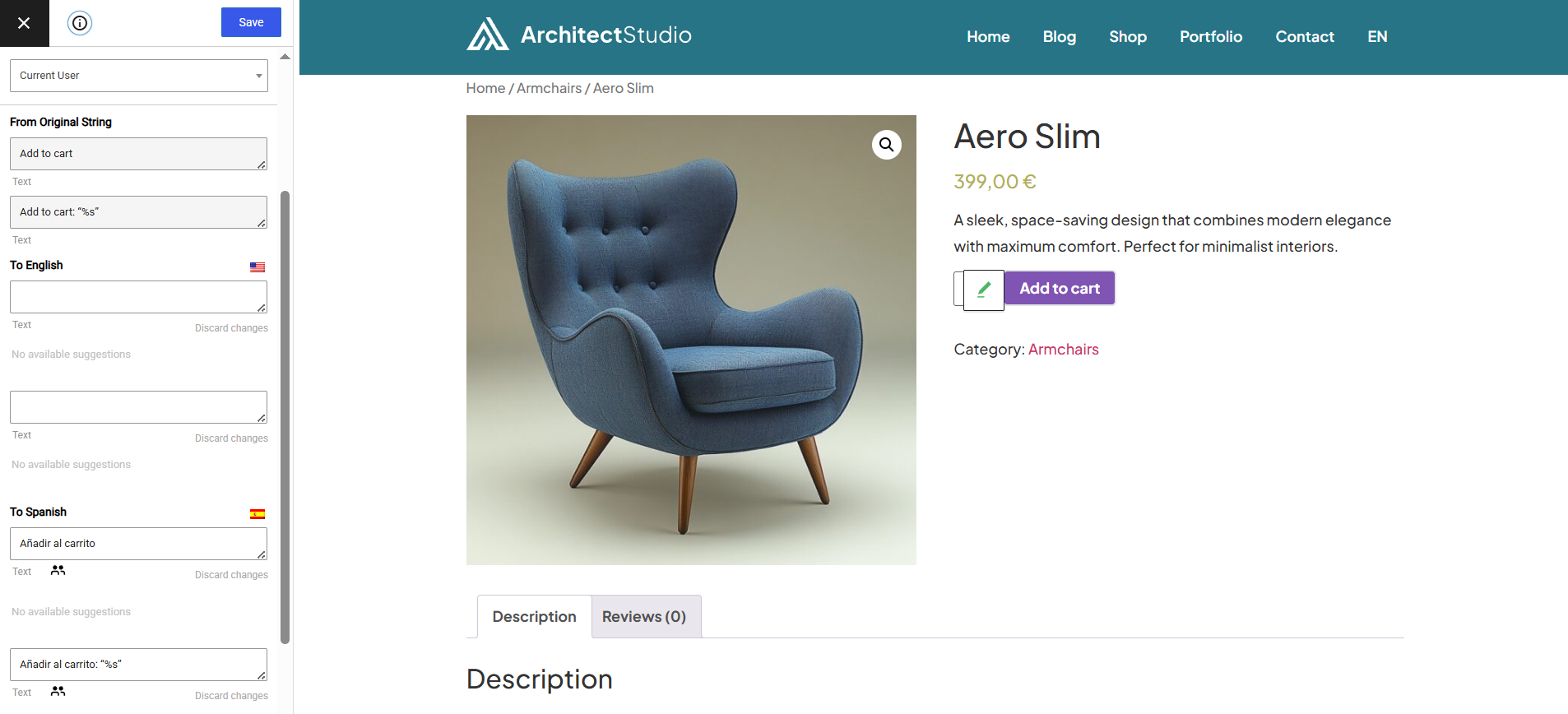
- 能够翻译 WordPress、插件和主题添加的动态字符串 (gettext)。
- 通过将字符串合并到翻译块中来翻译较大的 html 块。
- 编辑控制功能允许您在完成所有翻译后才发布语言版本
- 根据语言有条件地显示内容简码 [trp_language language=”en_US”] 仅显示英语内容 [/trp_language]
- 可以编辑主题和插件中的 gettext 字符串,从英语转换为英语,而无需添加其他语言。基本上就是字符串替换功能。
- 仅翻译特定路径,并排除翻译内容
- 翻译块功能,可将多个 HTML 元素放在一起翻译
- 本机支持Gutenberg,因此您可以轻松翻译 Gutenberg 块
- 开箱即用的WooCommerce兼容性
- 使用我们的免费网站翻译工具/小工具,将任何网站翻译成您自己的语言。
注意:本插件使用 Google Translation API 翻译网站上的字符串。该功能可根据您的偏好启用或禁用。
具有管理员权限的用户可以访问以下设置:
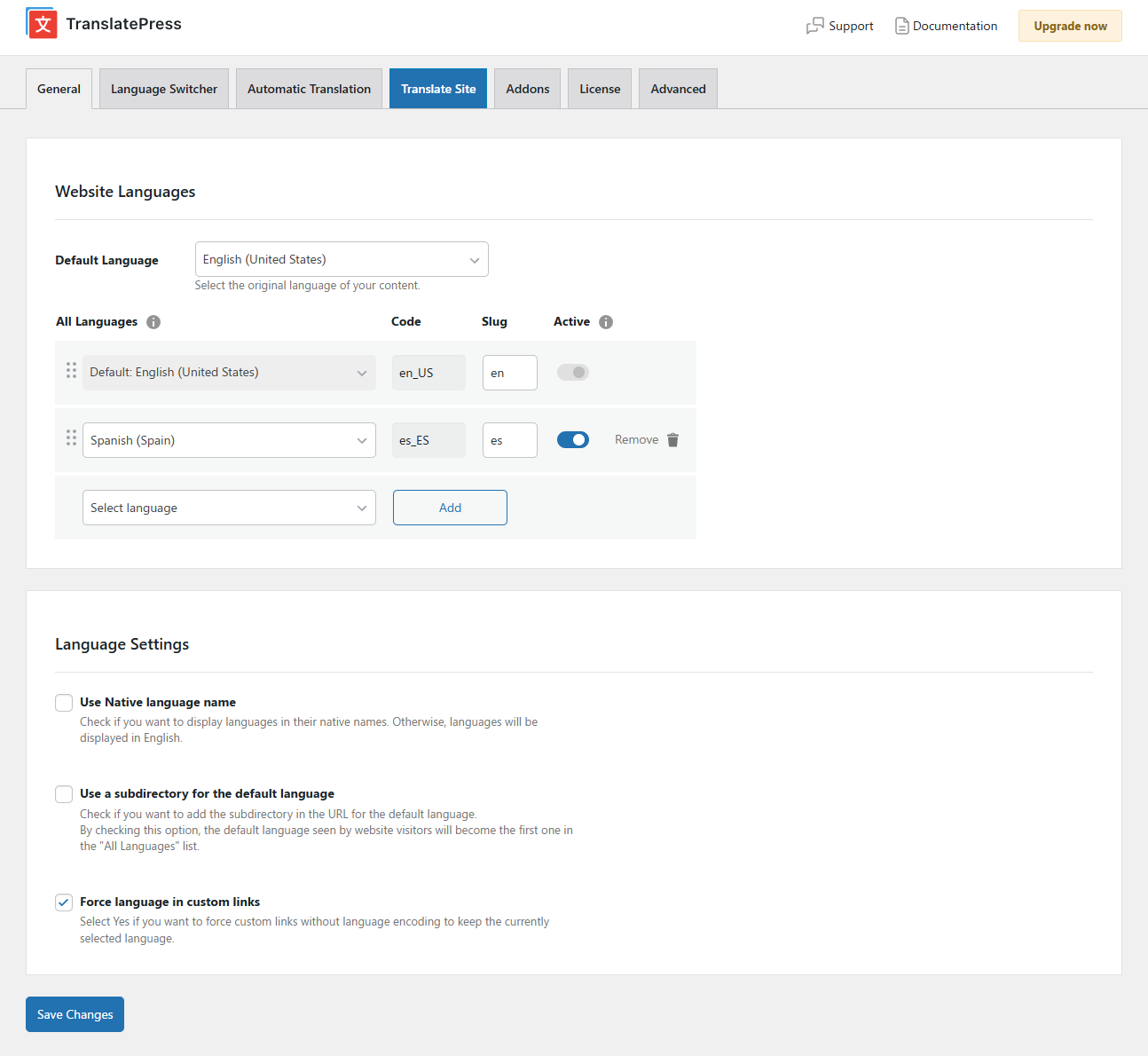
- 为双语网站选择网站默认语言和一种翻译语言
- 选择语言切换器是以母语名称还是以英语名称显示语言
- 强制自定义链接以当前语言打开
- 启用或禁用默认语言的 url 子目录
- 启用谷歌翻译的自动翻译功能
功能强大的翻译插件
TranslatePress – 多语种有一系列高级附加组件,可以扩展 WordPress 翻译插件的功能:
专业附加组件(仅在高级版本中提供)
- Full TranslatePress AI access – automatically translate your entire website without extra platforms to sign up for, API keys, and additional translation costs. Each premium version includes a set number of AI translated words you can use to instantly translate your site, saving you both time and money.
- 额外语言– 允许您添加不限数量的翻译语言,并可在完成翻译后发布语言
- 搜索引擎优化包– 可让您翻译元信息(如页面标题、描述、url slug、图片alt标签、Twitter和Facebook社交图标等),以提高多语言搜索引擎优化并增加流量。可与所有流行的 SEO 插件配合使用。
- Different Domain per Language – assign a different domain to each language you add (e.g. domain.de, domain.es) and improve international SEO by creating a fully local experience for your visitors
- 翻译员账户– 创建或允许现有用户在没有管理员权限的情况下翻译网站
- 按用户角色浏览 – 查看和翻译仅特定用户角色可见的内容
- 基于语言的导航–为不同语言配置和显示不同的菜单项
- 自动用户语言检测–根据首次访客的浏览器设置或 IP 地址,将其重定向至首选语言
- DeepL Automatic Translation – The DeepL Automatic Translation add-on lets you automatically translate your website through the DeepL API
键盘快捷键
- CTRL(⌘)+S-保存当前编辑字符串的翻译
- Ctrl(⌘)+ALT+Z-放弃当前编辑字符串的所有更改
- CTRL(⌘)+ALT+(右箭头)-导航到下一个字符串
- CTRL(⌘)+ALT+(左箭头)-导航到上一个字符串
网站
说明文档
访问 TranslatePress WordPress 翻译插件文档页面
附加组件
演示站点
You can test out TranslatePress – Multilingual plugin by visiting our demo site
屏幕截图



区块
该插件提供了 1 个区块.
- Language Switcher Displays the Language Switcher.
安装
- 将translatepress文件夹上传到“/wp-content/plugins /”目录
- 通过WordPress中的“插件”菜单激活
- 转到设置 -> TranslatePress,选择一种翻译语言。
- 从管理栏打开前端翻译编辑器,翻译网站。
常见问题
-
我的翻译存储在哪里?
-
所有翻译都存储在服务器的本地数据库中。
-
我可以翻译什么类型的内容?
-
TranslatePress – 多语言插件可与 WooCommerce、自定义帖子类型、复杂主题和网站构建工具一起使用,因此您可以翻译任何类型的内容。
-
它与 WPML 或 Polylang 等其他多语言& 翻译插件有何不同?
-
TranslatePress is easier to use and more intuitive altogether. No more switching between the editor, string translation interfaces or badly translated plugins. You can now translate the full page content directly from the front-end. This makes TranslatePress a great alternative to plugins like Polylang and WPML. For more details check out this WordPress Translation Plugin Comparison: TranslatePress vs WPML vs Polylang vs Gtranslate.
-
如何开始翻译我的WordPress站点?
-
After installing the plugin, select your secondary language and click “Translate Site” to start translating your entire site exactly as it looks in the front-end. To speed things up, use TranslatePress AI for automatic AI translation.
-
How does AI translation using TranslatePress AI work?
-
TranslatePress AI combines the best LLMs (like Gemini and GPT) and Neural Machine Translation (NMT) engines (like DeepL and Google Translate) into one integrated solution, to automatically translate your website. The system intelligently selects the most suitable engine for any given language pair and context, to ensure maximum accuracy.
-
会减慢我的网站速度吗?
-
TranslatePress 对网站速度的影响很小。欲了解更多详情,请参阅基于页面加载时间的顶级 WordPress 翻译插件比较
-
此插件可以翻译WooCommerce站点吗?
-
是的,TranslatePress可与WooCommerce一起使用。您可以用来创建多语言的WooCommerce商店。
-
我在哪里可以找到更多的信息?
-
如需了解更多信息,请查阅我们的文档。
评价


贡献者及开发者
「TranslatePress – Translate Multilingual sites with AI Translation」是开源软件。 以下人员对此插件做出了贡献。
贡献者


更新日志
3.2.1
- Added WordPress Abilities API integration
- Improve filtering of translatable text to avoid JS code detection
- Preserve pubDate/lastBuildDate camelCase in translated RSS feeds
- Fix WooCommerce emails sent in default language while Different Domain per Language is enabled
- Fix PHP 8.2 dynamic property deprecation on TRP_Search
Older versions
Click Here to view the full changelog, or you can find it in the changelog.txt file in the plugin folder.