描述
Low Stock Alert for WooCommerce helps you manage your store inventory by sending automatic email alerts to the admin whenever a product’s stock goes below a defined threshold.
Forget about manually checking your product stock levels — this plugin keeps track for you and notifies you in real time so you can take action fast.
🛍️ Key Features
- ✅ Automatic email notifications when stock is low
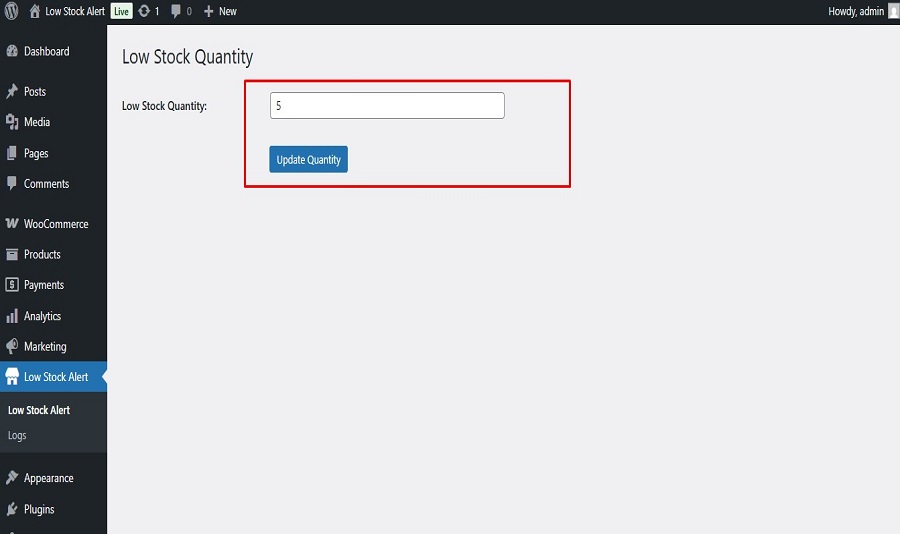
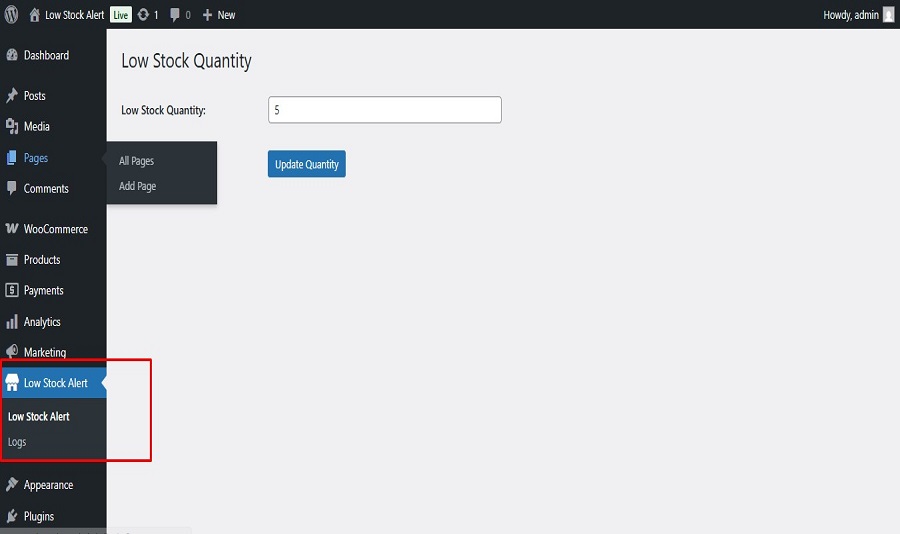
- 🛠️ Customizable alert quantity (global setting)
- 📬 Clean, informative email template
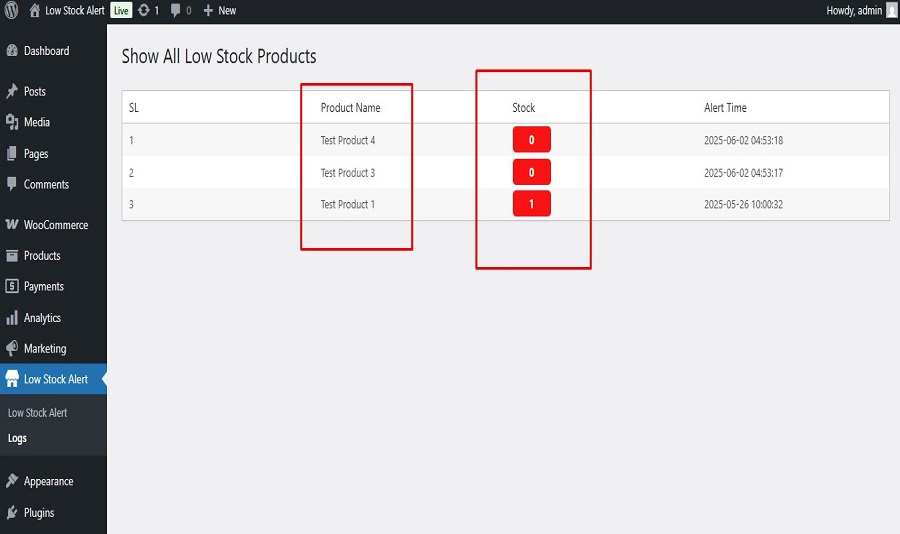
- 📄 Log page showing the last 10 stock alert emails
⚙️ How It Works
- The plugin monitors all WooCommerce products for stock changes.
- If stock falls below the alert quantity, an email is sent to the admin.
- Admins can configure the alert threshold from the plugin settings page.
- A log page shows the 10 most recent alert emails sent.
Credits
Developed with ❤️ by tarikulalways
License
This plugin is licensed under the GPLv2 or later.
屏幕截图
安装
- Upload the plugin files to the
/wp-content/plugins/wc-low-stock-alertdirectory, or install the plugin through the WordPress plugin screen directly. - Activate the plugin through the ‘Plugins’ menu in WordPress.
- Go to WooCommerce Low Stock Alert Settings to configure your preferred alert quantity and admin email.
常见问题
-
Can I set a different alert threshold for individual products?
-
Not yet. Currently, the plugin uses a global threshold value. Per-product alert thresholds will be added in a future update.
-
Does this plugin work with variable products?
-
Yes, it fully supports both simple and variable products.
-
Can I send alerts to more than one email address?
-
At the moment, only one email address is supported. Multiple recipients support is coming soon.
评价
此插件暂无评价。
贡献者及开发者

更新日志
1.0.0
- Initial release
- Email alert on low stock
- Global alert quantity setting
- Alert log for last 10 alerts