
描述
Live preview: Wedding Party RSVP Pro (Premium demo on InstaWP) — open a temporary site with the full premium plugin pre-installed; no purchase required.
Stop chasing replies across group chats and reconciling half-finished spreadsheets the week before you walk down the aisle. Wedding Party RSVP gives planners and couples a single source of truth inside WordPress—every RSVP, headcount, and meal note lives in one guest list your whole team can trust from save-the-date to seating.
- Less stress for your planning team – Shared visibility in wp-admin replaces version chaos; everyone works off the same guest list instead of emailing fragile copies back and forth.
- Fewer “we thought they were coming” surprises – Clear statuses and structured follow-up help you confirm attendance earlier, so catering and rentals are not guessing at the last minute.
- Confidence at the venue – One accurate count for who is attending, what they are eating, and how many plus ones are included—aligned with how your invites are organized.
- Faster setup, fewer “who never replied?” gaps – Getting started checklist on the Wedding Dashboard, Next steps when RSVPs are still pending, quick straggler filters (missing email, phone, or address), and links on the Plugins screen: Live demo (WordPress Playground, free plugin) and Try Premium (full Pro on a temporary InstaWP site).
Guests sign in with a simple Party ID, so households RSVP together while you manage plus ones like a built-in plus one manager tied to each invite code (not stray “+1” notes buried in email threads). The plugin works as a meal choice collector for adult entrées with dietary notes, supports event capacity limits when you need to cap attendance, and includes wedding guest list export when finance, catering, or your venue needs the latest numbers in one place.
Built with modern WordPress patterns so multiple planners can collaborate in the dashboard at once—roles and permissions stay native while you update invitations, meals, and RSVP status together on desktop or mobile.
Gift registry links: Under Wedding RSVP Settings Frontend Display, add one or more registry URLs (Amazon, Zola, etc.). Guests see the links on the public RSVP page after entering their Party ID.
Try It Live – Preview This Plugin Instantly
Experience Wedding Party RSVP without installation: the blueprint installs the plugin from WordPress.org, creates sample guests and menu options, and sets the site homepage to a Wedding RSVP page with the [wedding_rsvp_form] shortcode. Log in as admin / password to explore wp-admin (e.g. Wedding RSVP).
Preview on WordPress Playground
The same blueprint ships in the plugin package as blueprint.json (repository root) and assets/blueprints/blueprint.json. WordPress.org also serves a copy from the plugin SVN for directory integration. Example Party IDs in the demo: SMITH-001, JONES-002, DAVIS-005.
Preview the premium plugin — try Wedding Party RSVP Pro on a temporary demo site (no purchase required; hosted by InstaWP):
Preview Wedding Party RSVP Pro on InstaWP
For a short visual overview of setup and the admin dashboard, see the walkthrough on the plugin information page.
How to Purchase Pro
Go to https://landtechwebdesigns.com/wedding-party-rsvp-wordpress-plugin/
Purchase the license key to unlock the full suite of features.
External Services
This plugin does not call third-party APIs for core RSVP storage. Optional behaviors:
-
Party ID preview (public REST) — The
wgrsvp/v1/party-previewendpoint is served by your own WordPress site. It is rate-limited per visitor IP (default 40 requests per minute; filterwgrsvp_party_preview_rate_limit_max). No off-site service is contacted for this feature. -
InstaWP (optional Pro preview) — The readme Try It Live section and wp-admin may link to InstaWP (
app.instawp.io) so administrators or visitors can open a temporary WordPress site preloaded with Wedding Party RSVP Pro to evaluate premium features. The user’s browser navigates to InstaWP; provisioning, session length, and data handling are governed by InstaWP, not by this plugin’s server-side code. See InstaWP Terms of Service and InstaWP Privacy Policy. -
WordPress AI Client (optional) — This feature is available on WordPress 7.0 and later (the WordPress AI Client provides
wp_ai_client_prompt; configure your provider under Settings Connectors in WordPress). On older versions, AI wording controls are not shown. On Wedding RSVP General Settings, “AI wording…” sends only the assistant instructions you trigger plus optional notes you type in the browser to the AI provider configured in WordPress. No guest list data is sent. Add your provider’s Terms and Privacy links to your site policies when you enable AI. -
Guest Hub — Google Maps (optional link) — After a successful RSVP (Interactivity flow) or on the thank-you page, the Guest Hub can show Open in Google Maps when Settings Logistics includes an event location/venue. The plugin builds a standard
https://www.google.com/maps/search/?api=1&query=…URL using that text; opening the link is done in the guest’s browser and sends the encoded venue string to Google. No server-to-server call is made by the plugin for this link. See Google Maps Platform Terms of Service and Google Privacy Policy. -
RSVP deadline reminder emails (optional) — When enabled under Settings Logistics, a daily scheduled task may send wp_mail reminders to guests with a pending RSVP (and optionally declined) on the days you configure before the RSVP deadline. Delivery uses your WordPress email configuration (SMTP plugin, host mail, etc.); no separate third-party API is required for email. Wedding Party RSVP Pro can optionally send the same guests an SMS via Twilio when that add-on is configured (see Pro readme External Services).
-
Caterer portal (optional magic link) — Wedding RSVP Caterer portal lets administrators generate a secret URL that shows a read-only meal summary by table on your own site. No off-site API is called; anyone with the link can view the summary until you revoke or regenerate the token.
-
Client summary link (optional magic link) — Wedding RSVP Client summary lets administrators generate a secret URL that shows aggregate RSVP and meal/dietary counts on your own site (no guest names). No off-site API is called; anyone with the link can view the summary until you revoke or regenerate the token.
Third-party libraries
This plugin bundles FPDF (version 1.86, © Olivier Plathey) under includes/lib/fpdf/ for optional Export check-in PDF in the guest list. FPDF is free software; see the header comment in fpdf.php for license terms.
屏幕截图




区块
该插件提供了 3 个区块.
- Guest Hub Shows a personalized RSVP summary after submit, or on the thank-you link (venue, meal verification, maps). Place near the RSVP form.
- Thank-you checklist Shows your post-event thank-you checklist for administrators (or set public visibility only on private planner pages). Same as [wgrsvp_thankyou_tracker].
- Wedding RSVP Form Shows the full Wedding Party RSVP flow (same as the [wedding_rsvp_form] shortcode). Use block visibility in the editor (when your WordPress version supports it) to show or hide this block by viewport.
安装
Upload the wedding-party-rsvp folder to the /wp-content/plugins/ directory.
Activate the plugin through the ‘Plugins’ menu in WordPress.
Create a new Page (e.g., “RSVP”).
Add the shortcode [wedding_rsvp_form] to the page content.
Go to Wedding RSVP -> Settings and set the “RSVP Page URL” to the link of the page you just created.
常见问题
-
Can I use this for events other than weddings?
-
Yes! While tailored for weddings, it works for any event requiring basic RSVP tracking.
-
How do I reset the guest list?
-
Go to Settings and scroll to the bottom danger zone. Click Erase all data & reset plugin (exports first if you need a backup).
-
Is there a Pro version?
-
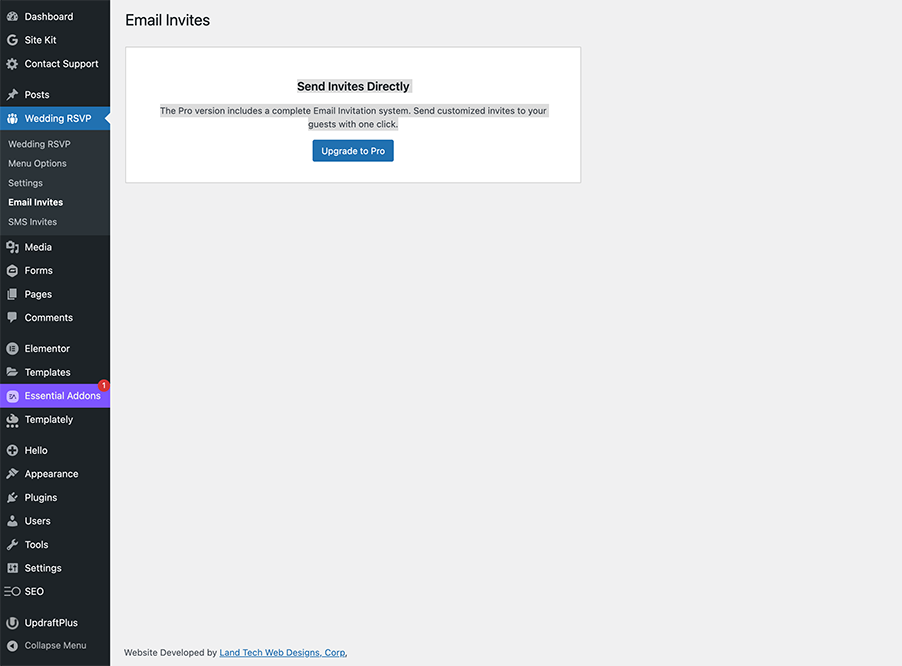
Yes. Wedding Party RSVP Pro adds child guests, full menu courses, seating notes, batch email and SMS, and deeper styling. The free plugin covers unlimited guests, adult entrées, dietary options, CSV import/export, and the public RSVP form.
-
Do guests need a WordPress account to RSVP?
-
No. Guests use a Party ID (invite code) you assign—no user registration required.
-
Does this work with the block editor?
-
Yes. Add a Shortcode block (or the classic block) and paste
[wedding_rsvp_form]. A block pattern is also available in the editor when the plugin is active. -
What PHP and WordPress versions do I need?
-
Requires WordPress 6.2 or later, PHP 7.4 or later (aligned with WordPress 7 dropping PHP 7.2–7.3), and the plugin readme lists Tested up to WordPress 7.0. Use PHP 8.x on your host where possible—WordPress recommends current PHP releases for performance and security.
-
Can I use Wedding Party RSVP Pro together with the free plugin?
-
Yes. Keep both plugins active: the free plugin provides the core guest list and RSVP form; Pro extends it with premium features when your license is valid.
-
What guest data does Wedding Party RSVP store?
-
Guest records live in your WordPress database (a custom table, usually
wp_wedding_rsvpswith your site prefix). Typical fields include Party ID, name, RSVP status, meal choice, and anything guests enter on the public form (for example email, phone, dietary notes, allergies, song request, message, address). Only users who can manage the plugin in wp-admin can view or edit that list. -
How can I export or erase a guest’s personal data?
-
In wp-admin, use Tools Export Personal Data and Tools Erase Personal Data (WordPress 4.9.6+). This plugin registers an exporter and an eraser that match guest rows by email address stored on the guest record. Erasing removes all guest rows that use that email from the RSVP table—use only when appropriate for your jurisdiction and event.
-
Can guests add the event to their calendar?
-
Yes. In Settings Logistics, set event title, start time, and optional venue; when enabled, guests who complete RSVP can download an .ics file (“Add to calendar”).
-
How do I add gift registry links to the RSVP page?
-
In Wedding RSVP Settings (free) use Frontend Display; with Pro, use Settings Frontend text. Enter an optional heading and one or more link labels with full https URLs (for example Amazon or Zola). Guests see them after signing in with their Party ID.
-
How do I paste a guest list instead of CSV?
-
In Wedding RSVP Paste Guest List (admin menu), paste names, emails, or phone lines, preview rows, then import. Imports are capped per request and require an administrator; see the on-screen notice after import.
-
What is the Party ID preview on the RSVP page?
-
When your site supports the Interactivity API, guests may see a short hint after typing a Party ID. The browser calls the read-only REST route
wgrsvp/v1/party-preview, which returns only whether the party exists, a guest count, and up to three first-name tokens (not full PII). Requests are rate-limited per IP to reduce brute-force guessing; adjust with thewgrsvp_party_preview_rate_limit_maxfilter if needed. -
How do I use the DataViews guest table on the Wedding Dashboard?
-
When the admin bundle is built (
npm run buildin the plugin directory), Wedding RSVP Wedding Dashboard opens the DataViews read-only table by default. Use Classic table / DataViews table on the dashboard toolbar to switch views; your choice is saved per user. The classic list remains below for bulk actions and editing. Override once with?wgrsvp_dataview=1or?wgrsvp_dataview=0.
评价


贡献者及开发者

更新日志
8.2.1
- Security & standards hardening — Global audit of inbound/outbound data handling: stricter input sanitization on settings saves, late escaping verified across all admin output, and the Ops Center confirm dialog moved from an inline handler to an enqueued script (
wgrsvp-confirm.js). - Code quality — WordPress Coding Standards pass: completed missing DocBlocks, prefixed all globals, and resolved all PHPCS errors repo-wide.
8.2.0
- Magic-link RSVP URLs — Reminder emails, invite
{rsvp_link}tags, and admin Copy link now append a signedwgrsvp_ttoken (stateless HMAC,wp_salt-based). Guests landing with a valid token see a personalized “We found your invitation” state; plain?party_id=links keep working. Filter:wgrsvp_magic_link_url. - Send reminder now — Follow-up & day-of Follow-up queue gains a one-click reminder blast to all non-responders with email (recipient count preview, confirm dialog,
manage_options+ nonce, 6-hour throttle, per-guest dedupe separate from the scheduled nudges). - SMS reminder opt-in — New
sms_opt_inguest column (schema v4 via dbDelta), “Text me reminders” checkbox next to the RSVP form phone field, inline opt-in toggle on the admin guest list, and an SMS opt-in column in the CSV export. The free plugin stores consent only; sending requires Wedding Party RSVP Pro. - Guest table page — The read-only DataViews guest table (and its quick filters) moved from the Wedding Dashboard to its own Guest table submenu page; the dashboard keeps the classic editable list and links to the new page. The per-user DataViews/classic toggle was removed.
8.1.1
- Block inserter fix — RSVP form, Guest Hub, and Thank-you checklist blocks now register a block editor script and appear under a Wedding Party RSVP inserter category (PHP-only blocks were not discoverable in Gutenberg without
editorScript). - Block patterns — Patterns tab adds RSVP form (block) and Guest Hub (block) under Wedding Party RSVP for faster page setup.
8.1.0
- Abilities API — Registers
wedding-party-rsvp/ai-wordingwhen WordPress 7.0+ Abilities API is available (AJAX paths remain primary). - Block registration — Centralized
WGRSVP_Blocksregisters RSVP form, guest hub, and thank-you checklist dynamic blocks (PHPrender.phponly). - AI model preference — Optional model slug on General Settings; passed to
using_model_preference()when supported.
8.0.8
- AI wording fix — WordPress 7.0
WP_AI_Client_Prompt_Builderroutesgenerate_text()through__call; removed incorrectmethod_exists()check that blocked AI with configured Connectors. - Household RSVP progress — Dashboard card uses neutral admin surface colors and explicit text variables for readable contrast on the Modern admin theme.
- Distribution —
create-plugin-zip.shwrites versioned zips toDist/(internal folder name unchanged).
8.0.7
- DataViews default — When the admin bundle is built, the Wedding Dashboard opens the REST-driven DataViews guest table by default; per-user toggle switches to the classic table (user meta
wgrsvp_guest_list_view). - AI setup UX — General Settings AI wording links administrators to Settings Connectors when the WordPress AI Client is not configured (WP 7.0+).
- WordPress 7.0 admin — Dashboard and settings layout CSS uses admin theme variables for better contrast on the Modern admin theme.
8.0.6
- Compatibility headers —
readme.txtand plugin headers declareRequires PHP: 7.4alongside Tested up to: WordPress 7.0, matching WordPress 7 minimum PHP guidance and avoiding installs on obsolete PHP releases.
8.0.5
- Playground blueprint —
installPluginusespluginData(current WordPress Playground schema); landing page opens the public Wedding RSVP demo (/); demo seed mergeswgrsvp_general_settingsinstead of replacing the option; rootblueprint.jsonstays in sync withassets/blueprints/blueprint.json. - Distribution — Release zip includes
assets/blueprints/blueprint.json(excludes only the nestedassets/blueprints/trunk/dev tree).
8.0.4
- Redirect URL — Helpers
wgrsvp_sanitize_redirect_url_setting()andwgrsvp_resolve_stored_redirect_url()for full URLs and root-relative paths; General Settings save, Interactivity/AJAX success payload, and classic form POST all resolve the stored value beforewp_safe_redirect()so guests reach your thank-you / custom page when Pro is inactive. - Documentation — External Services clarifies that the WordPress AI Client / AI wording assistant requires WordPress 7.0 or later (
wp_ai_client_prompt).
8.0.3
- Gift registries — Settings Frontend Display: optional heading plus multiple registry links (label + https URL). Shown on the public RSVP form after guests enter their Party ID (filter
wgrsvp_gift_registry_items). Wedding Party RSVP Pro: same fields on Settings Frontend text; front end uses the shared renderer when the free plugin is active.
8.0.2
- Modular admin — On Wedding RSVP Settings (General Settings), the Admin menu visibility box lets administrators show or hide built-in tools: Paste Guest List, Menu Options, Gifts & thank-you, Thank-you checklist, Client summary, Vendor & venue packet, Follow-up & day-of, Caterer portal, and Audit log. Defaults stay on; the
wgrsvp_admin_module_enabledfilter still applies per module. When Wedding Party RSVP Pro is active with a valid license, use Pro’s Settings for the same module keys. - Vendor & venue packet — Seating snapshot queries (
SHOW COLUMNS+ seated guest count) are cached 24 hours (wgrsvp_vendor_packet_seating_snapshot) and clear when guest data changes. - Security / UX — Clearer admin POST validation order where applicable, shared wgrsvp-admin-ui.js for destructive confirmations (e.g. factory reset), and RSVP success flash uses transient key
wgrsvp_rsvp_form_success_flashafter non-AJAX submit. - i18n — Additional translated admin strings (menus, guest list, actions).
- REST — Expanded documentation for public
wgrsvp/v1/party-previewand coordinatorwgrsvp/v1/guest-rowsroutes (preview remains IP rate-limited).
8.0.1
- Pro co-install — When Wedding Party RSVP Pro is active with the merged admin hub, the free plugin no longer registers a duplicate Settings submenu, so Wedding RSVP Settings consistently opens Pro’s Settings & Licensing screen (tabbed UI). If an older request hits the free settings callback, it redirects to the shared settings URL.
- i18n / Plugin Check — Rely on WordPress automatic translation loading for plugins hosted on WordPress.org (removed manual
load_plugin_textdomainoninit);Text DomainandDomain Pathin the plugin header unchanged.
8.0.0
- Major version alignment — Release series moves to 8.0.0; coordinates with Wedding Party RSVP Pro 2.0.0 and WeddingPartyRSVPData 2.0.0. No database migration beyond normal plugin load and existing upgrade paths.
7.3.34
- Plugin Check / standards — translators comments for placeholder strings; readme short description under 150 characters; REST guest-rows
prepare()argument spread and allowlisted SELECT columns; deadline nudge SQL uses%i+ bound IN list; audit log and vendor packet queries use%iwhere appropriate; PDF/CSV stream helpers use literal text domainwedding-party-rsvpwith an ignored optional third argument so Pro call sites keep working; bundled FPDF files gainABSPATHguards; PHPCS excludesincludes/lib/fpdf; misc PHPCS inline docs for nonce/token and DB calls.
7.3.33
- Try Premium (InstaWP) — launch link for a temporary Pro preview: wp-admin (activation notice, Getting started, Plugins list actions/meta, dashboard widget) plus readme Try It Live and External Services (InstaWP). Filter:
wgrsvp_pro_live_demo_url. Shown when Pro is not active.
7.3.32
- Planner roadmap — Guest list health tiles (mixed households, meal gaps, pending without contact, allergy count, Pro sub-event stragglers); Vendor & venue packet printable admin page; DIY vs planner onboarding copy on Getting started; plainer “danger zone” reset wording; invitation-code labels in guest list; free Email/SMS screens explain copy-link workflow; coordinator/mobile-friendly tweaks for health tiles and Follow-up & day-of.
7.3.31
- Guest audit log — additional Pro integration sources (
pro_bulk_guest_list,pro_import_csv,pro_ai_guest_tags,pro_rest_seating) and tracked columnstable_id,wpr_pro_ai_note_tags; QR check-in tokens are no longer included in diff payloads.
7.3.30
- Guest audit log — new table
wgrsvp_guest_audit(dbDelta on activate/upgrade) records insert/update/delete on guest rows with source (public form, admin, imports, day-of desk, setup wizard, Pro edit/REST/check-in where applicable), actor, and JSON field diffs. Wedding RSVP Audit log (administrators) lists and filters entries. Erase Personal Data deletes audit rows for erased guest IDs; factory reset truncates the audit table. Filters:wgrsvp_audit_trail_should_log,wgrsvp_audit_trail_changes,wgrsvp_audit_trail_tracked_fields; action:wgrsvp_guest_audit_logged.
7.3.29
- Follow-up & day-of — new Wedding RSVP Follow-up & day-of screen: follow-up counts and links, parties with mixed Accepted/Pending, a pending-guest table (200 rows), and a Day-of desk with large search (attending-only or all statuses). Administrators can Mark arrived / Undo (stores
wgrsvp_arrived_aton the guest row; Pro QR check-ins still show as “Checked in (Pro)”). Coordinators can open the screen for lookup; arrival buttons remain admin-only. Schema:wgrsvp_arrived_atonwedding_rsvps(dbDelta). - Coordinators may access
wedding-rsvp-opswithout redirect (same capability as the guest dashboard).
7.3.28
- Household RSVP progress on the Wedding Dashboard (distinct parties fully replied vs total), with a shortcut to Pending guests grouped by party.
- Saved filter shortcuts — administrators can save the current guest-list filters under a label (per-user meta); one-click return and remove.
- Client summary — Wedding RSVP Client summary: optional magic-link page with high-level counts and household progress (no guest names); option
wgrsvp_client_summary_portal_state; cleared on factory reset. - Aggregated stats cache now includes
households_totalandhouseholds_fully_replied; filterwgrsvp_aggregated_rsvp_stats.
7.3.27
- Fix fatal error on Wedding Dashboard:
get_aggregated_rsvp_stats()is now public soWGRSVP_Growth_Checklistcan call it (was private).
7.3.26
- Getting started panel on the Wedding Dashboard (RSVP URL, menu entrées, guests) with links to the setup wizard and Playground; dismissible option
wgrsvp_getting_started_panel_dismissed(cleared on factory reset). - Next steps: pending RSVPs notice with links to pending list, Logistics reminders, comms, and Gifts & thank-you; per-user dismiss meta
wgrsvp_next_steps_notice_dismissed. - Straggler filters (
wgrsvp_gap): no email, no phone, no mailing address, pending with no email/phone; honored by CSV / check-in / caterer exports viaexport_wgrsvp_gap. - Plugins list: Live demo action and row meta linking to the official Playground blueprint.
- Settings Logistics:
id="wgrsvp-logistics-heading"for in-admin deep links.
7.3.25
- Guest Hub (Interactivity + thank-you path): show child meal, appetizer, and hors d’oeuvres when present; event start uses the site timezone for display when logistics include a parseable start time. Filter:
wgrsvp_guest_hub_payload. - Gifts & thank-you: filter thank-you not sent (any guest); bulk “mark thank-you sent today” with row checkboxes; Print mailing sheet (names, addresses, gift reference) for the current filter; CSV/PDF exports honor the new filter.
7.3.24
NEW: Gifts & thank-you — Wedding RSVP Gifts & thank-you lists guests with optional gift received and thank-you card sent date on each row; filter pending thank-yous; Export CSV / Export PDF (administrators). Schema: gift_received, thankyou_card_sent_on on wedding_rsvps.
7.3.23
NEW: Deadline reminder emails — optional WP-Cron daily nudges before the RSVP deadline (wgrsvp_rsvp_deadline_nudge); settings under General Settings Logistics; filters wgrsvp_deadline_nudge_recipients, wgrsvp_deadline_nudge_skip_guest, action wgrsvp_deadline_nudge_sent_email (Pro may attach Twilio SMS).
NEW: Caterer portal — magic-link read-only meal summary (Wedding RSVP Caterer portal); Pro maps table_id labels when seating tables exist.
7.3.22
NEW: Guest Hub — post-RSVP summary (meals, dietary, event details) via AJAX payload, thank-you page, shortcode [wgrsvp_guest_hub], and block; optional Open in Google Maps from Logistics venue (documented under External Services).
7.3.18
IMPROVED: When Wedding Party RSVP Pro is active and licensed, the main Wedding RSVP guest list again includes per-guest email (and SMS when the row has a phone) action buttons—same templates as bulk invite, for reminders or guests added later. Administrators only.
7.3.17
IMPROVED: DataViews (admin) — when Wedding Party RSVP Pro is active with a valid license, the read-only table adds Check-in column filter, Checked in at and Planner tags columns, optional Planner tag (slug) text filter (REST wpr_planner_tag), and passes wpr_attended from the UI. Free-only installs see a short note that those options require Pro.
NEW: Guest-rows REST accepts wpr_planner_tag (slug); Pro extends wgrsvp_guest_rows_rest_order_by_map for wpr_pro_attended_at and wpr_pro_planner_tags sorting.
7.3.16
NEW: Thank-you checklist — optional post-event task list in its own database table (name like wp_wgrsvp_thankyou_tasks): Wedding RSVP Thank-you checklist (Administrators), shortcode [wgrsvp_thankyou_tracker], block Thank-you checklist, and optional public="1" for visibility on planner-only pages (avoid on fully public pages).
NEW: Household prompt — after a successful Interactivity API RSVP save (no redirect), guests may see a short notice when their party still has pending members, with scroll-to-next-pending.
IMPROVED: Privacy Policy suggested text mentions the checklist table.
7.3.15
NEW: Wedding RSVP Form block (wedding-party-rsvp/rsvp-form) — dynamic block matching [wedding_rsvp_form]; block.json enables __experimentalVisibility where the editor supports viewport visibility.
NEW: DataViews (admin) — optional read-only guest table on Wedding Dashboard (?wgrsvp_dataview=1) uses @wordpress/dataviews when build/ is present (run npm run build in the plugin directory), with GET wgrsvp/v1/guest-rows for pagination, search, RSVP filter, and sorting. Falls back to a small vanilla script if the bundle is missing.
NEW: Caterer summary export — on the Wedding Dashboard guest list, export a Caterer summary (PDF or CSV) that aggregates accepted guests by table with meal counts and dietary/allergy notes (optional checkbox to include non-accepted rows). DataViews can filter by meal choice, text in dietary/allergies, and “has table assignment” via REST query args (menu_choice, dietary_contains, allergy_contains, has_table); all processing stays on your server.
7.3.14
NEW: AI wording assistant on General Settings (welcome title, closed-RSVP message, and copy-paste snippets for save-the-date / deadline reminder) when wp_ai_client_prompt is available. Filter: wgrsvp_ai_wording_prompt.
IMPROVED: Interactivity API — optional entrée follow-up field when guests choose Vegetarian/Vegan; debounced email format hint on the RSVP form; watch() syncs a busy state class when WordPress exposes it (7.0+).
7.3.12
NEW: Optional Add to calendar (.ics) after RSVP when event details are set in General Settings; thank-you state uses a secure redirect with query args.
NEW: Export check-in PDF on the guest dashboard (same filters as CSV), using bundled FPDF.
7.3.11
IMPROVED: License / Support field on General Settings masks a stored key when the site is effectively licensed (including the same trusted showcase hostname rules as Pro); saving with a blank field keeps the existing key.
IMPROVED: Email/SMS admin placeholders and Pro communication redirects use effective license state (not only the raw option), matching Pro behavior for licensed co-installations.
7.3.10
Fix: When Wedding Party RSVP Pro is active with a valid license, the free plugin no longer runs its classic RSVP POST handler on init with the wrong nonce, so guests submitting the public RSVP form no longer see “Security check failed.” (Pro owns the shortcode and nonce in that configuration.)
Compatibility: Confirmed “Tested up to” WordPress 6.9.x for this release.
7.3.9
Maintenance: Coordinated release with Wedding Party RSVP Pro; version and metadata alignment for the directory.
7.3.8
NEW: Suggested privacy policy text in Settings Privacy (via WordPress privacy policy guide) describing stored guest data, export, and erase behavior.
NEW: Personal data eraser (Erase Personal Data) for guest rows matched by email; dashboard stats cache refreshes after a successful erase.
IMPROVED: Readme FAQ for data storage and export/erase; directory tag event added.
7.3.7
NEW: Optional block pattern to insert the RSVP shortcode from the block inserter.
NEW: Plugins screen link to Pro; dismissible post-activation setup checklist; optional dashboard widget for RSVP counts (filterable).
NEW: Optional milestone notice after the first guest RSVP (dismissible).
NEW: CSV export can match the current guest list search and filters; “Copy RSVP link” for Party ID on the guest list; optional custom message when the RSVP deadline has passed; optional grouped-by-party view; optional privacy exporter for guest data; optional one-time sample guest seed for empty sites.
IMPROVED: Works alongside Wedding Party RSVP Pro with both plugins active (merged admin menu when licensed; Pro owns the public shortcode when the license is active).
7.3.6
NEW: Optional frontend RSVP flow using the WordPress Interactivity API (6.5+): data-wp-interactive, data-wp-context, data-wp-on--submit, and live feedback via data-wp-text (no full page reload when the interactivity module loads). Classic POST submission remains for older WordPress or when script modules are unavailable.
7.3.5
Maintenance: Release version bump for coordinated directory update (aligns with Pro licensing documentation release).
7.3.4
Hardening: Addressed WordPress.org checker warnings around nested guest POST handling and custom-table database operations.
Maintenance: Updated tested-up-to metadata formatting for directory compliance.
7.3.3
Maintenance: Release version bump and metadata normalization for directory checks.
Compatibility: Updated ‘Tested up to’ formatting to WordPress.org-compliant major.minor (6.9).
Hardening: Improved frontend guest POST handling and clarified custom-table DB operations for Plugin Check compliance.
7.3.2
Compatibility: Tested up to WordPress 6.9.
7.3.1
New: Review request notice after 7 days (Enjoying Wedding Party RSVP?) with Yes / No (Support) / Dismiss. AJAX dismissal, nonce-secured, shown only on plugin admin pages.
7.3
Security Update: Implemented late escaping for inline styles and rigorous variable escaping for output.
Cleanup: Removed unused external service references to comply with directory guidelines.
7.2
Security: Updated prefixes, nonce sanitization, and SQL preparation.
Architecture: Moved form processing to init hook for safer redirects.
7.1
Security Update: Fixed escaping and sanitization issues.
Mobile Responsiveness: Updated Admin Dashboard with “Card View”.
Performance: Implemented Object Caching.
7.0
Major update with new UI.
1.0
Initial Release.