
描述
Homepage | Documentation | Support
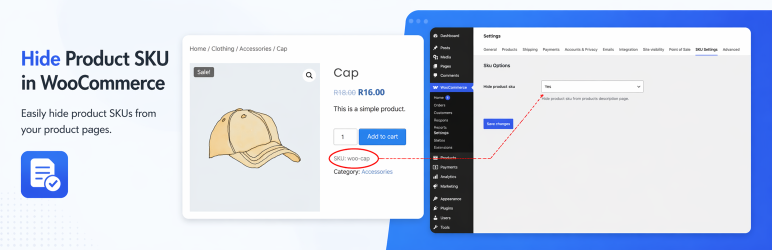
If you don’t need to use SKUs at all in your shop, you can disable them completely by using this plugin.
This plugin should work with any WooCommerce installation, since it hooks up to the core functionality of WooCommerce. Note that at least version 2.1.0 of WooCommerce is required.
安装
- Download the archive and unzip it in /wp-content/plugins, upload the archive at Plugins > Add New > Upload Plugin or install via Plugins > Add New > Search for the plugin name in the search bar.
- Activate the plugin through the Plugins menu in WordPress
- Update the plugin settings in your WooCommerce settings at WooCommerce > Settings > SKU settings pages.
常见问题
-
Is this plugin work with any wordpress theme?
-
Yes, this plugin will definitely work with your theme.
评价

2024 年 1 月 17 日
Plug and play – Really nice !

2021 年 5 月 13 日
And could not delete from the backoffice it throws error: You cannot delete a plugin while it is active on the main site. although it is not activated…

2018 年 12 月 12 日
3 回复
The error messages I was getting was due to code in the functions file that must be incompatible with the updated woocommerce. Once I took that code out, this plugin worked perfectly. I also want to thank the author for letting me know what to look for so I could fix it. I apologize for the incorrect review. This is my updated review.

2017 年 11 月 29 日
Good & simple plugin. Does the exact job.

2017 年 3 月 15 日
Thanks for such a great plugin!
It is super simple, but I think it’s overkill giving this new setting it’s own tab, maybe it should go under the product tab or general even.
Nevertheless, wherever the settings are, it is still a great plugin.

2017 年 2 月 10 日
1 回复
Hello, I need the SKUs to be removed for my customer profile, but to show on my wholesale profile. Is there a way?
贡献者及开发者

更新日志
1.0
First release
1.1
- Edited to test compatibility with latest WordPress version
1.2
- Compatible
- Support multisite
1.4.3
- Compatible with WordPress 7.0