
描述
A quicklook into WP Gallery Manager
★ Create custom galleries using custom images
★ Fixed/responsive gallery dimensions
★ Create multiple galleries
★ Shortcodes for rendering gallery images
★ Allows to override default WordPress image gallery
★ Configure max-width and max-height of images and sliders
★ Allows to configure autoplay and time interval
★ Attractive drag and drop feature while creating gallery
★ Allows to opt multiple file uploading
WP Gallery Manager allows you to create responsive or fixed size image galleries which can be rendered in wordpress pages or posts using shortcodes. You can upload multiple images using the built in multi-file uploader and tag them with corresponding galleries. While creating galleries, you can be easily drag and drop images from the uploaded data. Also images within a gallery can be sorted using drag and drop mechanism.
Using WP Gallery Manager you may override default wordpress image gallery display if required. It also lets you configure various configurations related to gallery such as max-width and max-height of images and sliders, autoplay and time interval.
About
WP Gallery Manager is developed and maintained by XYZScripts. For any support, you may contact us.
More Information
★ WP Gallery Manager User Guide
★ WP Gallery Manager FAQ
Troubleshooting
Please read the FAQ first if you are having problems.
Requirements
WordPress 3.0+
PHP 5+ (Recommended)
Feedback
We would like to receive your feedback and suggestions for the betterment of this plugin. You may submit them at our support desk.
屏幕截图
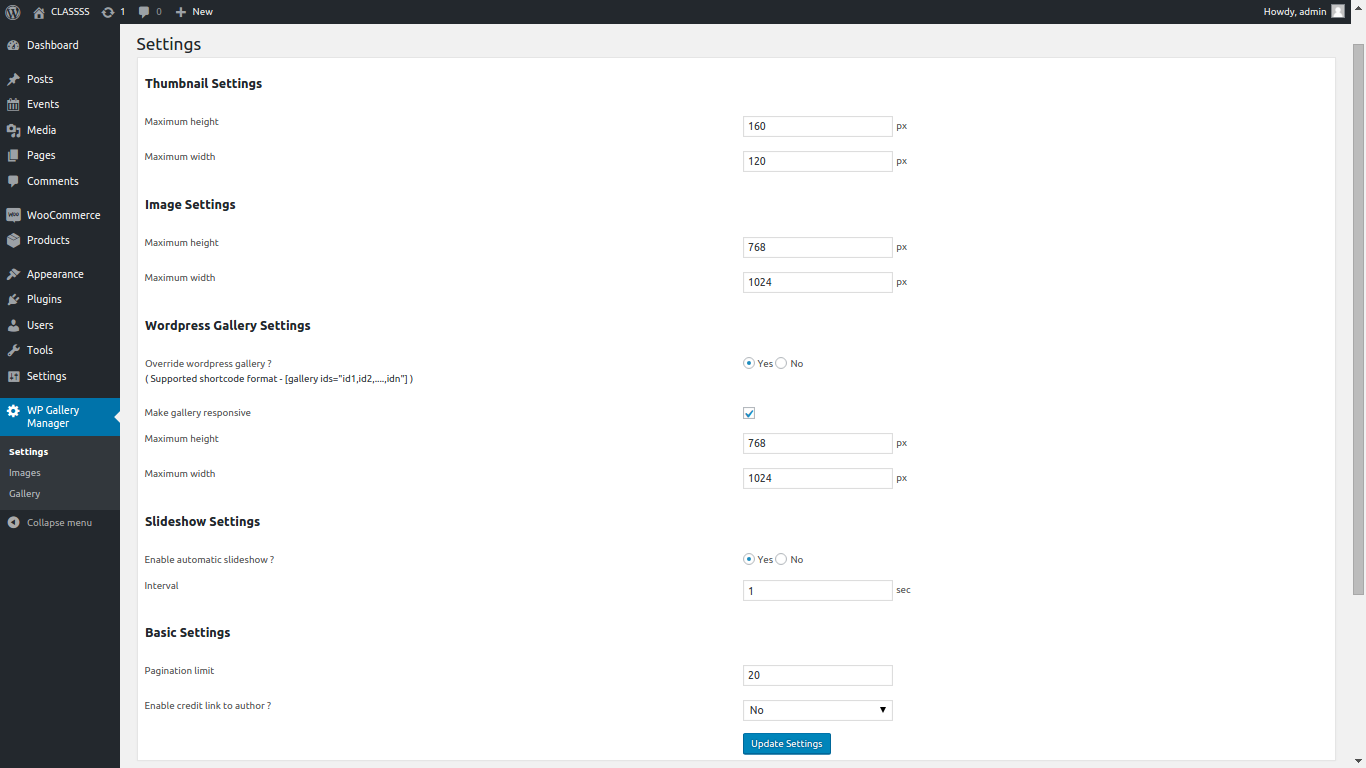
Gallery configuration screen.

Sample gallery display.

Add Images.

Image manager.

Add Gallery.

Gallery Manager.

Gallery shortcode example.
安装
- Extract
wp-gallery-manager.zipto your/wp-content/plugins/directory. - In the admin panel under plugins activate WP Gallery Manager.
- You can configure the settings from WP Gallery Manager menu.
- It should now be completely set up and functional.
If you need any further help, you may contact our support desk.
常见问题
★ WP Gallery Manager User Guide
★ WP Gallery Manager FAQ
- What is “WP Gallery Manager” ?
-
“WP Gallery Manager” is a plugin designed to make any number of custom image galleries, which can be easily placed in any page using shortcodes. This addon feature gives awesome looks for your wordpress site.
- Can I override wordpress default gallery using “WP Gallery Manager” ?
-
Yes, you can override wordpress default gallery using “WP Gallery Manager” by configuring the override option in settings page.
- Are the galleries created using “WP Gallery Manager” responsive ?
-
You have option to make the responsive and fixed size galleries using “WP Gallery Manager”
- Does the “WP Gallery Manager” support autoplay ?
-
Yes, you can configure autoplay and time interval in the gallery settings.
评价
此插件暂无评价。
贡献者及开发者

更新日志
1.0
- First official launch.