

描述
XL Product Carousel is a WordPress plugin which create WooCommerce product slider to display anywhere of your site using shortcode. It is simple but flexible & powerful.
Plugin Features
- Shortcode ready product carousel
- Responsive product carousel.
- Very light weight.
- No need any settings.
- Work with all WordPress theme.
- Easy to use.
- Developer friendly & easy to customize.
- Powered by Owl Carousel 2.
- Its easy user interface allows you to manage plugin.
Pro Features
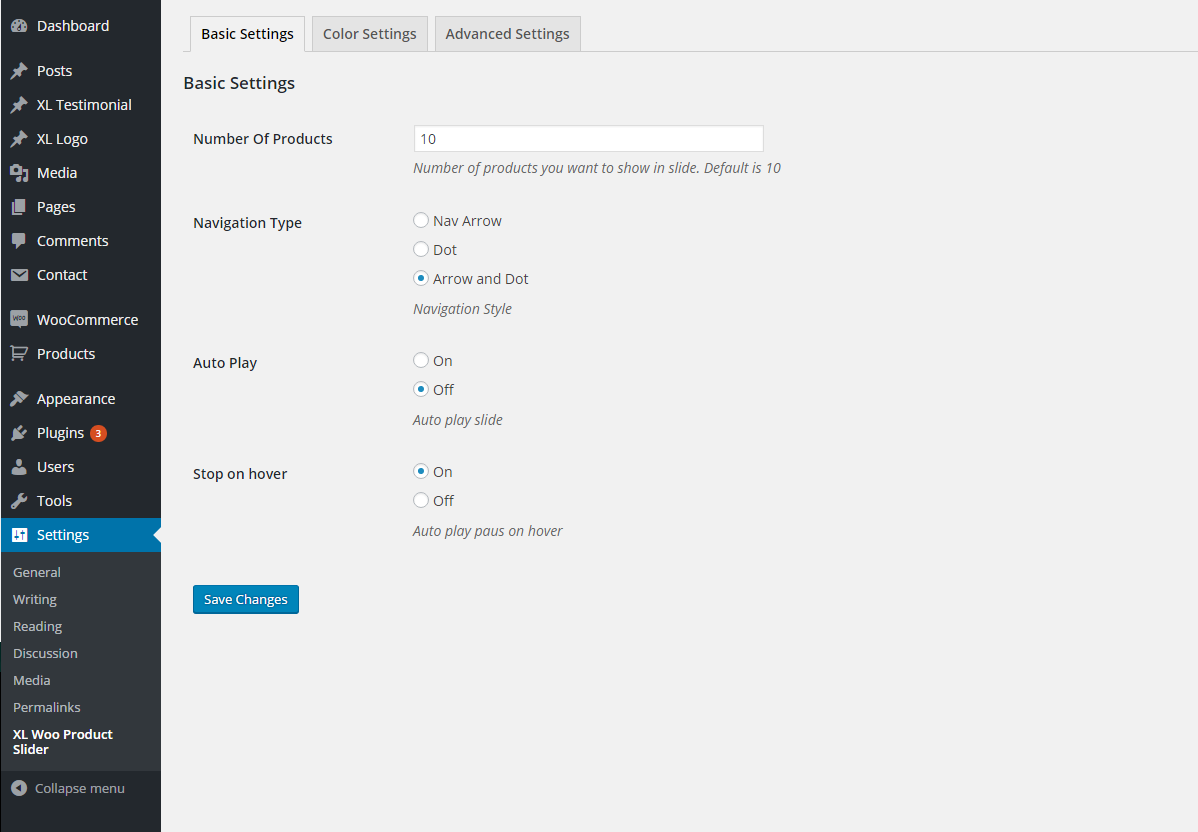
- Advance setting panel with all necessary settings.
- Multiple sliders can be shown from different Product categories.
- Responsive settings. Can be control product item to show on tablet & mobile.
- Great settings panel.
- On / Off – stop on hover
- On / Off infinite loop.
- 3 way to display slider navigation
- 5 nav arrow styles.
- 4 border style
- Unlimited colors select.
- Auto select font from your website
- Number of products to move on transition.
- Lot’s of shortcode parameters
- Works with any WordPress Theme.
- Build with HTML5 & CSS3.
- Responsive. Work on any device.
- Easy and user-friendly setup.
- Well documentation
- 24/7 support.
- And many more.
Shortcode
Basic Usage – Use following shortcode to display product carousel.
[xl_product]
5 Theme Style
- Default
- xl_style_1
- xl_style_2
- xl_style_3
- xl_style_4
3 Caption Style
- xl_left
- xl_right
- xl_center
10 Button Style
- xl_btn_1
- xl_btn_2
- xl_btn_3
- xl_btn_4
- xl_btn_5
- xl_btn_6
- xl_btn_7
- xl_btn_8
- xl_btn_9
- xl_btn_10
4 border styles
- solid
- dotted
- dashed
- double
5 Navigation Arrow styles
- Top right corner – trc
- Top left corner – tlc
- Bottom left corner – blc
- Bottom right corner – brc
- Default
Example Uses
Use following shortcode to display product slider combined with 4 product in large desktop, 4 in medium desktop, 4,3 and 2 accordingly in tablets, large phone and small phone, nav arrow in top right corner, 20px margin between two products. and 1px solid light gray border.
[xl_product theme="xl_style_1" caption_alignment="xl_center" large_desktops="4" medium_desktops="4" tablets="4" large_phones="3" small_phones="2" nav_arow_style="trc" logo_margin="20" product_border_style="solid" product_border_thickness="1" product_border_color="#ddd"]
Still have any confusion?
Normally products will display by descending order, latest will show first. But if you wish to display ascending order, oldest at first then pass order=”ASC” parameter to shortcode like
[xl_product order='ASC']
CREDIT
Developed by Khandaker Ikrama – http://ikrama.info/
Proudly powered by XL Theme – http://www.xltheme.com/
CONTACT
Khandaker Ikrama – http://ikrama.info/contact/
屏幕截图


安装
Install XL Product Carousel as a regular WordPress plugin. Here is different ways to install XL Product Carousel plugin :
Install by Search Plugin
- Go to Dashboard > Plugins > Add New
- Search XL Product Carousel
- Click to install
- Activate the plugin
Install by Upload Plugin
- Download the latest version of XL Product Carousel (.zip file)
- Go to Dashboard > Plugins > Add New
- Select “Upload Plugin”
- Click on “Choose File”
- Select downloaded xl-product-carousel & click on ‘Install Now’ button
- Activate the plugin
Install Plugin using FTP
- Upload xl-product-carousel folder inside the /wp-content/plugins/ directory
- Go to WordPress dashboard > Plugins & Activate the XL Product Carousel
常见问题
- Installation Instructions
-
Install XL Product Carousel as a regular WordPress plugin. Here is different ways to install XL Product Carousel plugin :
Install by Search Plugin
- Go to Dashboard > Plugins > Add New
- Search XL Product Carousel
- Click to install
- Activate the plugin
Install by Upload Plugin
- Download the latest version of XL Product Carousel (.zip file)
- Go to Dashboard > Plugins > Add New
- Select “Upload Plugin”
- Click on “Choose File”
- Select downloaded xl-product-carousel & click on ‘Install Now’ button
- Activate the plugin
Install Plugin using FTP
- Upload xl-product-carousel folder inside the /wp-content/plugins/ directory
- Go to WordPress dashboard > Plugins & Activate the XL Product Carousel
- What will be the Product image dimension?
-
Better to add same size image for all product.
评价
此插件暂无评价。
贡献者及开发者


更新日志
version 1.2
- WordPress compatibility and update
version 1.0.1
- Initial release